Leroy Merlin: DIY Shopping
Aggiornata
Versione corrente
1.1.7
Offerta da

Non devi più preoccuparti dei sovraccarichi durante l'utilizzo di Leroy Merlin: DIY Shopping sul tuo cellulare, liberati dal piccolo schermo e goditi dell'App su uno schermo molto più grande. D'ora in poi, sperimenta la tua App a schermo intero con tastiera e mouse. MEmu ti offre tutte le sorprendenti funzioni che ti aspettavi: installazione rapida e impostazione semplice, controlli intuitivi, niente più limitazioni di batteria, dati mobili e chiamate fastidiose. Il MEmu 9 nuovo di zecca è la prima scelta per utilizzare Leroy Merlin: DIY Shopping sul tuo computer. Codificato con il nostro assorbimento, il gestore multi-istanza consente di aprire 2 o più account contemporaneamente. E soprattutto, il nostro esclusivo motore di emulazione può sbloccare il pieno potenziale del tuo PC, rendendo tutto liscio e piacevole.
Mostra altro
Goditi un'esperienza straordinaria con Leroy Merlin: DIY Shopping su PC con MEmu Play. È un potente emulatore Android gratuito che ti offre migliaia di app Android per la versione desktop. Divertiti a connetterti con gli amici e a perfezionare il tuo lavoro con maggiore efficienza! Our Mission: Make your home the best place to live.
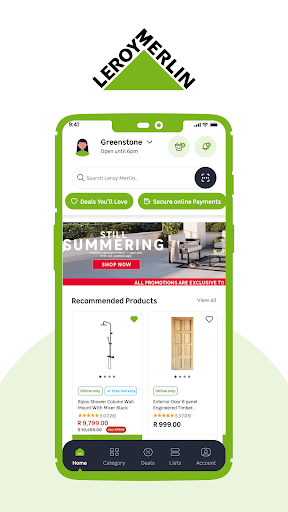
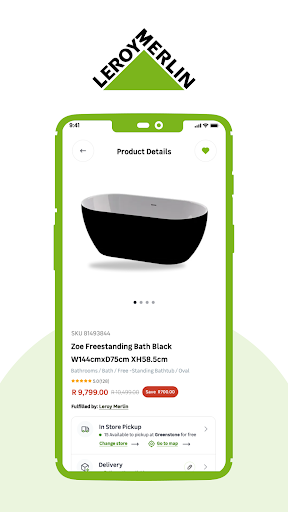
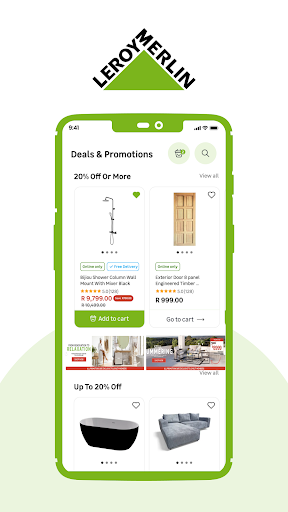
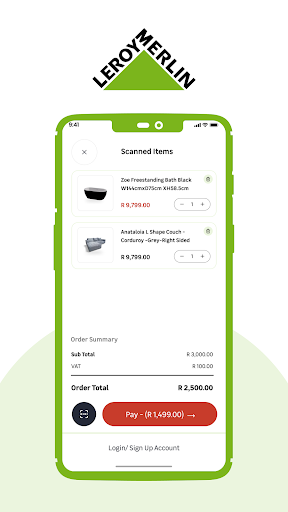
Our Mission: Make your home the best place to live. The Leroy Merlin app is designed to support you at every step of your DIY journey. Built for you and with you, it's your companion wherever you go. Shopping and browsing on your smartphone is now simpler, more practical, and always 100% secure. Use it anywhere, anytime! Whether you're in our stores, at work, stuck in traffic or relaxing at home, Leroy Merlin is right there with you.
DISCOVER PRODUCTS AND SOLUTIONS
Browse over 150,000 products and services across all categories: Outdoor & Garden, Bathroom, Kitchen, Storage & Organisation, Building Materials & Timber, Tiles & Flooring, Décor and Lighting, Paint, Electrical & Smart Home, Solar & Alternative Energy, Water Solutions, Heating & Cooling, Plumbing, Hardware & Security, Tools.
Access detailed product information, helpful guides, video tutorials and customer reviews instantly.
Explore sustainable solutions for backup power, water harvesting & storage, and efficient heating and cooling to keep your home comfortable throughout the year.
SHOP SMARTER
Check product availability at your nearest store before you visit.
Create and manage shopping lists with ease.
Choose between free 2-hour store collection or home delivery.
FIND YOUR NEAREST STORE
Locate stores near you and view their opening hours, contact details and latest promotions.
SHOP & NAVIGATE IN-STORE
Skip the queues with self-checkout! Simply scan your items and pay directly through the app for a faster shopping experience.
Access your shopping lists to stay organised and share them with our in-store experts.
Scan product barcodes or shelf QR codes for instant information and specifications.
The "Find in store" feature to locate products quickly is coming soon.
TRACK YOUR ORDERS
Monitor all your orders in one place, whether placed online or in-store.
GET EXPERT HELP
Connect with our specialists 7 days a week during opening hours.
Reach our customer service team for store or online queries.
Get professional advice on sustainable home solutions including solar systems, water tanks, and efficient heating and cooling options.
MY HOME CARD BENEFITS
Keep your Digital My Home Card handy on your phone for easy checkout.
Access exclusive member benefits and view all your receipts in one place.
YOUR FEEDBACK MATTERS We're constantly improving this app based on your suggestions. Share your thoughts through the "Give your opinion" feature in the app or email us at app.notifications@leroymerlin.co.za. New features are already in development to support your DIY projects even better. Here's to successful projects and making your home truly yours! Leroy Merlin... Make your home the best place to live!
Mostra altro

1. Scarica il programma di installazione di MEmu e completa l'installazione

2. Avvia il Memu e apri il Google Play sulla homepage

3. Cerca Leroy Merlin: DIY Shopping in Google Play
Install
4. Scarica e installa Leroy Merlin: DIY Shopping
5. Al termine dell'installazione, fai clic sull'icona per avviar

6. Divertiti giocando a Leroy Merlin: DIY Shopping su PC con MEmu
MEmu App Player è il miglior emulatore Android gratuito, utilizzato da 50 milioni di persone per ottenere un'esperienza di gioco Android superba. La tecnilogia di virtualizzazione MEmu ti permette di giocare a migliaia di giochi Android con semplicità sul tuo computer, anche i giochi con la grafica più esigente.
Schermo più grande con una grafica migliore; Lunga durata, senza limitazione di batteria o dati mobili.
Supporto completo per mappa di tastiera per un controllo preciso di tastiera e mouse o gamepad.
Multipli account di gioco o attività su un singolo PC contemporaneamente con il gestore di multi istanza.
Use Leroy Merlin: DIY Shopping on PC by following steps: