
LibreOffice Writer Guide Notes
Aggiornata
Versione corrente
2.2.6
Offerta da

Non devi più preoccuparti dei sovraccarichi durante l'utilizzo di LibreOffice Writer Guide Notes sul tuo cellulare, liberati dal piccolo schermo e goditi dell'App su uno schermo molto più grande. D'ora in poi, sperimenta la tua App a schermo intero con tastiera e mouse. MEmu ti offre tutte le sorprendenti funzioni che ti aspettavi: installazione rapida e impostazione semplice, controlli intuitivi, niente più limitazioni di batteria, dati mobili e chiamate fastidiose. Il MEmu 9 nuovo di zecca è la prima scelta per utilizzare LibreOffice Writer Guide Notes sul tuo computer. Codificato con il nostro assorbimento, il gestore multi-istanza consente di aprire 2 o più account contemporaneamente. E soprattutto, il nostro esclusivo motore di emulazione può sbloccare il pieno potenziale del tuo PC, rendendo tutto liscio e piacevole.
Mostra altro
Goditi un'esperienza straordinaria con LibreOffice Writer Guide Notes su PC con MEmu Play. È un potente emulatore Android gratuito che ti offre migliaia di app Android per la versione desktop. Divertiti a connetterti con gli amici e a perfezionare il tuo lavoro con maggiore efficienza! LibreOffice Writer Guide – Hindi & English.
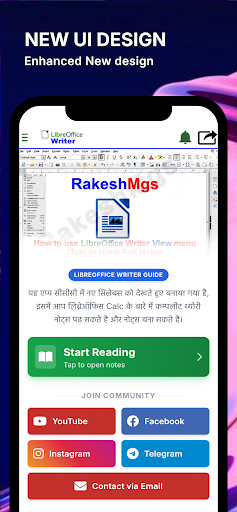
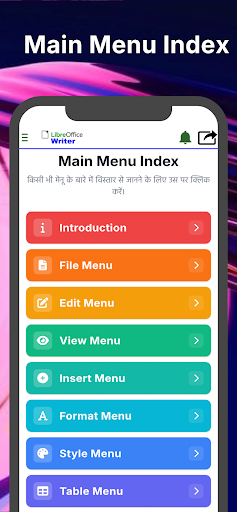
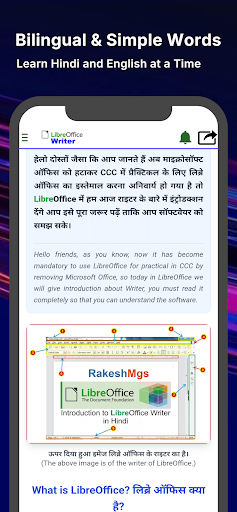
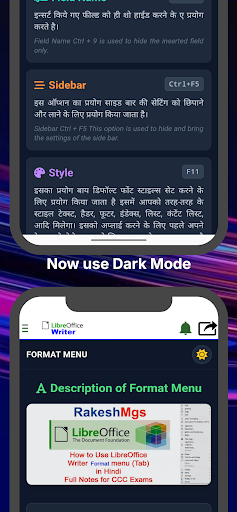
LibreOffice Writer Guide – Hindi & English
Learn LibreOffice Writer with easy-to-understand notes in both Hindi and English. This app is designed for students who want to build a strong understanding of LibreOffice Writer for study, practice, and computer literacy.
The content is useful for learners preparing for NIELIT CCC and NIELIT O Level examinations, as well as anyone interested in improving their LibreOffice Writer skills.
App Features
Bilingual content (Hindi & English)
Simple and easy-to-understand explanations
Well-organized topics for quick learning
Helpful for self-study and exam preparation
Clean and user-friendly interface
Topics Covered
What is LibreOffice Writer
Introduction to LibreOffice Writer
User Interface
File Menu
Edit Menu
View Menu
Insert Menu
Format Menu
Styles Menu
Table Menu
Tools Menu
Window Menu
Help Menu
Each topic is explained in a simple way to help beginners understand the features and functions of LibreOffice Writer step by step.
Disclaimer
This application is an independent educational resource and is not affiliated with, endorsed by, or sponsored by NIELIT or any government organization. The content is created for learning and educational purposes. Users should always refer to the official NIELIT website for the latest examination syllabus and notifications.
If you find this app useful, please consider leaving a rating and sharing your feedback. Your suggestions help us improve future updates.
Mostra altro

1. Scarica il programma di installazione di MEmu e completa l'installazione

2. Avvia il Memu e apri il Google Play sulla homepage

3. Cerca LibreOffice Writer Guide Notes in Google Play
Install
4. Scarica e installa LibreOffice Writer Guide Notes
5. Al termine dell'installazione, fai clic sull'icona per avviar

6. Divertiti giocando a LibreOffice Writer Guide Notes su PC con MEmu
MEmu App Player è il miglior emulatore Android gratuito, utilizzato da 50 milioni di persone per ottenere un'esperienza di gioco Android superba. La tecnilogia di virtualizzazione MEmu ti permette di giocare a migliaia di giochi Android con semplicità sul tuo computer, anche i giochi con la grafica più esigente.
Schermo più grande con una grafica migliore; Lunga durata, senza limitazione di batteria o dati mobili.
Supporto completo per mappa di tastiera per un controllo preciso di tastiera e mouse o gamepad.
Multipli account di gioco o attività su un singolo PC contemporaneamente con il gestore di multi istanza.
Use LibreOffice Writer Guide Notes on PC by following steps: