LM Home
Aggiornata
Versione corrente
1.0.241111
Offerta da

Non devi più preoccuparti dei sovraccarichi durante l'utilizzo di LM Home sul tuo cellulare, liberati dal piccolo schermo e goditi dell'App su uno schermo molto più grande. D'ora in poi, sperimenta la tua App a schermo intero con tastiera e mouse. MEmu ti offre tutte le sorprendenti funzioni che ti aspettavi: installazione rapida e impostazione semplice, controlli intuitivi, niente più limitazioni di batteria, dati mobili e chiamate fastidiose. Il MEmu 9 nuovo di zecca è la prima scelta per utilizzare LM Home sul tuo computer. Codificato con il nostro assorbimento, il gestore multi-istanza consente di aprire 2 o più account contemporaneamente. E soprattutto, il nostro esclusivo motore di emulazione può sbloccare il pieno potenziale del tuo PC, rendendo tutto liscio e piacevole.
Mostra altro
Scarica LM Home su PC con MEmu Android Emulator. Divertiti giocando sul grande schermo. The LM Home application provides an Android device connection to any of the LogicMachine family product.
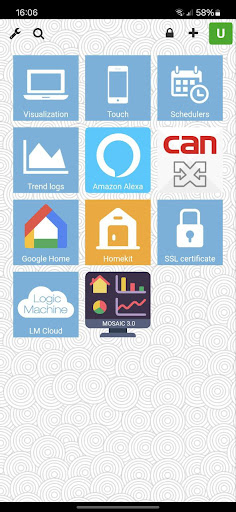
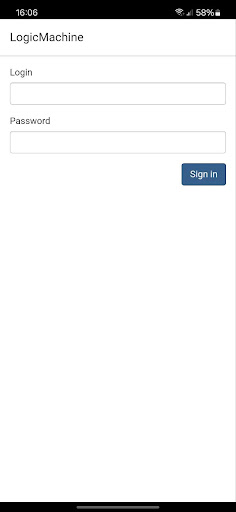
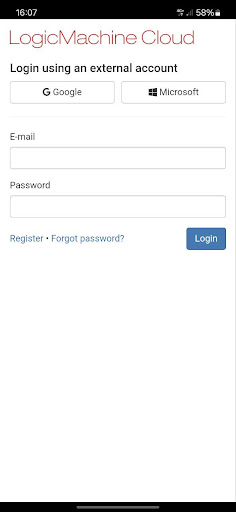
The LM Home application provides an Android device connection to any of the LogicMachine family product.
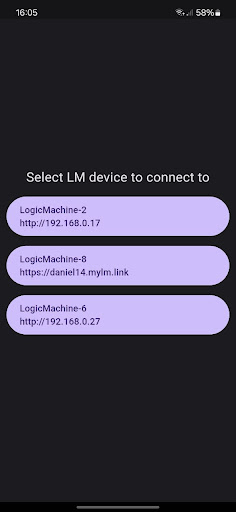
The app will automatically find all devices on the network and there is no need to know its IP. User and password are saved to simplify the connection.
When on DATA or another WIFI network, the LM Home app will automatically connect to LogicMachine cloud to control your home remotely via a secure connection.
It can receive push notifications sent from LogicMachine to notify about anything that is important to the user.
Instructions:
1. Make sure that LogicMachine has firmware 2024 or newer.
2. Open app while on the same network as LogicMachine. If there is only on LM then app will automatically connect and ask for user and password, this has to be added once. If there is more then on LM on the network app will let select LM to connect too.
3. To add more LMs press and hold the app icon on mobile and select Add LM.
4. Co connect to cloud turn off Wi-fi or connect from a network where LogicMachine is not present.
5. To remove already saved credentials, select Clear cache. Clear config will remove all added LMs. To remove single LM select Remove LM and then select LM which should be removed.
For more information please use our forum:
https://forum.logicmachine.net/showthread.php?tid=5220&pid=33739#pid33739
App works only with LogicMachine firmware 2024.01 or newer!
Do not use admin credentials as it will not be saved!
Mostra altro

1. Scarica il programma di installazione di MEmu e completa l'installazione

2. Avvia il Memu e apri il Google Play sulla homepage

3. Cerca LM Home in Google Play
Install
4. Scarica e installa LM Home
5. Al termine dell'installazione, fai clic sull'icona per avviar

6. Divertiti giocando a LM Home su PC con MEmu
MEmu App Player è il miglior emulatore Android gratuito, utilizzato da 50 milioni di persone per ottenere un'esperienza di gioco Android superba. La tecnilogia di virtualizzazione MEmu ti permette di giocare a migliaia di giochi Android con semplicità sul tuo computer, anche i giochi con la grafica più esigente.
Schermo più grande con una grafica migliore; Lunga durata, senza limitazione di batteria o dati mobili.
Supporto completo per mappa di tastiera per un controllo preciso di tastiera e mouse o gamepad.
Multipli account di gioco o attività su un singolo PC contemporaneamente con il gestore di multi istanza.
Use LM Home on PC by following steps: