
Mullvad VPN
Aggiornata
Versione corrente
2026.12
Offerta da

Non devi più preoccuparti dei sovraccarichi durante l'utilizzo di Mullvad VPN sul tuo cellulare, liberati dal piccolo schermo e goditi dell'App su uno schermo molto più grande. D'ora in poi, sperimenta la tua App a schermo intero con tastiera e mouse. MEmu ti offre tutte le sorprendenti funzioni che ti aspettavi: installazione rapida e impostazione semplice, controlli intuitivi, niente più limitazioni di batteria, dati mobili e chiamate fastidiose. Il MEmu 9 nuovo di zecca è la prima scelta per utilizzare Mullvad VPN sul tuo computer. Codificato con il nostro assorbimento, il gestore multi-istanza consente di aprire 2 o più account contemporaneamente. E soprattutto, il nostro esclusivo motore di emulazione può sbloccare il pieno potenziale del tuo PC, rendendo tutto liscio e piacevole.
Mostra altro
Goditi un'esperienza straordinaria con Mullvad VPN su PC con MEmu Play. È un potente emulatore Android gratuito che ti offre migliaia di app Android per la versione desktop. Divertiti a connetterti con gli amici e a perfezionare il tuo lavoro con maggiore efficienza! Free the internet from data collection with Mullvad VPN – a service that helps keep your online activity, identity, and location private.
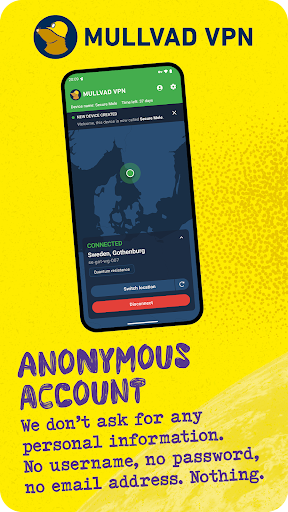

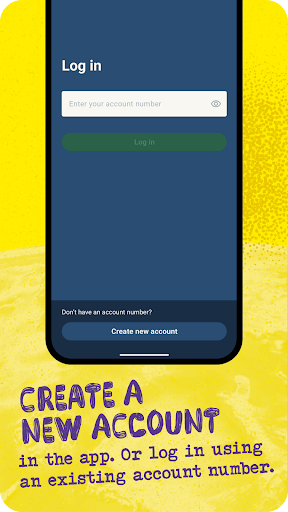
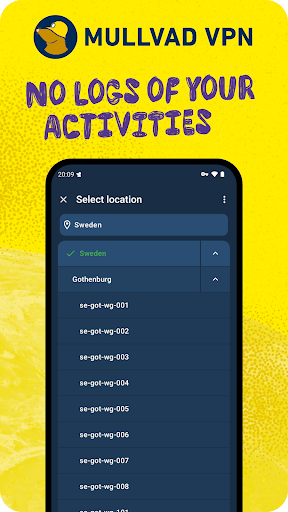
Free the internet from data collection with Mullvad VPN – a service that helps keep your online activity, identity, and location private. Only €5/month.
GET STARTED
1. Install the app.
2. Create an account.
3. Add time to your account via in-app purchases or vouchers.
To make sure to block third-party cookies and other tracking technologies – use Mullvad VPN together with Mullvad Browser (free of charge).
ANONYMOUS ACCOUNTS – NO ACTIVITY LOGS
• Creating an account requires no personal info - not even an email address.
• We keep no activity logs.
• We offer the possibility to pay anonymously with cash or cryptocurrency.
• Bypass geographical restrictions with our global network of VPN servers.
• Our app uses WireGuard, a superior VPN protocol that connects fast and doesn’t drain your battery.
HOW DOES MULLVAD VPN WORK?
With Mullvad VPN, your traffic travels through an encrypted tunnel to one of our VPN servers and then onward to the website you are visiting. In this way, websites will only see our server’s identity instead of yours. Same goes for your ISP (internet service provider); they’ll see that you’re connected to Mullvad, but not your activity.
It also means that all the third-party actors with technology integrated into the various websites you visit can’t sniff out your IP address and use it to track you from one site to another.
Using a trustworthy VPN is a great first step to reclaim your privacy online. In combination with Mullvad Browser you make sure to block third-party cookies and other tracking technologies.
FREE THE INTERNET FROM MASS SURVEILLANCE AND DATA COLLECTION
A free and open society is a society where people have the right to privacy. That’s why we fight for a free internet.
Free from mass surveillance and censorship. Free from big data markets where your personal information is up for sale. Free from authorities mass monitoring every click you make. Free from an infrastructure mapping your whole life. Mullvad VPN and Mullvad Browser is our contribution to the fight.
TELEMETRY AND CRASH REPORTS
The app collects a very minimal amount of telemetry, and it does not in any way tie it to an account number, IP or other identifiable information. Account numbers are used for authentication. App logs are never sent automatically but are rather explicitly sent by the user. App version checks are performed every 24 hours to tell the app if there are any upgrades available and if the currently running version is still supported.
If the split tunneling feature is used, then the app queries your system for a list of all installed applications. This list is only retrieved in the split tunneling view. The list of installed applications is never sent from the device.
Mostra altro

1. Scarica il programma di installazione di MEmu e completa l'installazione

2. Avvia il Memu e apri il Google Play sulla homepage

3. Cerca Mullvad VPN in Google Play
Install
4. Scarica e installa Mullvad VPN
5. Al termine dell'installazione, fai clic sull'icona per avviar

6. Divertiti giocando a Mullvad VPN su PC con MEmu
MEmu App Player è il miglior emulatore Android gratuito, utilizzato da 50 milioni di persone per ottenere un'esperienza di gioco Android superba. La tecnilogia di virtualizzazione MEmu ti permette di giocare a migliaia di giochi Android con semplicità sul tuo computer, anche i giochi con la grafica più esigente.
Schermo più grande con una grafica migliore; Lunga durata, senza limitazione di batteria o dati mobili.
Supporto completo per mappa di tastiera per un controllo preciso di tastiera e mouse o gamepad.
Multipli account di gioco o attività su un singolo PC contemporaneamente con il gestore di multi istanza.
Use Mullvad VPN on PC by following steps: