
ParaDoor: AI Interactive Story
Aggiornata
Versione corrente
1.6.6
Offerta da

Non devi più preoccuparti dei sovraccarichi durante l'utilizzo di ParaDoor: AI Interactive Story sul tuo cellulare, liberati dal piccolo schermo e goditi dell'App su uno schermo molto più grande. D'ora in poi, sperimenta la tua App a schermo intero con tastiera e mouse. MEmu ti offre tutte le sorprendenti funzioni che ti aspettavi: installazione rapida e impostazione semplice, controlli intuitivi, niente più limitazioni di batteria, dati mobili e chiamate fastidiose. Il MEmu 9 nuovo di zecca è la prima scelta per utilizzare ParaDoor: AI Interactive Story sul tuo computer. Codificato con il nostro assorbimento, il gestore multi-istanza consente di aprire 2 o più account contemporaneamente. E soprattutto, il nostro esclusivo motore di emulazione può sbloccare il pieno potenziale del tuo PC, rendendo tutto liscio e piacevole.
Mostra altro
Goditi un'esperienza straordinaria con ParaDoor: AI Interactive Story su PC con MEmu Play. È un potente emulatore Android gratuito che ti offre migliaia di app Android per la versione desktop. Divertiti a connetterti con gli amici e a perfezionare il tuo lavoro con maggiore efficienza! ParaDoor is a next-generation, AI-native storytelling platform that takes you beyond watching stories—and lets you step inside them.

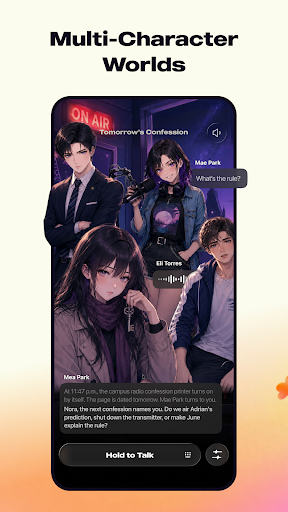

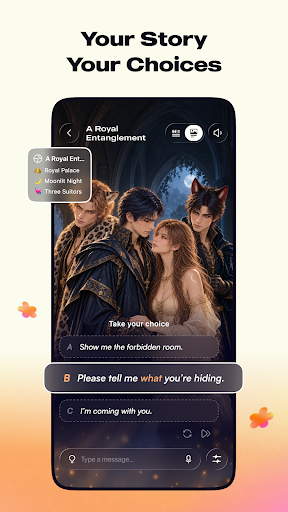
ParaDoor is a next-generation, AI-native storytelling platform that takes you beyond watching stories—and lets you step inside them.
Through immersive visuals, expressive voices, and plots that unfold in real time, every story becomes a world you can enter and influence. Meet intriguing characters, explore unfamiliar worlds, and shape what happens next through what you say and do. What will you say next?
WHAT’S INSIDE
• Endless Stories to Explore
Explore 100K+ AI stories spanning epic fantasy, sci-fi, supernatural mysteries, survival adventures, historical drama, and more. From fallen kingdoms to distant galaxies, every world offers a new story to become part of.
• See It. Hear It. Shape It.
Enter Cinema Mode for an immersive visual storytelling experience where your choices shape every scene. Explore richer descriptions, sensory detail, and layered suspense with Premier Model. Or keep the dialogue flowing with Standard’s smooth, focused conversations.
• Create Stories. Build Worlds.
Imagine the setting, create the cast, and decide how the story begins. Customize personalities, relationships, dialogue and tone to make every adventure your own.
• Your Story Continues
Receive real time mood updates from characters as the narrative develops. Long-term memory keeps important events in context when you return.
• Real-time snapshots
Capture surprising reveals, memorable moments, and favorite scenes with Story Snapshots.
Open ParaDoor. See where the story takes you.
DISCLOSURE:
Paradoor is powered by generative AI. Character responses are AI-generated and may not always be accurate. Proactive notifications can be turned off in Settings at any time.
Mostra altro

1. Scarica il programma di installazione di MEmu e completa l'installazione

2. Avvia il Memu e apri il Google Play sulla homepage

3. Cerca ParaDoor: AI Interactive Story in Google Play
Install
4. Scarica e installa ParaDoor: AI Interactive Story
5. Al termine dell'installazione, fai clic sull'icona per avviar

6. Divertiti giocando a ParaDoor: AI Interactive Story su PC con MEmu
MEmu App Player è il miglior emulatore Android gratuito, utilizzato da 50 milioni di persone per ottenere un'esperienza di gioco Android superba. La tecnilogia di virtualizzazione MEmu ti permette di giocare a migliaia di giochi Android con semplicità sul tuo computer, anche i giochi con la grafica più esigente.
Schermo più grande con una grafica migliore; Lunga durata, senza limitazione di batteria o dati mobili.
Supporto completo per mappa di tastiera per un controllo preciso di tastiera e mouse o gamepad.
Multipli account di gioco o attività su un singolo PC contemporaneamente con il gestore di multi istanza.
Use ParaDoor: AI Interactive Story on PC by following steps: