PDF Reader App - PDF Converter
Aggiornata
Versione corrente
1.0.0
Offerta da

Non devi più preoccuparti dei sovraccarichi durante l'utilizzo di PDF Reader App - PDF Converter sul tuo cellulare, liberati dal piccolo schermo e goditi dell'App su uno schermo molto più grande. D'ora in poi, sperimenta la tua App a schermo intero con tastiera e mouse. MEmu ti offre tutte le sorprendenti funzioni che ti aspettavi: installazione rapida e impostazione semplice, controlli intuitivi, niente più limitazioni di batteria, dati mobili e chiamate fastidiose. Il MEmu 9 nuovo di zecca è la prima scelta per utilizzare PDF Reader App - PDF Converter sul tuo computer. Codificato con il nostro assorbimento, il gestore multi-istanza consente di aprire 2 o più account contemporaneamente. E soprattutto, il nostro esclusivo motore di emulazione può sbloccare il pieno potenziale del tuo PC, rendendo tutto liscio e piacevole.
Mostra altro
Goditi un'esperienza straordinaria con PDF Reader App - PDF Converter su PC con MEmu Play. È un potente emulatore Android gratuito che ti offre migliaia di app Android per la versione desktop. Divertiti a connetterti con gli amici e a perfezionare il tuo lavoro con maggiore efficienza! With PDF Reader App - PDF Converter, your everyday documents are always within reach.
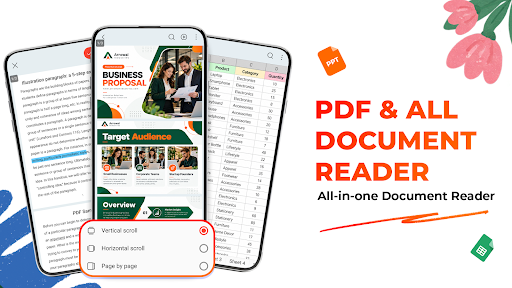
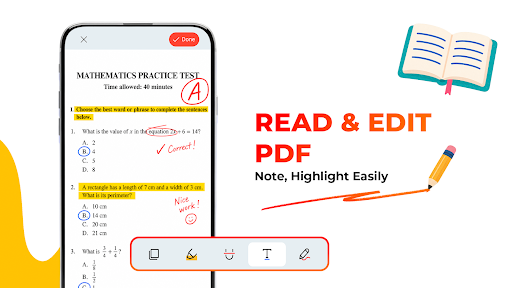
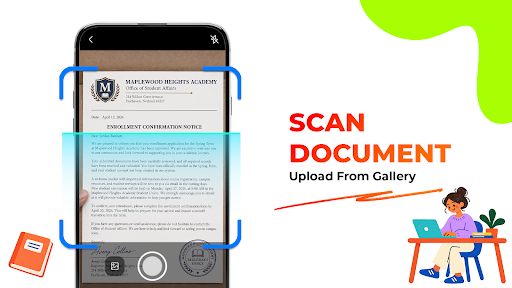
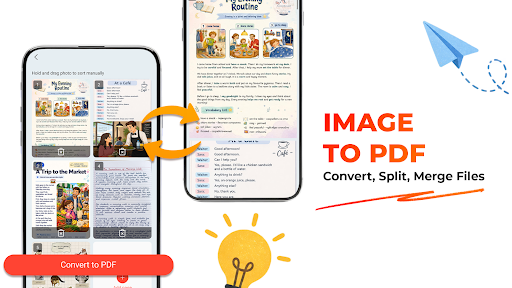
With PDF Reader App - PDF Converter, your everyday documents are always within reach. Read through PDFs, check the content of docx, xlsx, or ppt files, and personalize PDFs with crop, highlights, underlines, and handwritten notes. When you have paper documents or images to save, simply scan or convert them into PDF files. Keep everything organized and ready to access from one place.
Read Your Documents
Open PDF files and read PDF on your phone. Browse through pages, check document details, and pick up where you left off with recently opened files.
Need to check other formats? You can also view docx, xls, and pptx files directly in the app. Whether it’s a document, spreadsheet, or presentation, you can quickly open and review the content.
Edit PDFs Your Way
Need to mark something in a document? Use the PDF editing features to work directly on your PDF files.
Highlight important content, underline sections, or draw handwritten annotations. It’s useful for reviewing documents, adding notes, marking information, or making quick changes before sharing a PDF.
Scan Paper into PDF - PDF Converter
Turn physical pages into digital documents with the built-in scanner. Capture documents with your camera and create PDF files that are easy to save, view, and share.
You can also convert images to PDF, making it simple to turn photos. PDF converter to convert scanned pages, receipts, notes, or other images into PDF documents.
Handy PDF Tools
• Open & Read Documents - Read contracts, reports, manuals, study materials easily
• Scan PDF - Capture paper documents with your camera
• Image to PDF - Create PDF files from images
• Edit PDF - highlights, underlines, and annotations
• Split PDF - Separate pages from a PDF
• Merge PDF - Combine multiple PDF files
• Print PDF - Connect and print directly from a printer on the same Wi-Fi network.
• PDF File Manager – manage and organize files by category, and rename documents efficiently.
• Easy-to-use App - Search text inside PDF files in seconds.
View useful file details such as format, date, and size while keeping your PDFs and other supported documents in one place.
Download PDF Reader App - PDF Converter and keep your everyday documents easy to read, edit, convert, and organize. Enjoy a simple way to manage your PDFs and access your files whenever you need them.
Link privacy policy: https://docs.google.com/document/d/e/2PACX-1vTdwsE-paHE4CyBtV0e4h9RkMnQIHrlgz3MDfEDJDCAXxanDUx1E9vmfQw8Xutj4A7CVFShGsbJs3g0/pub
Mostra altro

1. Scarica il programma di installazione di MEmu e completa l'installazione

2. Avvia il Memu e apri il Google Play sulla homepage

3. Cerca PDF Reader App - PDF Converter in Google Play
Install
4. Scarica e installa PDF Reader App - PDF Converter
5. Al termine dell'installazione, fai clic sull'icona per avviar

6. Divertiti giocando a PDF Reader App - PDF Converter su PC con MEmu
MEmu App Player è il miglior emulatore Android gratuito, utilizzato da 50 milioni di persone per ottenere un'esperienza di gioco Android superba. La tecnilogia di virtualizzazione MEmu ti permette di giocare a migliaia di giochi Android con semplicità sul tuo computer, anche i giochi con la grafica più esigente.
Schermo più grande con una grafica migliore; Lunga durata, senza limitazione di batteria o dati mobili.
Supporto completo per mappa di tastiera per un controllo preciso di tastiera e mouse o gamepad.
Multipli account di gioco o attività su un singolo PC contemporaneamente con il gestore di multi istanza.
Use PDF Reader App - PDF Converter on PC by following steps: