Random Chat - Stranger Hub
Aggiornata
Versione corrente
5.3.2
Offerta da

Non devi più preoccuparti dei sovraccarichi durante l'utilizzo di Random Chat - Stranger Hub sul tuo cellulare, liberati dal piccolo schermo e goditi dell'App su uno schermo molto più grande. D'ora in poi, sperimenta la tua App a schermo intero con tastiera e mouse. MEmu ti offre tutte le sorprendenti funzioni che ti aspettavi: installazione rapida e impostazione semplice, controlli intuitivi, niente più limitazioni di batteria, dati mobili e chiamate fastidiose. Il MEmu 9 nuovo di zecca è la prima scelta per utilizzare Random Chat - Stranger Hub sul tuo computer. Codificato con il nostro assorbimento, il gestore multi-istanza consente di aprire 2 o più account contemporaneamente. E soprattutto, il nostro esclusivo motore di emulazione può sbloccare il pieno potenziale del tuo PC, rendendo tutto liscio e piacevole.
Mostra altro
Scarica Random Chat - Stranger Hub su PC con MEmu Android Emulator. Divertiti giocando sul grande schermo. Welcome to Stranger HUB - the ultimate platform for random chatting with people from all over the globe.
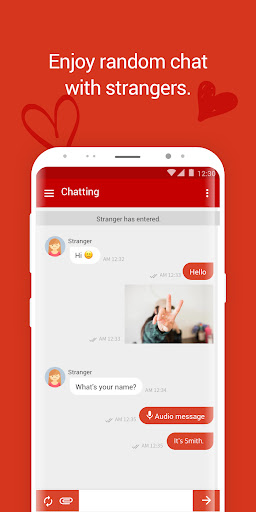
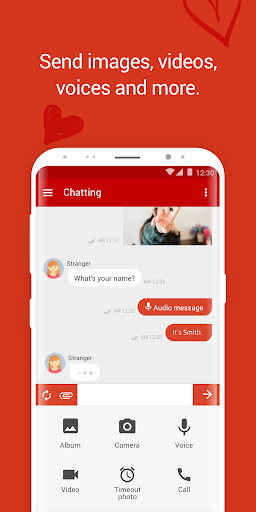
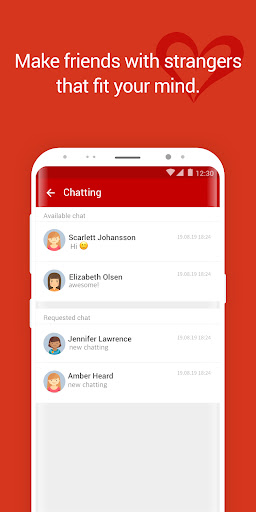

Welcome to Stranger HUB - the ultimate platform for random chatting with people from all over the globe. Whether you're looking to make new friends, practice a new language, or simply enjoy some engaging conversations, Stranger HUB is the perfect place for you.
Features:
* Instant Random Chatting: Connect with strangers instantly and start chatting right away.
* Safe and Secure: Your privacy is our priority. Chat anonymously without revealing your personal information.
* Easy to Use: User-friendly interface for a seamless chatting experience.
* Diverse Community: Meet people from different cultures, backgrounds, and interests.
* Language Practice: Improve your language skills by chatting with native speakers.
Join Stranger HUB today and open the door to a world of new connections and exciting conversations. Download now and start your journey of meeting new friends!
Why Choose Stranger HUB?
* Global Reach: Connect with users from various countries.
* Privacy Protection: Chat safely with complete anonymity.
* 24/7 Availability: Chat anytime, anywhere with people around the world.
* Interactive and Fun: Enjoy engaging and lively conversations with diverse individuals.
Don't miss out on the chance to expand your social circle and experience the joy of random chatting. Stranger HUB is here to make it easy and enjoyable for you to meet new people and have meaningful conversations.
Download Stranger HUB now and start chatting!
Mostra altro

1. Scarica il programma di installazione di MEmu e completa l'installazione

2. Avvia il Memu e apri il Google Play sulla homepage

3. Cerca Random Chat - Stranger Hub in Google Play
Install
4. Scarica e installa Random Chat - Stranger Hub
5. Al termine dell'installazione, fai clic sull'icona per avviar

6. Divertiti giocando a Random Chat - Stranger Hub su PC con MEmu
MEmu App Player è il miglior emulatore Android gratuito, utilizzato da 50 milioni di persone per ottenere un'esperienza di gioco Android superba. La tecnilogia di virtualizzazione MEmu ti permette di giocare a migliaia di giochi Android con semplicità sul tuo computer, anche i giochi con la grafica più esigente.
Schermo più grande con una grafica migliore; Lunga durata, senza limitazione di batteria o dati mobili.
Supporto completo per mappa di tastiera per un controllo preciso di tastiera e mouse o gamepad.
Multipli account di gioco o attività su un singolo PC contemporaneamente con il gestore di multi istanza.
Use Random Chat - Stranger Hub on PC by following steps: