Retro Mode - Weather Widget
Aggiornata
Versione corrente
1705911919
Offerta da

Non devi più preoccuparti dei sovraccarichi durante l'utilizzo di Retro Mode - Weather Widget sul tuo cellulare, liberati dal piccolo schermo e goditi dell'App su uno schermo molto più grande. D'ora in poi, sperimenta la tua App a schermo intero con tastiera e mouse. MEmu ti offre tutte le sorprendenti funzioni che ti aspettavi: installazione rapida e impostazione semplice, controlli intuitivi, niente più limitazioni di batteria, dati mobili e chiamate fastidiose. Il MEmu 9 nuovo di zecca è la prima scelta per utilizzare Retro Mode - Weather Widget sul tuo computer. Codificato con il nostro assorbimento, il gestore multi-istanza consente di aprire 2 o più account contemporaneamente. E soprattutto, il nostro esclusivo motore di emulazione può sbloccare il pieno potenziale del tuo PC, rendendo tutto liscio e piacevole.
Mostra altro
Scarica Retro Mode - Weather Widget su PC con MEmu Android Emulator. Divertiti giocando sul grande schermo. ✨ This app requires a subscription!
✨ This app requires a subscription! ✨
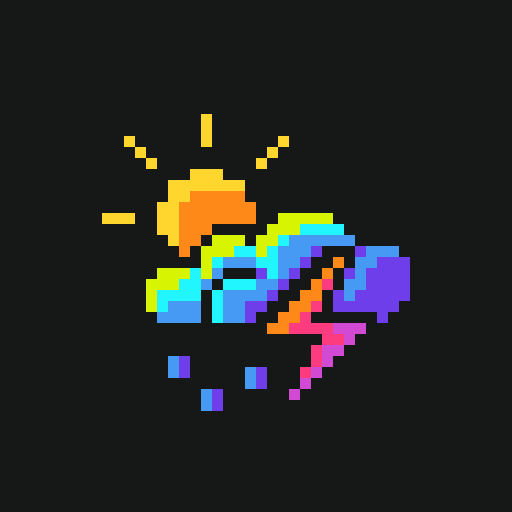
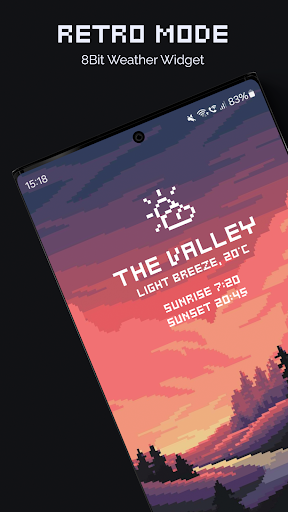
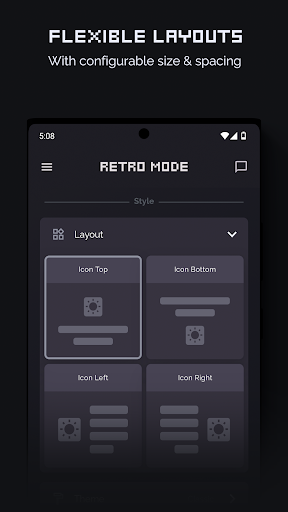
Configure aesthetic weather widgets for your home screen with minimalistic pixel art icon themes and readymade layouts. Personalise the look with a wide range of text placeholders for date, weather conditions and custom text.
Proudly made in Hamburg ❤️ by pixel artist Moertel
Sunrays beaming, snow flakes falling, and lightning striking? The pro version offers softly animated icons for the extra retro flair. Your phone will never have felt so much your own.
F E A T U R E S
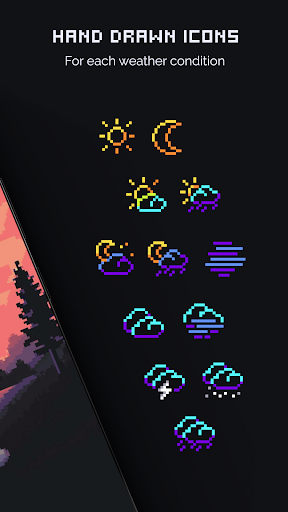
• Beautiful pixel art icons for each weather condition
• Animated pixel art icons (Pro version)
• Dynamic location (Pro version)
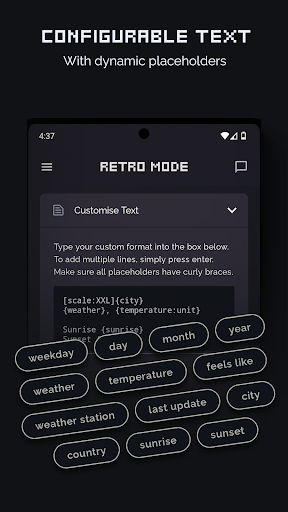
• Fully configurable widget text
• 12 placeholders: Current weather, temperature, "feels like" temperature, weather station, city, country, sunrise, sunset, weekday, day, month and year.
• COMING SOON: Hourly and daily forecast
• COMING SOON: Localisation for Latin-based languages
• COMING SOON: Animated widget backgrounds
F R E E • O R • P R O
Choose your own adventure! Retro Mode Weather is entirely free to use. A fair and transparent coin system lets you watch a 30-second ad in exchange for 4 days worth' of widget updates. You choose when and how many you watch.
Not a fan of ads? If you'd rather save your time for more important adventures, subscribe to Retro Mode's Pro version and get animated icons, animated widget backgrounds (coming soon) and the dynamic location feature on top. All while supporting me as an independent artist.
L O C A T I O N
If you enable the "Dynamic Location" feature (Pro only) in Retro Mode Weather, it will periodically collect your location (latitude and longitude) to update widgets with your current location's weather conditions - even when the app is not actively in use.
Your data is safe with me. My servers are located in the EU and any location data is immediately discarded after weather information is sent back to you. It is never stored and never shared with anyone.
S U P P O R T
I'm a solo artist and developer and I hope you enjoy using my apps as much as I enjoy creating them. If you ever run into an issue or if you have a question, you can reach me at stefanie@moertel.app and I'll be happy to help!
Mostra altro

1. Scarica il programma di installazione di MEmu e completa l'installazione

2. Avvia il Memu e apri il Google Play sulla homepage

3. Cerca Retro Mode - Weather Widget in Google Play
Install
4. Scarica e installa Retro Mode - Weather Widget
5. Al termine dell'installazione, fai clic sull'icona per avviar

6. Divertiti giocando a Retro Mode - Weather Widget su PC con MEmu
MEmu App Player è il miglior emulatore Android gratuito, utilizzato da 50 milioni di persone per ottenere un'esperienza di gioco Android superba. La tecnilogia di virtualizzazione MEmu ti permette di giocare a migliaia di giochi Android con semplicità sul tuo computer, anche i giochi con la grafica più esigente.
Schermo più grande con una grafica migliore; Lunga durata, senza limitazione di batteria o dati mobili.
Supporto completo per mappa di tastiera per un controllo preciso di tastiera e mouse o gamepad.
Multipli account di gioco o attività su un singolo PC contemporaneamente con il gestore di multi istanza.
Use Retro Mode - Weather Widget on PC by following steps: