Revamp Face: AI face swap
Aggiornata
Versione corrente
1.1.1
Offerta da

Non devi più preoccuparti dei sovraccarichi durante l'utilizzo di Revamp Face: AI face swap sul tuo cellulare, liberati dal piccolo schermo e goditi dell'App su uno schermo molto più grande. D'ora in poi, sperimenta la tua App a schermo intero con tastiera e mouse. MEmu ti offre tutte le sorprendenti funzioni che ti aspettavi: installazione rapida e impostazione semplice, controlli intuitivi, niente più limitazioni di batteria, dati mobili e chiamate fastidiose. Il MEmu 9 nuovo di zecca è la prima scelta per utilizzare Revamp Face: AI face swap sul tuo computer. Codificato con il nostro assorbimento, il gestore multi-istanza consente di aprire 2 o più account contemporaneamente. E soprattutto, il nostro esclusivo motore di emulazione può sbloccare il pieno potenziale del tuo PC, rendendo tutto liscio e piacevole.
Mostra altro
Scarica Revamp Face: AI face swap su PC con MEmu Android Emulator. Divertiti giocando sul grande schermo. Face Swap app is a Face swap video bride tool that uses face swap suggest artificial intelligence technology to swap faces between two people in a photo or video ai remaker.

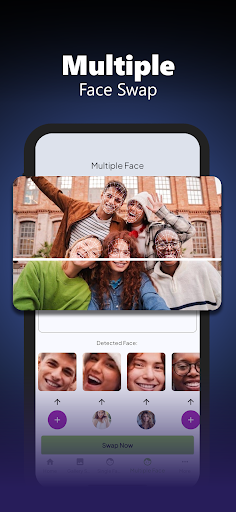
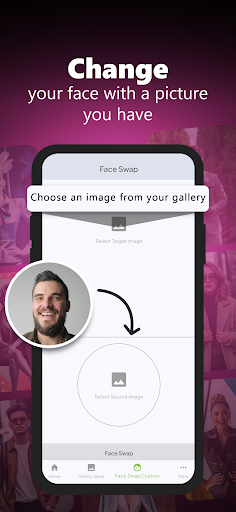

Face Swap app is a Face swap video bride tool that uses face swap suggest artificial intelligence technology to swap faces between two people in a photo or video ai remaker. With an easy-to-use interface, face change users can select a photo from the gallery or directly take a suitable fancy ai face swap photo. As a result, all faces will be swapped with the perfect face swap magic tool, resulting in a natural-looking and realistic avatar face swap or image. This Face Swap Magic app is equipped with various additional AI Avatars features, such as Remake Face filters and effects that can add excitement to the Reface maker results on the face area. AI Face swap users can also instantly share their Swap Face & AI Photo creations to social media with just one click.
With face hub ai remake not only provides photo face maker entertainment, but also opens up various creative possibilities such as face old change for its users. With ai photo remaker regularly added and technology upgraded, fun face swap continues to be the top choice for those who want to experience the thrill of magic ai swap face with others. Whether for fun with swap me face changer as well as with friends and family or for creative swap maker tool projects, it will provide a very memorable change face swap hub as well as offer an exciting and satisfying ai remaker swap face experience. also you can use the various fun magic swap face features available and also not less exciting like bride and old swap face that you are ready to use.
Mostra altro

1. Scarica il programma di installazione di MEmu e completa l'installazione

2. Avvia il Memu e apri il Google Play sulla homepage

3. Cerca Revamp Face: AI face swap in Google Play
Install
4. Scarica e installa Revamp Face: AI face swap
5. Al termine dell'installazione, fai clic sull'icona per avviar

6. Divertiti giocando a Revamp Face: AI face swap su PC con MEmu
MEmu App Player è il miglior emulatore Android gratuito, utilizzato da 50 milioni di persone per ottenere un'esperienza di gioco Android superba. La tecnilogia di virtualizzazione MEmu ti permette di giocare a migliaia di giochi Android con semplicità sul tuo computer, anche i giochi con la grafica più esigente.
Schermo più grande con una grafica migliore; Lunga durata, senza limitazione di batteria o dati mobili.
Supporto completo per mappa di tastiera per un controllo preciso di tastiera e mouse o gamepad.
Multipli account di gioco o attività su un singolo PC contemporaneamente con il gestore di multi istanza.
Use Revamp Face: AI face swap on PC by following steps: