Screen Mirror: Cast to TV
Aggiornata
Versione corrente
1.4.6
Offerta da

Non devi più preoccuparti dei sovraccarichi durante l'utilizzo di Screen Mirror: Cast to TV sul tuo cellulare, liberati dal piccolo schermo e goditi dell'App su uno schermo molto più grande. D'ora in poi, sperimenta la tua App a schermo intero con tastiera e mouse. MEmu ti offre tutte le sorprendenti funzioni che ti aspettavi: installazione rapida e impostazione semplice, controlli intuitivi, niente più limitazioni di batteria, dati mobili e chiamate fastidiose. Il MEmu 9 nuovo di zecca è la prima scelta per utilizzare Screen Mirror: Cast to TV sul tuo computer. Codificato con il nostro assorbimento, il gestore multi-istanza consente di aprire 2 o più account contemporaneamente. E soprattutto, il nostro esclusivo motore di emulazione può sbloccare il pieno potenziale del tuo PC, rendendo tutto liscio e piacevole.
Mostra altro
Scarica Screen Mirror: Cast to TV su PC con MEmu Android Emulator. Divertiti giocando sul grande schermo. Enjoy your favorite film on the large screen with Screen Mirroring & Cast to TV.
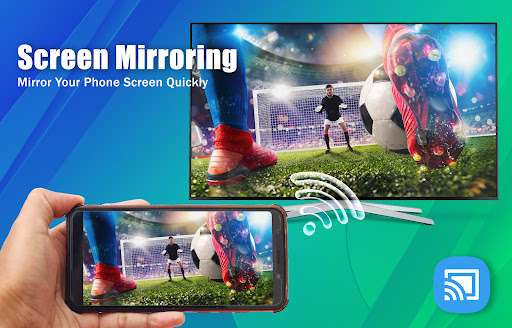
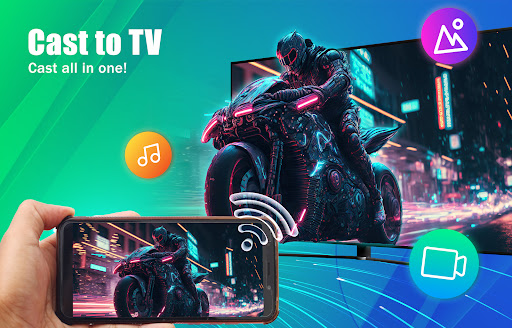
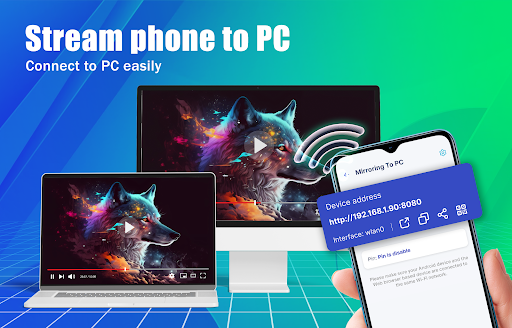
Enjoy your favorite film on the large screen with Screen Mirroring & Cast to TV. To start sharing screen, you have to connect your phone and devices on the same wifi network.
Screen Mirroring app mirrors your full mobile screen to your smart TV, allowing you to play videos, music, and photos from your phone. Screen Mirroring & Cast to TV apps make it simple to share your screen with your TV. Screen Mirroring & Cast to TV establishes connection between your smartphone and television
Screen mirroring is handy for streaming movies and videos, as well as accessing photographs on TV screen. You can effortlessly wirelessly link your smartphone to your TV. You can easily watch your favorite TV episodes and series on your TV screen at any moment.
Screen Mirroring
Easily mirror your Android phone or tablet's screen on smart TV and enjoy a terrific large screen experience by connecting your phone to a TV screen with Cast To TV app and quickly stream movies from your phone to your big TV screen.
Cast to TV
Cast to TV feature allows you to cast videos and movies from your phone to TV quickly. Almost Smart TV devices are supported by the Cast to TV app. Enjoy everything in bigger screen
Stream mobile to TV/PC
You can easily connect your phone to PC and mirror your screen to PC with the high quality.
Highlight features of Screen Mirroring & Cast to TV:
- Screen Mirroring to TV easily
- Cast to TV such as image, video, audio, files...
- Stream phone to TV/PC
- Cast web browser
We always appreciate all your comment about Screen Mirroring & Cast to TV app, please contact us if you have any questions. Thank you!
Mostra altro

1. Scarica il programma di installazione di MEmu e completa l'installazione

2. Avvia il Memu e apri il Google Play sulla homepage

3. Cerca Screen Mirror: Cast to TV in Google Play
Install
4. Scarica e installa Screen Mirror: Cast to TV
5. Al termine dell'installazione, fai clic sull'icona per avviar

6. Divertiti giocando a Screen Mirror: Cast to TV su PC con MEmu
MEmu App Player è il miglior emulatore Android gratuito, utilizzato da 50 milioni di persone per ottenere un'esperienza di gioco Android superba. La tecnilogia di virtualizzazione MEmu ti permette di giocare a migliaia di giochi Android con semplicità sul tuo computer, anche i giochi con la grafica più esigente.
Schermo più grande con una grafica migliore; Lunga durata, senza limitazione di batteria o dati mobili.
Supporto completo per mappa di tastiera per un controllo preciso di tastiera e mouse o gamepad.
Multipli account di gioco o attività su un singolo PC contemporaneamente con il gestore di multi istanza.
Use Screen Mirror: Cast to TV on PC by following steps: