Sea Net VPN
Aggiornata
Versione corrente
JxBuild-1.0
Offerta da

Non devi più preoccuparti dei sovraccarichi durante l'utilizzo di Sea Net VPN sul tuo cellulare, liberati dal piccolo schermo e goditi dell'App su uno schermo molto più grande. D'ora in poi, sperimenta la tua App a schermo intero con tastiera e mouse. MEmu ti offre tutte le sorprendenti funzioni che ti aspettavi: installazione rapida e impostazione semplice, controlli intuitivi, niente più limitazioni di batteria, dati mobili e chiamate fastidiose. Il MEmu 9 nuovo di zecca è la prima scelta per utilizzare Sea Net VPN sul tuo computer. Codificato con il nostro assorbimento, il gestore multi-istanza consente di aprire 2 o più account contemporaneamente. E soprattutto, il nostro esclusivo motore di emulazione può sbloccare il pieno potenziale del tuo PC, rendendo tutto liscio e piacevole.
Mostra altro
Scarica Sea Net VPN su PC con MEmu Android Emulator. Divertiti giocando sul grande schermo. Sea Net VPN is a Free and unlimited VPN proxy World Wide, Access any block sites and social application.
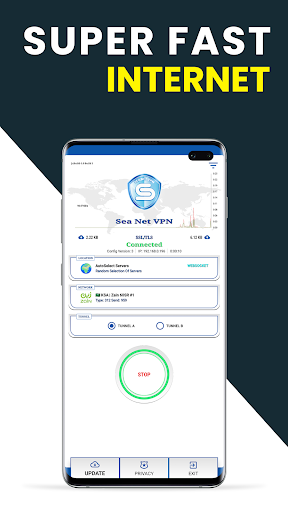
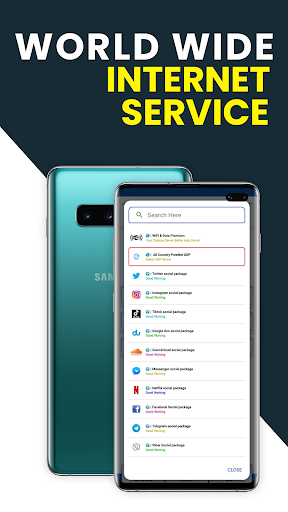
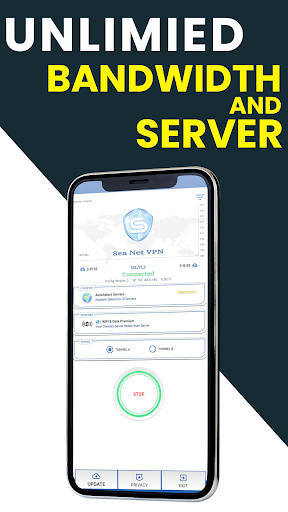
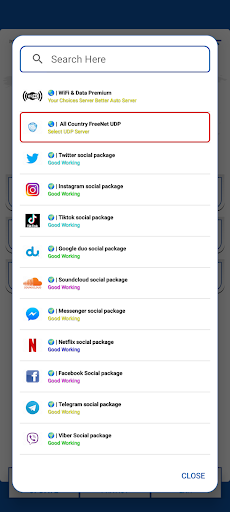
Sea Net VPN is a Free and unlimited VPN proxy World Wide, Access any block sites and social application.
It also protects your internet traffic when using public Hotspots / Wi-Fi or even your local internet service.
Why Choose This Sea Net VPN?
✅ One Tap Connected (Simple & Easy)
✅ HTTP, SSH, TCP, WS, UDP, v2ray, OpenVPN Protocol Added
✅ Hide your Ip (Protect your Privacy)
✅ No Limit / Unlimited Bandwidths
☑️ All Country 3G,4G,5G, Wi-Fi Network Supported
☑️ Don’t Save any user log file
✅ 1Gbps High Speed Server
✅ Support All VOIP Calling App
✅ Custom Server and Tweak
OpenVPN 3, V2Ray, and Hysteria UDP Support:
Sea Net VPN goes beyond the standard VPN offerings by seamlessly integrating OpenVPN 3, V2Ray and Hysteria UDP protocols. This ensures top-notch encryption and an optimized connection for a smooth and secure browsing experience.
Data Privacy Assurance:
Rest easy knowing that Sky Tunnel VPN is committed to safeguarding your privacy. Our app operates under a strict no-logs policy, meaning we do not collect or store any user data. Your online activities remain confidential and secure.
User-Friendly Interface:
Navigating through Sky Tunnel VPN is a breeze. Our user-friendly interface allows you to connect to the VPN with just a tap, providing a hassle-free experience for both beginners and seasoned users.
Global Server Network:
Enjoy unrestricted access to content from around the world with our extensive server network. Sky Tunnel VPN offers servers in various locations, ensuring a fast and reliable connection wherever you are.
Lightning-Fast Speeds:
Don't compromise on speed. Sea Net VPN is optimized to provide high-speed connections, allowing you to stream, download, and browse with minimal lag.
Automatic Connection on Public Wi-Fi:
Enhance your security on the go. Sea Net VPN can be set to automatically connect to the VPN when you're on public Wi-Fi networks, keeping your data safe from potential threats.
24/7 Customer Support:
Our dedicated customer support team is available 24/7 to assist you with any inquiries or issues. We are committed to ensuring you have a smooth and enjoyable experience with Sky Tunnel VPN.
For More Information, Please Contract us:
email: seanetvpn@gmail.com
telegram: https://t.me/amraseanet
Mostra altro

1. Scarica il programma di installazione di MEmu e completa l'installazione

2. Avvia il Memu e apri il Google Play sulla homepage

3. Cerca Sea Net VPN in Google Play
Install
4. Scarica e installa Sea Net VPN
5. Al termine dell'installazione, fai clic sull'icona per avviar

6. Divertiti giocando a Sea Net VPN su PC con MEmu
MEmu App Player è il miglior emulatore Android gratuito, utilizzato da 50 milioni di persone per ottenere un'esperienza di gioco Android superba. La tecnilogia di virtualizzazione MEmu ti permette di giocare a migliaia di giochi Android con semplicità sul tuo computer, anche i giochi con la grafica più esigente.
Schermo più grande con una grafica migliore; Lunga durata, senza limitazione di batteria o dati mobili.
Supporto completo per mappa di tastiera per un controllo preciso di tastiera e mouse o gamepad.
Multipli account di gioco o attività su un singolo PC contemporaneamente con il gestore di multi istanza.
Use Sea Net VPN on PC by following steps: