Shake It - Sounds: whip etc.
Aggiornata
Versione corrente
1.2.1
Offerta da

Non devi più preoccuparti dei sovraccarichi durante l'utilizzo di Shake It - Sounds: whip etc. sul tuo cellulare, liberati dal piccolo schermo e goditi dell'App su uno schermo molto più grande. D'ora in poi, sperimenta la tua App a schermo intero con tastiera e mouse. MEmu ti offre tutte le sorprendenti funzioni che ti aspettavi: installazione rapida e impostazione semplice, controlli intuitivi, niente più limitazioni di batteria, dati mobili e chiamate fastidiose. Il MEmu 9 nuovo di zecca è la prima scelta per utilizzare Shake It - Sounds: whip etc. sul tuo computer. Codificato con il nostro assorbimento, il gestore multi-istanza consente di aprire 2 o più account contemporaneamente. E soprattutto, il nostro esclusivo motore di emulazione può sbloccare il pieno potenziale del tuo PC, rendendo tutto liscio e piacevole.
Mostra altro
Goditi un'esperienza straordinaria con Shake It - Sounds: whip etc. su PC con MEmu Play. È un potente emulatore Android gratuito che ti offre migliaia di app Android per la versione desktop. Divertiti a connetterti con gli amici e a perfezionare il tuo lavoro con maggiore efficienza! With Shake It, you just need to shake Your device and then the sounds play.
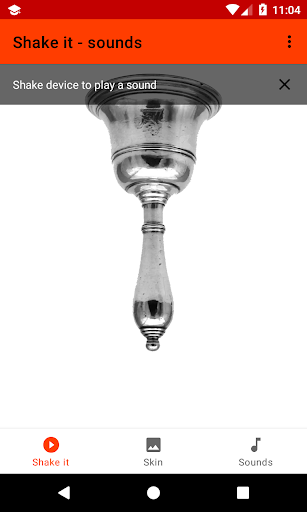
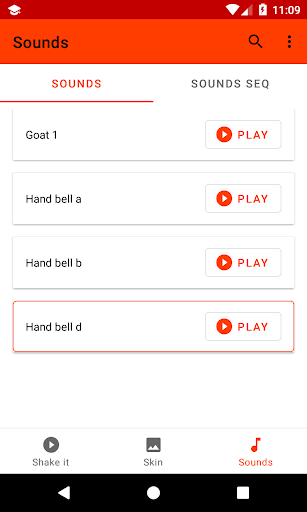
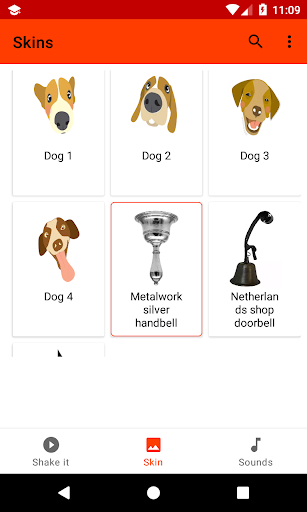
With Shake It, you just need to shake Your device and then the sounds play. If You prefer you can also do it by tapping.
Just by shaking Your phone You can play bell sound to call somebody or play some whip noise. There are also some animals like various cats, dogs and even a goat.
Sound is divided into categories and there are many different choices for you, like:
* Bells: handbell, town or bike bell, and more
* Animals: cats, dogs, goats, horses, and that's not all
* Different: for example claps, winds and swords - yes, You can mimic swords fight.
* Of course there is also a whip sound
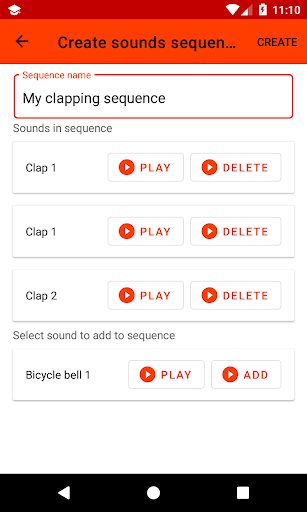
Moreover, You can create sequences. Wanna create some music - You can do it. Wanna create some counting game - it's possible. You can also create some pranks with it.
In Shake It - Sounds You can choose a skin based on Your preferences and there are multiples bells, animals like dogs and cats, or just a note. Thanks to that, You can create things like barking cats.
The app is not limited to only to supplied sounds but you can also add some by yourself.
Features:
- play by a tap on image or device shake
- multiple sounds to play
- multiple skins to choose from,
- combine sounds and skins as You want, create various combinations like barking cats or tiny bell which sounds like a big church bell,
- create sounds sequence - each shake will play the next sound from the created sequence.
Some examples of usage:
- use bell sound to call somebody,
- create a sequence with whip sounds so you mimic using a real whip,
- create sequences that would play your favorite music just by shaking the phone
Mostra altro

1. Scarica il programma di installazione di MEmu e completa l'installazione

2. Avvia il Memu e apri il Google Play sulla homepage

3. Cerca Shake It - Sounds: whip etc. in Google Play
Install
4. Scarica e installa Shake It - Sounds: whip etc.
5. Al termine dell'installazione, fai clic sull'icona per avviar

6. Divertiti giocando a Shake It - Sounds: whip etc. su PC con MEmu
MEmu App Player è il miglior emulatore Android gratuito, utilizzato da 50 milioni di persone per ottenere un'esperienza di gioco Android superba. La tecnilogia di virtualizzazione MEmu ti permette di giocare a migliaia di giochi Android con semplicità sul tuo computer, anche i giochi con la grafica più esigente.
Schermo più grande con una grafica migliore; Lunga durata, senza limitazione di batteria o dati mobili.
Supporto completo per mappa di tastiera per un controllo preciso di tastiera e mouse o gamepad.
Multipli account di gioco o attività su un singolo PC contemporaneamente con il gestore di multi istanza.
Use Shake It - Sounds: whip etc. on PC by following steps: