Sky Go
Aggiornata
Versione corrente
26.1.1
Offerta da

Non devi più preoccuparti dei sovraccarichi durante l'utilizzo di Sky Go sul tuo cellulare, liberati dal piccolo schermo e goditi dell'App su uno schermo molto più grande. D'ora in poi, sperimenta la tua App a schermo intero con tastiera e mouse. MEmu ti offre tutte le sorprendenti funzioni che ti aspettavi: installazione rapida e impostazione semplice, controlli intuitivi, niente più limitazioni di batteria, dati mobili e chiamate fastidiose. Il MEmu 9 nuovo di zecca è la prima scelta per utilizzare Sky Go sul tuo computer. Codificato con il nostro assorbimento, il gestore multi-istanza consente di aprire 2 o più account contemporaneamente. E soprattutto, il nostro esclusivo motore di emulazione può sbloccare il pieno potenziale del tuo PC, rendendo tutto liscio e piacevole.
Mostra altro
Scarica Sky Go su PC con MEmu Android Emulator. Divertiti giocando sul grande schermo. Stream and download great TV, films and live sport on Sky Go.
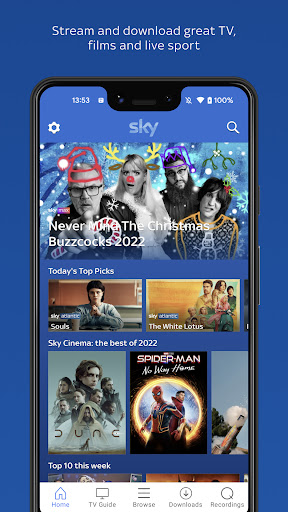
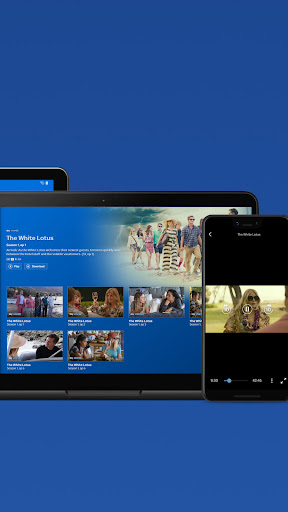
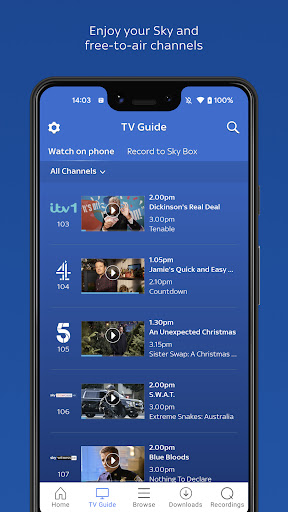
Stream and download great TV, films and live sport on Sky Go.
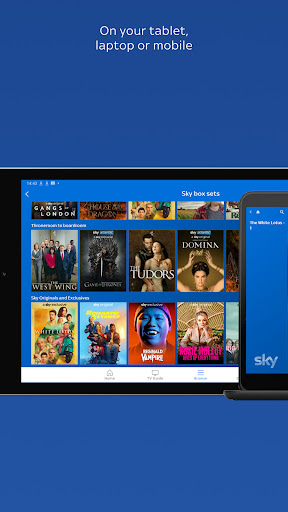
On your mobile, tablet or laptop… unmissable TV is just a swipe, tap or click away.
Enjoy Sky channels, plus free-to-air channels including ITV, Channel 4, and 5. Watch live TV, on demand, or download shows for later.
Take Sky TV with you around your home. Bedroom, bathroom, or even the garden shed. Pause shows on your TV in one room at home and pick up on your device in another.
Download or stream movies*, shows, sport, anything you like to your device. Perfect for watching on the go.
If you’re with Sky Mobile, you can stream to your heart’s content on Sky Go, without using your mobile data**.
The best part? Sky Go is available to Sky TV customers and it’s included with your subscription at no extra cost!
*Sky Go: Sky TV customers only. Stream via broadband/3G/4G/5G (charges may apply). Content depends on Sky TV subscription. Content available on devices varies. Some live TV programmes will be unavailable. Allow up to 24 hours for your Sky TV account to be activated. 31 days’ notice to cancel. Sky Box Office events or rentals not available. Compatible device and software requirements at www.sky.com/help/articles/app-desktop-lookup.
The individual user experience of Sky Go is tracked through Adobe Analytics and Conviva. The Sky Go app also tracks individual usage for the purpose of serving advertisements. Sky employs technologies such as digital rights management and copy protection to control the playback and copying of digital content provided via Sky Go.
All content in this application, including advertisements, is provided by Sky and its content partners.
ITV channels available in UK only. Sky’s privacy notice explains how Sky uses your information. You can view this notice at: sky.com/privacy.
**Requires active Sky Mobile airtime plan and at least 50Mb of data. Streaming adverts prior to and within on demand content and watching ads within some Sky Apps may use your data allowance. Go to the sky website for more information.
Mostra altro

1. Scarica il programma di installazione di MEmu e completa l'installazione

2. Avvia il Memu e apri il Google Play sulla homepage

3. Cerca Sky Go in Google Play
Install
4. Scarica e installa Sky Go
5. Al termine dell'installazione, fai clic sull'icona per avviar

6. Divertiti giocando a Sky Go su PC con MEmu
MEmu App Player è il miglior emulatore Android gratuito, utilizzato da 50 milioni di persone per ottenere un'esperienza di gioco Android superba. La tecnilogia di virtualizzazione MEmu ti permette di giocare a migliaia di giochi Android con semplicità sul tuo computer, anche i giochi con la grafica più esigente.
Schermo più grande con una grafica migliore; Lunga durata, senza limitazione di batteria o dati mobili.
Supporto completo per mappa di tastiera per un controllo preciso di tastiera e mouse o gamepad.
Multipli account di gioco o attività su un singolo PC contemporaneamente con il gestore di multi istanza.
Use Sky Go on PC by following steps: