Sounds of Letters: ABC
Aggiornata
Versione corrente
3.1.1039
Offerta da

Non devi più preoccuparti dei sovraccarichi durante l'utilizzo di Sounds of Letters: ABC sul tuo cellulare, liberati dal piccolo schermo e goditi dell'App su uno schermo molto più grande. D'ora in poi, sperimenta la tua App a schermo intero con tastiera e mouse. MEmu ti offre tutte le sorprendenti funzioni che ti aspettavi: installazione rapida e impostazione semplice, controlli intuitivi, niente più limitazioni di batteria, dati mobili e chiamate fastidiose. Il MEmu 9 nuovo di zecca è la prima scelta per utilizzare Sounds of Letters: ABC sul tuo computer. Codificato con il nostro assorbimento, il gestore multi-istanza consente di aprire 2 o più account contemporaneamente. E soprattutto, il nostro esclusivo motore di emulazione può sbloccare il pieno potenziale del tuo PC, rendendo tutto liscio e piacevole.
Mostra altro
Scarica Sounds of Letters: ABC su PC con MEmu Android Emulator. Divertiti giocando sul grande schermo. Best letters sounds application.
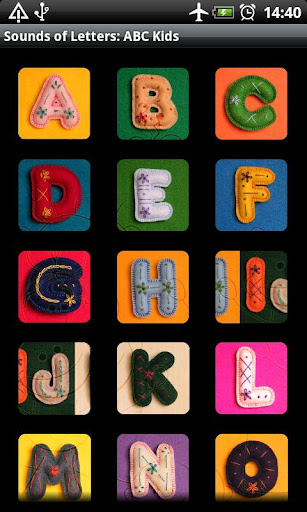
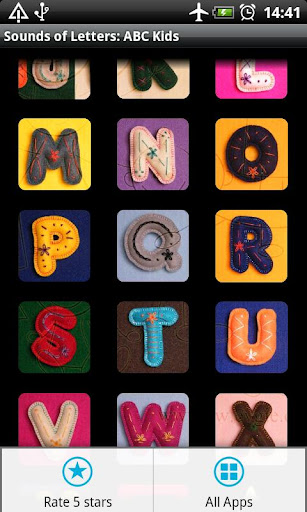
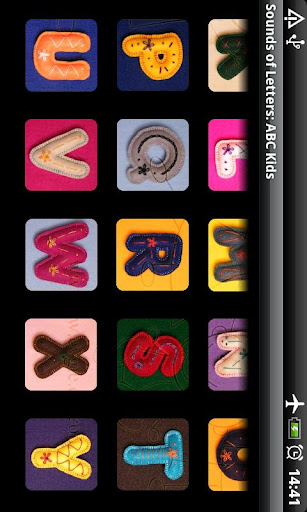
Best letters sounds application.
English ABC:
✔ Educational app about alphabet
✔ All Alphabets letters from A to Z
✔ Real sound and human pronunciations
✔ Learning ABC and having fun
✔ use in kindergarten and school
✔ helps recognize English letters
✔ AD Supported
Features:
★ install to SD card
★ good quality of letters sounds
★ image of each Alphabet's letter
★ sounds of the womb
★ animal sounds
★ human voice for each Alphabet character
★ touch the letter and listen the sounds of ABC
★ abc family app
★ sounds of letters
★ sounds of words
★ sounds of alphabet
Our educational game shows the alphabet letters and teach them to recognize letters as they appear.
An alphabet is a standard set of letters which is used to write one or more languages based on the general principle that the letters represent phonemes of the spoken language. This is in contrast to other types of writing systems, such as logographies, in which each character represents a word, morpheme or semantic unit, and syllabaries, in which each character represents a syllable.
A true alphabet has letters for the vowels of a language as well as the consonants. The first "true alphabet" in this sense is believed to be the Greek alphabet, which is a modified form of the Phoenician alphabet. In other types of alphabet either the vowels are not indicated at all, as was the case in the Phoenician alphabet, or else the vowels are shown by diacritics or modification of consonants, as in the devanagari used in India and Nepal.
The modern English alphabet is a Latin alphabet consisting of 26 letters – the same letters that are found in the basic Latin alphabet:
Majuscule forms (also called uppercase or capital letters)
The exact shape of printed letters varies depending on the typeface. The shape of handwritten letters can differ significantly from the standard printed form (and between individuals), especially when written in cursive style.
Written English uses a number of digraphs, such as ch, sh, th, wh, qu, etc., but they are not considered separate letters of the alphabet. Some traditions also use two ligatures, æ and œ, or consider the ampersand (&) part of the alphabet.
The names of the letters are rarely spelled out, except when used in derivations or compound words, derived forms , pronunciation of certain acronyms , and in the names of objects named after letters .
The letters A, E, I, O, and U are considered vowel letters, since they represent vowels; the remaining letters are considered consonant letters, since when not silent they generally represent consonants. However, Y commonly represents vowels as well as a consonant, as very rarely does W. Conversely, U sometimes represents a consonant.
Mostra altro

1. Scarica il programma di installazione di MEmu e completa l'installazione

2. Avvia il Memu e apri il Google Play sulla homepage

3. Cerca Sounds of Letters: ABC in Google Play
Install
4. Scarica e installa Sounds of Letters: ABC
5. Al termine dell'installazione, fai clic sull'icona per avviar

6. Divertiti giocando a Sounds of Letters: ABC su PC con MEmu
MEmu App Player è il miglior emulatore Android gratuito, utilizzato da 50 milioni di persone per ottenere un'esperienza di gioco Android superba. La tecnilogia di virtualizzazione MEmu ti permette di giocare a migliaia di giochi Android con semplicità sul tuo computer, anche i giochi con la grafica più esigente.
Schermo più grande con una grafica migliore; Lunga durata, senza limitazione di batteria o dati mobili.
Supporto completo per mappa di tastiera per un controllo preciso di tastiera e mouse o gamepad.
Multipli account di gioco o attività su un singolo PC contemporaneamente con il gestore di multi istanza.
Use Sounds of Letters: ABC on PC by following steps: