
Sudachi Emulator
Aggiornata
Versione corrente
1.0.0
Offerta da

Non devi più preoccuparti dei sovraccarichi durante l'utilizzo di Sudachi Emulator sul tuo cellulare, liberati dal piccolo schermo e goditi dell'App su uno schermo molto più grande. D'ora in poi, sperimenta la tua App a schermo intero con tastiera e mouse. MEmu ti offre tutte le sorprendenti funzioni che ti aspettavi: installazione rapida e impostazione semplice, controlli intuitivi, niente più limitazioni di batteria, dati mobili e chiamate fastidiose. Il MEmu 9 nuovo di zecca è la prima scelta per utilizzare Sudachi Emulator sul tuo computer. Codificato con il nostro assorbimento, il gestore multi-istanza consente di aprire 2 o più account contemporaneamente. E soprattutto, il nostro esclusivo motore di emulazione può sbloccare il pieno potenziale del tuo PC, rendendo tutto liscio e piacevole.
Mostra altro
Goditi un'esperienza straordinaria con Sudachi Emulator su PC con MEmu Play. È un potente emulatore Android gratuito che ti offre migliaia di app Android per la versione desktop. Divertiti a connetterti con gli amici e a perfezionare il tuo lavoro con maggiore efficienza! Turn your Android phone or tablet into a portable Switch gaming machine.
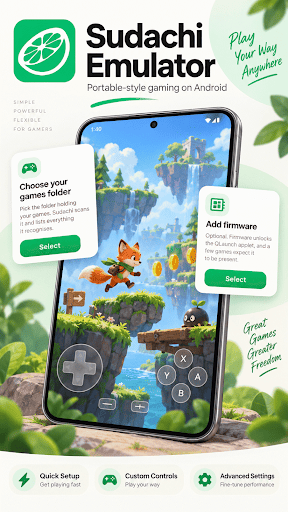
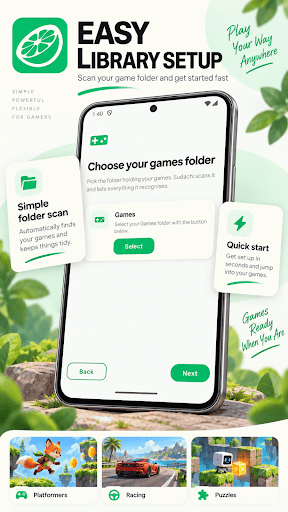
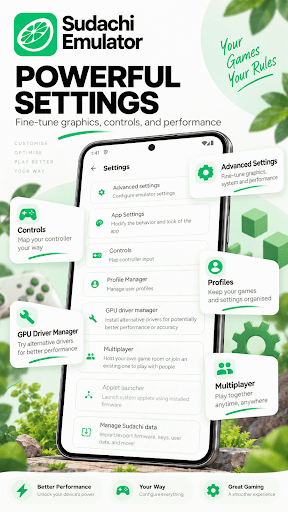
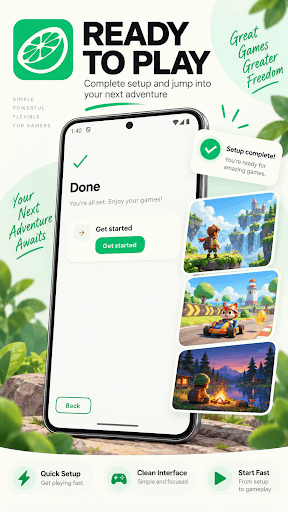
Turn your Android phone or tablet into a portable Switch gaming machine. Sudachi Emulator is a fast, modern emulator that runs demanding Switch games right on your device, so you can enjoy the titles you love wherever you happen to be.
Powered by a high-performance emulation core and the Vulkan graphics API, Sudachi Emulator gets real speed out of everyday hardware. On supported devices you can install custom GPU drivers for smoother frame rates and better accuracy, bringing a console-quality Switch experience to the palm of your hand.
WHY PLAYERS CHOOSE IT
The idea behind Sudachi Emulator is simple: powerful emulation that stays easy to use. No confusing menus and no clutter — just a clean, modern interface that takes you from your library to gameplay in a couple of taps. Whether you own a flagship phone or a mid-range device, it is tuned to help you get the most out of it.
KEY FEATURES
- High-performance core built for demanding Switch games
- Vulkan renderer for fast, accurate graphics
- Custom GPU driver support for extra performance and compatibility
- Resolution scaling for sharper, cleaner visuals on large screens
- Full physical controller support, plus fully customizable on-screen controls
- User profile management and reliable save-data handling
- Local multiplayer rooms so you can play together with friends
- Clean, modern interface designed for both phones and tablets
- Lightweight and focused, with no unnecessary extras weighing it down
PERFORMANCE THAT ADAPTS TO YOUR DEVICE
Every phone is different, so Sudachi Emulator hands you the controls to match performance to your hardware. Adjust the resolution, swap in custom drivers, and fine-tune graphics options to strike the balance between speed and quality that feels right for you. As you upgrade to newer hardware, the emulator scales right along with it — no reinstalling and no fuss.
A LIBRARY THAT STAYS ORGANIZED
Point the app at the folder that holds your files and it scans and lists everything it recognizes, complete with cover art where available. Search, sort, and jump straight into any title. Everything you play stays neatly in one place, so your collection is always a single tap away.
PLAY YOUR WAY
Sudachi Emulator is an emulator only. It does not come with any games or content of its own — you simply bring the files you already have and start playing right away. Nothing extra to figure out, and nothing standing between you and your library.
BUILT FOR SPEED AND SIMPLICITY
From the moment it launches, Sudachi Emulator is designed to stay out of your way. Fast start-up, an intuitive library, and sensible defaults mean less time setting up and more time playing. Install it today and take your Switch games with you everywhere you go.
Mostra altro

1. Scarica il programma di installazione di MEmu e completa l'installazione

2. Avvia il Memu e apri il Google Play sulla homepage

3. Cerca Sudachi Emulator in Google Play
Install
4. Scarica e installa Sudachi Emulator
5. Al termine dell'installazione, fai clic sull'icona per avviar

6. Divertiti giocando a Sudachi Emulator su PC con MEmu
MEmu App Player è il miglior emulatore Android gratuito, utilizzato da 50 milioni di persone per ottenere un'esperienza di gioco Android superba. La tecnilogia di virtualizzazione MEmu ti permette di giocare a migliaia di giochi Android con semplicità sul tuo computer, anche i giochi con la grafica più esigente.
Schermo più grande con una grafica migliore; Lunga durata, senza limitazione di batteria o dati mobili.
Supporto completo per mappa di tastiera per un controllo preciso di tastiera e mouse o gamepad.
Multipli account di gioco o attività su un singolo PC contemporaneamente con il gestore di multi istanza.
Use Sudachi Emulator on PC by following steps: