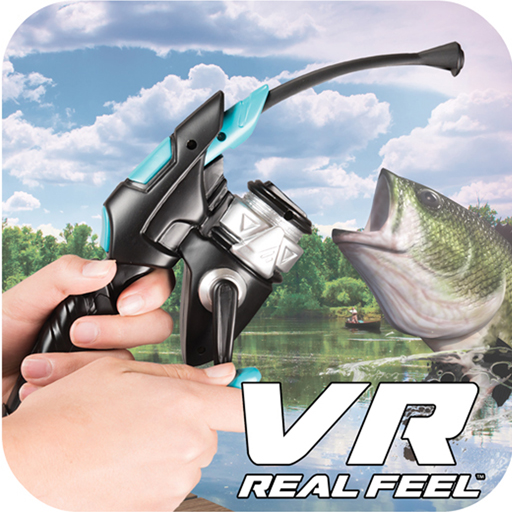
VR Real Feel Fishing
Aggiornata
Versione corrente
2.3
Offerta da

Non devi più preoccuparti dei sovraccarichi durante l'utilizzo di VR Real Feel Fishing sul tuo cellulare, liberati dal piccolo schermo e goditi dell'App su uno schermo molto più grande. D'ora in poi, sperimenta la tua App a schermo intero con tastiera e mouse. MEmu ti offre tutte le sorprendenti funzioni che ti aspettavi: installazione rapida e impostazione semplice, controlli intuitivi, niente più limitazioni di batteria, dati mobili e chiamate fastidiose. Il MEmu 9 nuovo di zecca è la prima scelta per utilizzare VR Real Feel Fishing sul tuo computer. Codificato con il nostro assorbimento, il gestore multi-istanza consente di aprire 2 o più account contemporaneamente. E soprattutto, il nostro esclusivo motore di emulazione può sbloccare il pieno potenziale del tuo PC, rendendo tutto liscio e piacevole.
Mostra altro
Goditi un'esperienza straordinaria con VR Real Feel Fishing su PC con MEmu Play. È un potente emulatore Android gratuito che ti offre migliaia di app Android per la versione desktop. Divertiti a connetterti con gli amici e a perfezionare il tuo lavoro con maggiore efficienza! PLEASE NOTE: This app requires a VR Real Feel Fishing Rod and Bluetooth and Location function must be turned on.
PLEASE NOTE: This app requires a VR Real Feel Fishing Rod and Bluetooth and Location function must be turned on. To find out more, please visit our website: https://vr-entertain.com/.
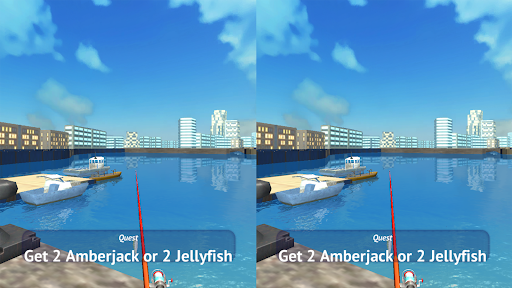
With VR Real Feel Fishing, you'll be able to cast away to reel in the big ones! Play through different fishing tournaments as you play! Unlock new fishing rods, new lures, and new fish as you level up through the game! Over 30 different fish on different water ways and different fishing rods! Works with your android phone for 3D HD graphics.VR headset also works with hundreds of other free VR games available for download!
• VR Real Feel Fishing comes with everything you need to start fishing - VR headset, free Android app, and a Bluetooth fishing rod for ultimate angling excitement!
• Use your Bluetooth fishing rod to fish and unlock over 30 different fish, 54 different waterways, and different fishing rods!
• The Max Force Feedback in the fishing rod lets you feel when you have a nibble, or really feeds back when you've got a big one on the line for even more realism.
• Our VR headset has a comfortable foam face, adjustable straps, and an adjustable phone cradle. Additionally, you can use our headset with your phone with hundreds of other free VR apps available in the Play Store.
• Easy setup - download the free app from the Play Store. Put 3 AAA batteries (not included) into the fishing rod. Turn on Bluetooth on your phone, and place your phone in the headset & go fishing!
HOW TO PLAY
In the Settings of your device, turn both Bluetooth and Location settings to ON. Then turn on your fishing rod and launch the VR Real Feel Fishing App; press the Scan button to connect.
*Important: Don't manually connect the controller in advance in the Settings/Bluetooth section of your device. Only use the Scan button inside the app to connect.
For Best Performance:
• Turn off other active apps on your phone.
• Ensure Bluetooth is turned on.
• Adjust the harness of the headset to fit your head
• Keep your fishing rod upright and play through the tutorial level to learn how to play.
• After playing for 20 minutes, take a 5-minute break to avoid any feelings of dizziness.
• If you are having problems connecting your fishing rod, there are some hints for you in this video: https://youtu.be/6_4OfXgUyEA
• If you have any questions or suggestions, we would love to hear from you! Contact us at any time at https://vr-entertain.com/.
Mostra altro

1. Scarica il programma di installazione di MEmu e completa l'installazione

2. Avvia il Memu e apri il Google Play sulla homepage

3. Cerca VR Real Feel Fishing in Google Play
Install
4. Scarica e installa VR Real Feel Fishing
5. Al termine dell'installazione, fai clic sull'icona per avviar

6. Divertiti giocando a VR Real Feel Fishing su PC con MEmu
MEmu App Player è il miglior emulatore Android gratuito, utilizzato da 50 milioni di persone per ottenere un'esperienza di gioco Android superba. La tecnilogia di virtualizzazione MEmu ti permette di giocare a migliaia di giochi Android con semplicità sul tuo computer, anche i giochi con la grafica più esigente.
Schermo più grande con una grafica migliore; Lunga durata, senza limitazione di batteria o dati mobili.
Supporto completo per mappa di tastiera per un controllo preciso di tastiera e mouse o gamepad.
Multipli account di gioco o attività su un singolo PC contemporaneamente con il gestore di multi istanza.
Use VR Real Feel Fishing on PC by following steps: