Zlink CarPlay
Aggiornata
Versione corrente
8.0
Offerta da

Non devi più preoccuparti dei sovraccarichi durante l'utilizzo di Zlink CarPlay sul tuo cellulare, liberati dal piccolo schermo e goditi dell'App su uno schermo molto più grande. D'ora in poi, sperimenta la tua App a schermo intero con tastiera e mouse. MEmu ti offre tutte le sorprendenti funzioni che ti aspettavi: installazione rapida e impostazione semplice, controlli intuitivi, niente più limitazioni di batteria, dati mobili e chiamate fastidiose. Il MEmu 9 nuovo di zecca è la prima scelta per utilizzare Zlink CarPlay sul tuo computer. Codificato con il nostro assorbimento, il gestore multi-istanza consente di aprire 2 o più account contemporaneamente. E soprattutto, il nostro esclusivo motore di emulazione può sbloccare il pieno potenziale del tuo PC, rendendo tutto liscio e piacevole.
Mostra altro
Goditi un'esperienza straordinaria con Zlink CarPlay su PC con MEmu Play. È un potente emulatore Android gratuito che ti offre migliaia di app Android per la versione desktop. Divertiti a connetterti con gli amici e a perfezionare il tuo lavoro con maggiore efficienza! Zlink CarPlay is a smart and reliable car connection app that links your smartphone directly to your car’s infotainment display.
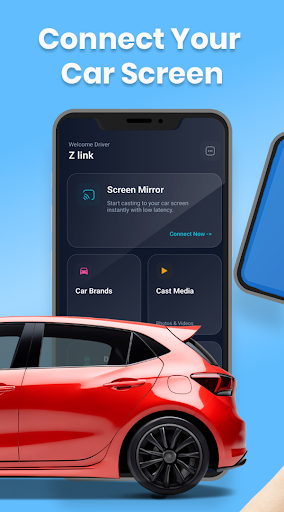
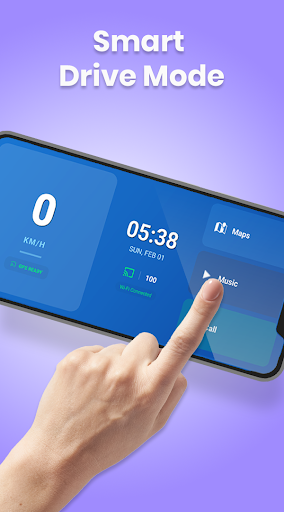
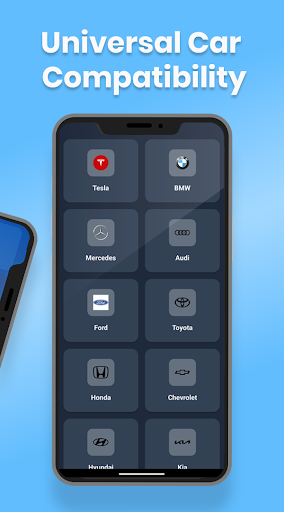
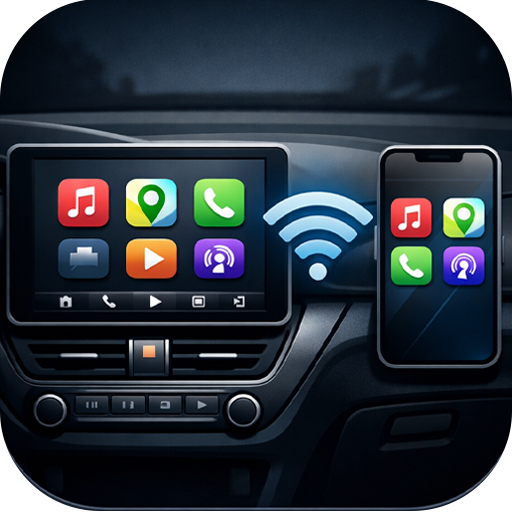
Zlink CarPlay is a smart and reliable car connection app that links your smartphone directly to your car’s infotainment display. It lets you access navigation, music, calls, and apps safely from your car screen, helping you stay focused on the road.
With a clean interface designed for in-car use, Zlink CarPlay reduces distractions by keeping essential controls on your dashboard instead of your phone.
Whether you’re commuting every day or traveling long distances, Zlink CarPlay makes every drive safer, smoother, and more connected.
Key Features of Zlink CarPlay
Car Screen Mirroring
Mirror your phone apps, maps, and media directly to your car display.
Driving Mode Dashboard
One-tap driving mode with speedometer, navigation, music, and call shortcuts.
Hands-Free Calls
Make and receive calls safely without touching your phone.
Navigation & Maps Access
View maps and directions clearly on your car screen in real time.
Multiple Connection Methods
Connect using Bluetooth, USB, or Wi-Fi for flexible and stable performance.
Multi-Car Compatibility
Works with multiple car brands and infotainment systems.
Fast & Stable Casting
Smooth, low-latency mirroring for navigation and media.
User Guide Included
Step-by-step setup and troubleshooting for easy use.
⭐ Why Choose Zlink CarPlay?
Zlink CarPlay combines safety, convenience, and control in one powerful app.
It helps you interact with your phone through your car’s display, reducing the need to hold your phone while driving and keeping your attention where it belongs — on the road.
The app is optimized for fast connection, stable performance, and distraction-free driving, making it perfect for both city driving and long road trips.
Download Now
Download Zlink CarPlay today and transform your car’s display into a smarter, safer, and more connected driving companion.
Drive smarter. Stay connected. Stay safe.
Mostra altro

1. Scarica il programma di installazione di MEmu e completa l'installazione

2. Avvia il Memu e apri il Google Play sulla homepage

3. Cerca Zlink CarPlay in Google Play
Install
4. Scarica e installa Zlink CarPlay
5. Al termine dell'installazione, fai clic sull'icona per avviar

6. Divertiti giocando a Zlink CarPlay su PC con MEmu
MEmu App Player è il miglior emulatore Android gratuito, utilizzato da 50 milioni di persone per ottenere un'esperienza di gioco Android superba. La tecnilogia di virtualizzazione MEmu ti permette di giocare a migliaia di giochi Android con semplicità sul tuo computer, anche i giochi con la grafica più esigente.
Schermo più grande con una grafica migliore; Lunga durata, senza limitazione di batteria o dati mobili.
Supporto completo per mappa di tastiera per un controllo preciso di tastiera e mouse o gamepad.
Multipli account di gioco o attività su un singolo PC contemporaneamente con il gestore di multi istanza.
Use Zlink CarPlay on PC by following steps: