Chessthetic - Chess Tactics
Dikemas kini
Versi Semasa
1.0.28
Ditawarkan Oleh

Dengan semangat anda untuk bermain Chessthetic - Chess Tactics, tangan anda tidak seharusnya terhad pada skrin kecil telefon anda. Main seperti profesional dan kendalikan sepenuhnya permainan anda dengan papan kekunci dan tetikus. MEmu menawarkan semua perkara yang anda harapkan. Muat turun dan mainkan Chessthetic - Chess Tactics di PC. Main selagi anda mahu, tidak ada batasan bateri, data mudah alih dan panggilan yang mengganggu. MEmu 9 yang baru adalah pilihan terbaik untuk bermain Chessthetic - Chess Tactics di PC. Disiapkan dengan kepakaran kami, sistem pemetaan kunci pratetap yang indah menjadikan Chessthetic - Chess Tactics permainan PC sebenar. Dikodkan dengan penyerapan kami, pengurus multi-instance menjadikan bermain 2 atau lebih akaun pada peranti yang sama mungkin. Dan yang paling penting, enjin emulasi eksklusif kami dapat melepaskan potensi penuh PC anda, menjadikan semuanya lancar.Kami tidak hanya peduli bagaimana anda bermain, tetapi juga keseluruhan proses menikmati kebahagiaan permainan.
Tunjukkan Lagi
Download Chessthetic - Chess Tactics on PC with MEmu Android Emulator. Enjoy playing on big screen. Improve Your Chess Skills with Chessthetic!
Improve Your Chess Skills with Chessthetic!
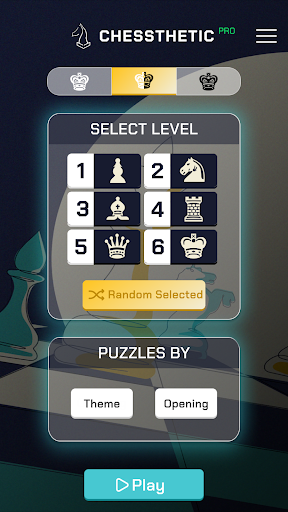
Discover the Chessthetic mobile app and elevate your chess game to the next level! With over 5800 puzzles at your fingertips, learning chess tactics has never been easier.
Dive into the world of chess with the features offered by Chessthetic:
• Enrich your gameplay by practicing tactics across 24 different themes.
• Strengthen your game openings with tactics categorized into 25 different openings.
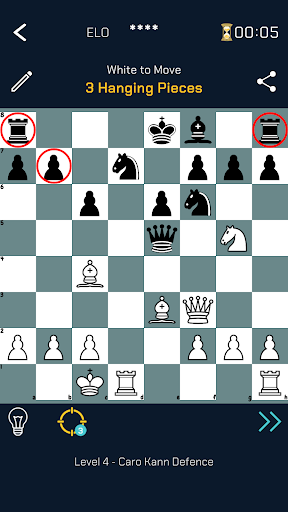
• Use the Focus feature to zoom in on crucial spots on the board and uncover ways to checkmate your opponent.
• Find and solve puzzles suited to your level with smart filtering.
• Create a personalized study regime by selecting multiple themes and openings at once.
• Test your play with either white or black pieces using the color selection feature.
• Pin your favorite openings and themes for easy access.
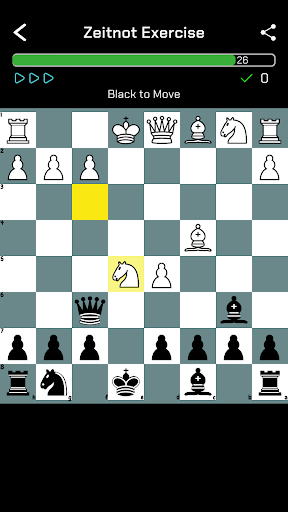
• Challenge your speed with the Zeitnot Exercise and maintain your composure under time pressure.
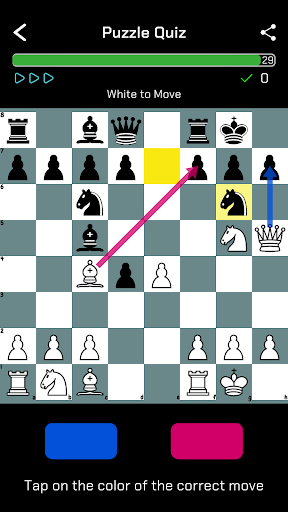
• Enhance your quick thinking and accurate move-making with the Puzzle Test.
• Track your progress by monitoring your Rating (ELO) score.
Master chess with Chessthetic by your side. Download now to sharpen your strategic thinking and tactical vision!
Tunjukkan Lagi

1. Muat turun pemasang MEmu dan selesaikan persediaan

2. Mulakan MEnu kemudian buka Google Play di desktop

3. Cari Chessthetic - Chess Tactics di Google Play
Install
4. Muat turun dan Pasang Chessthetic - Chess Tactics
5. Apabila selesai pemasangan, menekan ikon itu untuk memulakan

6. Nikmati bermain Chessthetic - Chess Tactics di komputer dengan MEmu
MEmu Play adalah emulator Android terbaik dan 100 juta orang sudah menikmati pengalaman permainan Androidnya yang luar biasa. Teknologi virtualisasi MEmu memberi kuasa kepada anda untuk bermain beribu-ribu permainan Android dengan lancar di komputar anda, malah yang paling intensif grafik.
Skrin lebih besar dengan grafik yang lebih baik; Tempoh yang panjang, tanpa had bateri atau data mudah alih.
Sokongan Keymapping penuh untuk kawalan tepat papan kekunci dan tetikus atau gamepad.
Pelbagai akaun permainan atau tugas pada satu PC sekaligus dengan pengurus pelbagai contoh.
Play Chessthetic - Chess Tactics on PC by following steps: