Chicken Road & Crossy Game
Dikemas kini
Versi Semasa
0.0.1
Ditawarkan Oleh

Dengan semangat anda untuk bermain Chicken Road & Crossy Game, tangan anda tidak seharusnya terhad pada skrin kecil telefon anda. Main seperti profesional dan kendalikan sepenuhnya permainan anda dengan papan kekunci dan tetikus. MEmu menawarkan semua perkara yang anda harapkan. Muat turun dan mainkan Chicken Road & Crossy Game di PC. Main selagi anda mahu, tidak ada batasan bateri, data mudah alih dan panggilan yang mengganggu. MEmu 9 yang baru adalah pilihan terbaik untuk bermain Chicken Road & Crossy Game di PC. Disiapkan dengan kepakaran kami, sistem pemetaan kunci pratetap yang indah menjadikan Chicken Road & Crossy Game permainan PC sebenar. Dikodkan dengan penyerapan kami, pengurus multi-instance menjadikan bermain 2 atau lebih akaun pada peranti yang sama mungkin. Dan yang paling penting, enjin emulasi eksklusif kami dapat melepaskan potensi penuh PC anda, menjadikan semuanya lancar.Kami tidak hanya peduli bagaimana anda bermain, tetapi juga keseluruhan proses menikmati kebahagiaan permainan.
Tunjukkan Lagi
Download Chicken Road & Crossy Game on PC with MEmu Android Emulator. Enjoy playing on big screen. Chicken Road is a fun and addictive arcade-puzzle game that tests your reflexes, timing, and logical thinking.
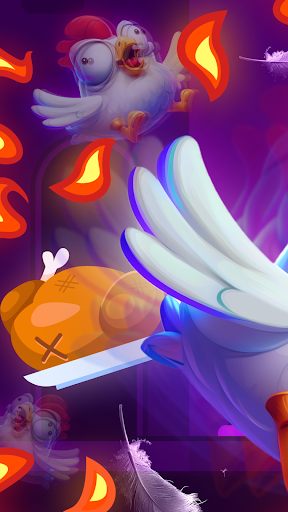
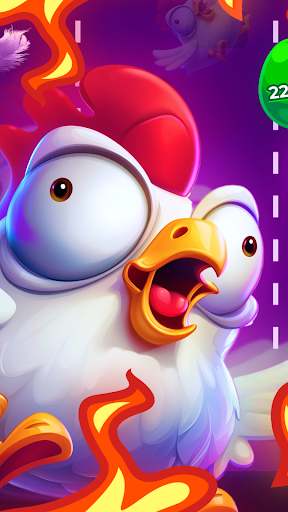
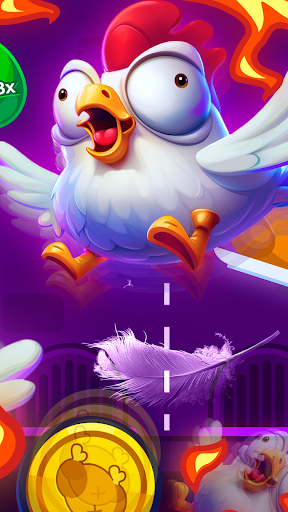
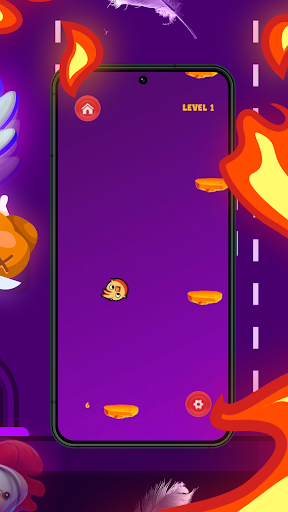
Chicken Road is a fun and addictive arcade-puzzle game that tests your reflexes, timing, and logical thinking. With vibrant graphics, catchy music, and exciting gameplay, it's the perfect pick-up-and-play game for players of all ages.
Objective:
Help your chicken roads jump from platform to platform, collect golden eggs, and reach the target score to complete each level. Sounds simple? Think again — the challenge increases as you progress through each stage chicken road game real or fake.
How to Play:
Tap the left or right side of the screen to move your chicken road cross game and jump to the next platform. Precision is key — one wrong move, and you could fall. Miss a platform and you'll lose a life, so stay sharp and aim well.
Golden eggs are scattered throughout the platforms. Collect them to earn points chicken road apk. The more eggs you gather, the closer you are to unlocking new features and characters.
Levels and Progression:
Chicken road crossing game features 21 carefully designed levels. Each level sets a specific point goal. Only by reaching this target can you unlock the next stage. After completing a level, your score is added to your total, which you can spend in the in-game shop chicken road game.
In-Game Shop:
Use the points you earn to unlock a variety of unique chickens, each with its own look and personality. Whether you're into classic chickens, wild designs, or funny costumes, there's a chicken road games for everyone. Try to collect them all and show off your favorites during gameplay.
Atmosphere and Experience:
The game’s cheerful music and immersive sound effects create a captivating atmosphere that keeps you coming back for more. The controls are simple and intuitive, making it easy to play but hard to master. Chicken road 2 offers a beautiful, clean interface and a smooth, enjoyable experience on any device chicken road earning app.
Whether you’re looking to pass the time, challenge your coordination and logic, or simply unwind with something fun and relaxing, this game has you covered chicken road game download. It's the perfect brain break — engaging, entertaining, and just the right amount of challenging.
Get ready to jump into action, dodge danger, and collect those golden eggs. Download chicken road app today and see how high you can go!
Tunjukkan Lagi

1. Muat turun pemasang MEmu dan selesaikan persediaan

2. Mulakan MEnu kemudian buka Google Play di desktop

3. Cari Chicken Road & Crossy Game di Google Play
Install
4. Muat turun dan Pasang Chicken Road & Crossy Game
5. Apabila selesai pemasangan, menekan ikon itu untuk memulakan

6. Nikmati bermain Chicken Road & Crossy Game di komputer dengan MEmu
MEmu Play adalah emulator Android terbaik dan 100 juta orang sudah menikmati pengalaman permainan Androidnya yang luar biasa. Teknologi virtualisasi MEmu memberi kuasa kepada anda untuk bermain beribu-ribu permainan Android dengan lancar di komputar anda, malah yang paling intensif grafik.
Skrin lebih besar dengan grafik yang lebih baik; Tempoh yang panjang, tanpa had bateri atau data mudah alih.
Sokongan Keymapping penuh untuk kawalan tepat papan kekunci dan tetikus atau gamepad.
Pelbagai akaun permainan atau tugas pada satu PC sekaligus dengan pengurus pelbagai contoh.
Play Chicken Road & Crossy Game on PC by following steps: