CoComelon - Kids Learn & Play
Dikemas kini
Versi Semasa
2.3.4
Ditawarkan Oleh

Dengan semangat anda untuk bermain CoComelon - Kids Learn & Play, tangan anda tidak seharusnya terhad pada skrin kecil telefon anda. Main seperti profesional dan kendalikan sepenuhnya permainan anda dengan papan kekunci dan tetikus. MEmu menawarkan semua perkara yang anda harapkan. Muat turun dan mainkan CoComelon - Kids Learn & Play di PC. Main selagi anda mahu, tidak ada batasan bateri, data mudah alih dan panggilan yang mengganggu. MEmu 9 yang baru adalah pilihan terbaik untuk bermain CoComelon - Kids Learn & Play di PC. Disiapkan dengan kepakaran kami, sistem pemetaan kunci pratetap yang indah menjadikan CoComelon - Kids Learn & Play permainan PC sebenar. Dikodkan dengan penyerapan kami, pengurus multi-instance menjadikan bermain 2 atau lebih akaun pada peranti yang sama mungkin. Dan yang paling penting, enjin emulasi eksklusif kami dapat melepaskan potensi penuh PC anda, menjadikan semuanya lancar.Kami tidak hanya peduli bagaimana anda bermain, tetapi juga keseluruhan proses menikmati kebahagiaan permainan.
Tunjukkan Lagi
Download CoComelon - Kids Learn & Play on PC with MEmu Android Emulator. Enjoy playing on big screen. Hey hey, it’s JJ!
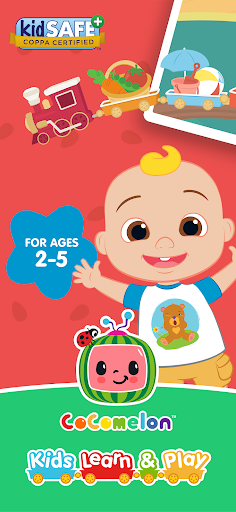
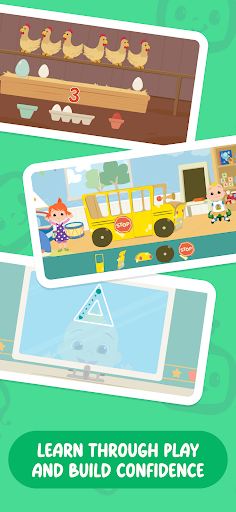
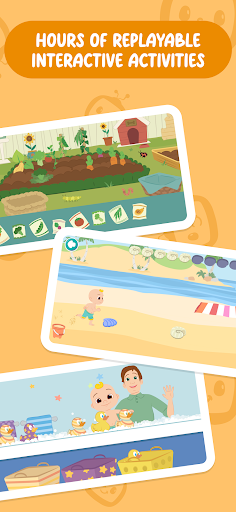
Hey hey, it’s JJ! Ready to learn & play?
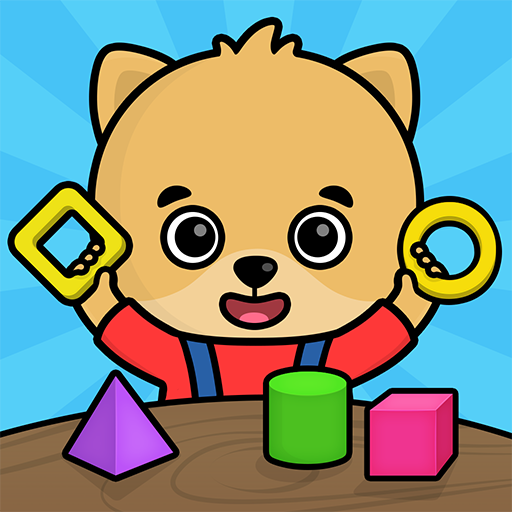
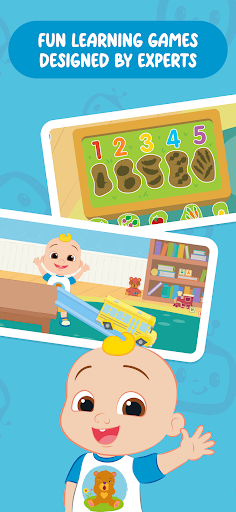
Designed by experts for young kids aged 2-5, CoComelon - Kids Learn & Play is filled with interactive, fun, and creative activities that your child will love.
LEARN letters, numbers, colors, shapes, sounds, creative thinking, daily routines, and more, with hours of replayable activities!
PLAY with JJ and his family at the beach, in the bath, at Old Macdonald’s Farm, and beyond! Put the wheels on the bus and watch them go ‘round and ‘round!
GROW a love for learning and confidence with thinking creatively from an early age using interactivity and music!
• FUN LEARNING GAMES FOR AGES 2-5
• DESIGNED FOR LITTLE LEARNERS BY EXPERTS
• CHECK ACTIVITY PROGRESS & PREFERENCES
* USE SUBSCRIPTION ACROSS DEVICES
• SAFE AND SECURE WITH NO ADS
Curriculum-Based Learning
We’ve combined fun with learning! Activities are based on an expert-designed early childhood curriculum with child-led activities, including letter trace, puzzles, sorting, and interactive music videos. These help children prior to preschool and preschool-aged to develop fine motor skills, exercise thinking skills, grow their vocabulary, and encourage curiosity in a way that's easy for kids to navigate, understand, and remember.
Anyone Can Build Skills Anywhere
Whether you stick to the free version or subscribe to unlock all the activities, the app can be used offline wherever you are to keep young kids entertained and learning. Subscribers can also enjoy our app across multiple devices! Enjoy our app as a helpful tool for parents and families, so you can go through the activities with your child or let them guide themselves.
Safe, Supportive Screen Time
Your child's safety is our top priority. The app is a secure, ad-free environment. Our privacy policy can be viewed at https://www.moonbug-gaming.com/en/privacy-policy. The app’s dedicated Parental Area lets you keep an eye on your child's progress to determine a healthy balance between screen time and real-world activities.
New Activities Added Regularly
Start with our selection of Wheels On The Bus activities available for free. Subscribing unlocks activities themed around our bed time classic Bath Song, summer favorite Beach Song, animal-filled Old MacDonald’s Farm Song and popular CoComelon original Yes Yes Vegetables Song.
SUBSCRIPTION DETAILS:
CoComelon - Kids Learn & Play is a preschool kids subscription app. Whilst the app contains many free activities, subscribing will give you unlimited access to everything that the app has to offer, including regular updates with new themed mini-games and songs.
Once you confirm your monthly subscription, payment will be charged through your Play Store account. Use your subscription on any device registered with your Google Account. Like all Play Store subscriptions, CoComelon - Kids Learn & Play can’t use family sharing to share subscriptions across different Google Accounts.
Manage your account and renewal settings in your user Account Settings. Cancel your subscription anytime through your Account Settings, without a cancellation fee. Your subscription will automatically renew unless auto-renew is turned off at least 24 hours before the end of the current period.
ABOUT COCOMELON:
CoComelon features JJ, his family, and friends centered on the everyday experiences and positive adventures of young children through relatable characters, timeless stories, and engaging songs. We equip children to confidently embrace life’s everyday experiences using entertaining and educational content focused on social skills, healthy habits, and early life lessons.
Find CoComelon on Instagram, Facebook, TikTok, YouTube and our website: https://cocomelon.com/
CONTACT US:
Have a question or need support? Reach out to us at app.support@moonbug.com
Tunjukkan Lagi

1. Muat turun pemasang MEmu dan selesaikan persediaan

2. Mulakan MEnu kemudian buka Google Play di desktop

3. Cari CoComelon - Kids Learn & Play di Google Play
Install
4. Muat turun dan Pasang CoComelon - Kids Learn & Play
5. Apabila selesai pemasangan, menekan ikon itu untuk memulakan

6. Nikmati bermain CoComelon - Kids Learn & Play di komputer dengan MEmu
MEmu Play adalah emulator Android terbaik dan 100 juta orang sudah menikmati pengalaman permainan Androidnya yang luar biasa. Teknologi virtualisasi MEmu memberi kuasa kepada anda untuk bermain beribu-ribu permainan Android dengan lancar di komputar anda, malah yang paling intensif grafik.
Skrin lebih besar dengan grafik yang lebih baik; Tempoh yang panjang, tanpa had bateri atau data mudah alih.
Sokongan Keymapping penuh untuk kawalan tepat papan kekunci dan tetikus atau gamepad.
Pelbagai akaun permainan atau tugas pada satu PC sekaligus dengan pengurus pelbagai contoh.
Play CoComelon - Kids Learn & Play on PC by following steps: