Groove Coaster 2
Dikemas kini
Versi Semasa
1.0.18
Ditawarkan Oleh

Dengan semangat anda untuk bermain Groove Coaster 2, tangan anda tidak seharusnya terhad pada skrin kecil telefon anda. Main seperti profesional dan kendalikan sepenuhnya permainan anda dengan papan kekunci dan tetikus. MEmu menawarkan semua perkara yang anda harapkan. Muat turun dan mainkan Groove Coaster 2 di PC. Main selagi anda mahu, tidak ada batasan bateri, data mudah alih dan panggilan yang mengganggu. MEmu 9 yang baru adalah pilihan terbaik untuk bermain Groove Coaster 2 di PC. Disiapkan dengan kepakaran kami, sistem pemetaan kunci pratetap yang indah menjadikan Groove Coaster 2 permainan PC sebenar. Dikodkan dengan penyerapan kami, pengurus multi-instance menjadikan bermain 2 atau lebih akaun pada peranti yang sama mungkin. Dan yang paling penting, enjin emulasi eksklusif kami dapat melepaskan potensi penuh PC anda, menjadikan semuanya lancar.Kami tidak hanya peduli bagaimana anda bermain, tetapi juga keseluruhan proses menikmati kebahagiaan permainan.
Tunjukkan Lagi
Download Groove Coaster 2 on PC with MEmu Android Emulator. Enjoy playing on big screen. [Rave reviews from all corners of the world!
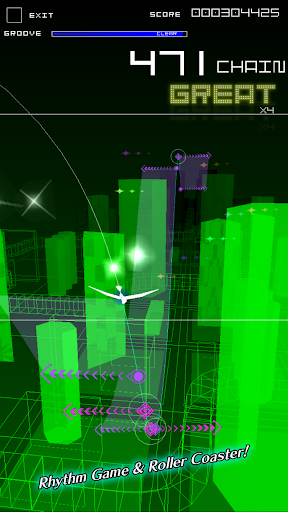
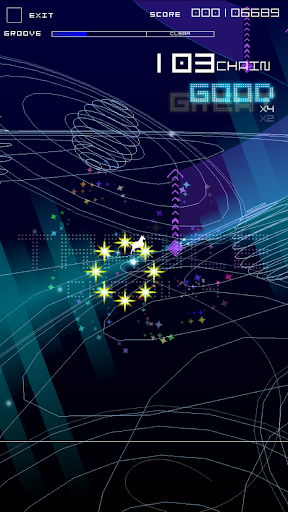
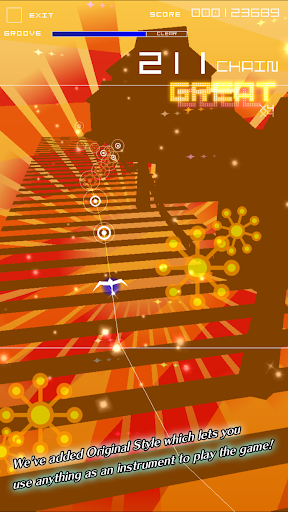
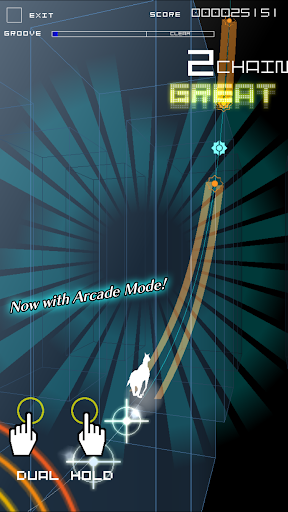
[Rave reviews from all corners of the world! Over 6,000,000 downloads!]
Rhythm Game & Roller Coaster!
The award-winning Groove Coaster with its unique gameplay and multiple awards from all over the world has been upgraded with the new Original Style where you can use your surroundings as instruments to play the game!
+ Simple + Fun + Exciting +
Intense and exhilarating gameplay by simply tapping in time with the music!
Blast off through the music galaxy on a roller coaster of lights and sounds!
+ 400 Total Tracks! Over 2500 Stages! (*separate modes) +
A huge compilation of amazing music from tons of genres that can only be enjoyed here! Vocaloid, Video games, and even original tracks commissioned from popular artists specifically for Groove Coaster!
New tracks added all the time!
+ No need for a touchscreen! We've added Original Style which lets you use anything as an instrument to play the game! +
Sing, clap, drum on your desk! Use your surroundings as instruments to play the game!
You can even play with more than one person so feel free to invite friends and family to join in on the fun!
*You can still play the game with the touchscreen.
+ Now with Arcade Mode! +
We've ported in the extremely well received Arcade version of Groove Coaster found in arcades all over Japan!
Now you can taste the excitement of the Arcade version any where, any time, using dynamic controls with both hands!
+ Tons of Planned Crossover Events! +
We're planning on running crossover events with many characters, artists, and other games!
Fill the world with music!
PLAY MUSIC!!
----------------------------------
Available Languages
English / Français / Italiano / 日本語
Compatible Devices
http://groovecoaster.com/apps/en/compatible.html
** Android OS 5.0 or higher is required to play GROOVE COASTER 2.
Tunjukkan Lagi

1. Muat turun pemasang MEmu dan selesaikan persediaan

2. Mulakan MEnu kemudian buka Google Play di desktop

3. Cari Groove Coaster 2 di Google Play
Install
4. Muat turun dan Pasang Groove Coaster 2
5. Apabila selesai pemasangan, menekan ikon itu untuk memulakan

6. Nikmati bermain Groove Coaster 2 di komputer dengan MEmu
MEmu Play adalah emulator Android terbaik dan 100 juta orang sudah menikmati pengalaman permainan Androidnya yang luar biasa. Teknologi virtualisasi MEmu memberi kuasa kepada anda untuk bermain beribu-ribu permainan Android dengan lancar di komputar anda, malah yang paling intensif grafik.
Skrin lebih besar dengan grafik yang lebih baik; Tempoh yang panjang, tanpa had bateri atau data mudah alih.
Sokongan Keymapping penuh untuk kawalan tepat papan kekunci dan tetikus atau gamepad.
Pelbagai akaun permainan atau tugas pada satu PC sekaligus dengan pengurus pelbagai contoh.
Play Groove Coaster 2 on PC by following steps: