Oddbods Hidden Objects VR game
Dikemas kini
Versi Semasa
0.1.7
Ditawarkan Oleh

Dengan semangat anda untuk bermain Oddbods Hidden Objects VR game, tangan anda tidak seharusnya terhad pada skrin kecil telefon anda. Main seperti profesional dan kendalikan sepenuhnya permainan anda dengan papan kekunci dan tetikus. MEmu menawarkan semua perkara yang anda harapkan. Muat turun dan mainkan Oddbods Hidden Objects VR game di PC. Main selagi anda mahu, tidak ada batasan bateri, data mudah alih dan panggilan yang mengganggu. MEmu 9 yang baru adalah pilihan terbaik untuk bermain Oddbods Hidden Objects VR game di PC. Disiapkan dengan kepakaran kami, sistem pemetaan kunci pratetap yang indah menjadikan Oddbods Hidden Objects VR game permainan PC sebenar. Dikodkan dengan penyerapan kami, pengurus multi-instance menjadikan bermain 2 atau lebih akaun pada peranti yang sama mungkin. Dan yang paling penting, enjin emulasi eksklusif kami dapat melepaskan potensi penuh PC anda, menjadikan semuanya lancar.Kami tidak hanya peduli bagaimana anda bermain, tetapi juga keseluruhan proses menikmati kebahagiaan permainan.
Tunjukkan Lagi
Download Oddbods Hidden Objects VR game on PC with MEmu Android Emulator. Enjoy playing on big screen. Discover the wonderful world of Oddbods!
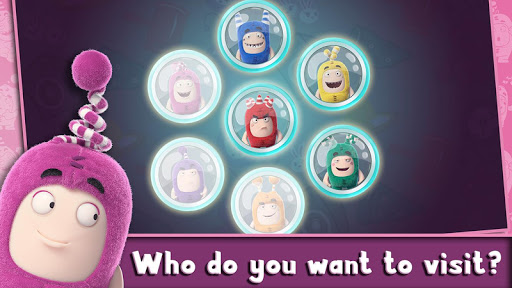
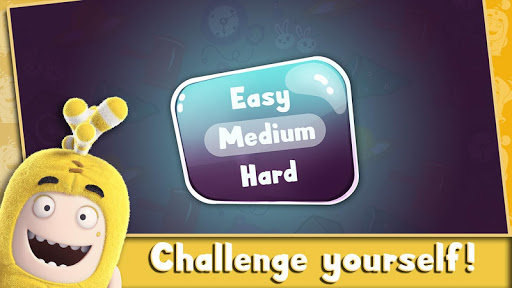
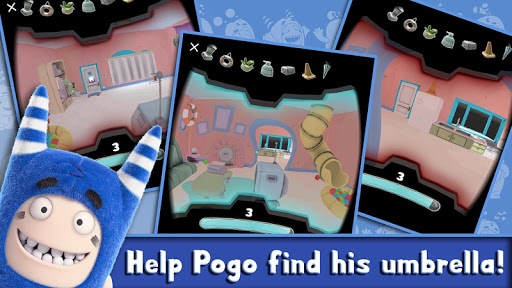
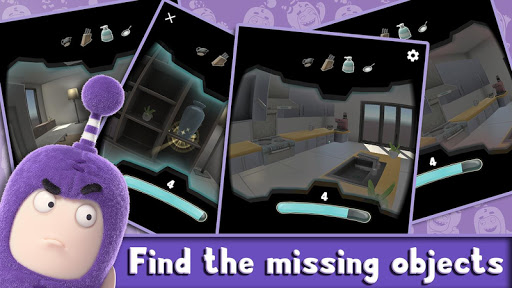
Discover the wonderful world of Oddbods! Play a game of Hot and Cold with the Oddbods in their world and find the hidden objects in Virtual Reality!
If you love hidden objects games, puzzles and questions, Oddbods Hot and Cold VR is the game for you! Go on an adventure and have an incredibly fun and immersive Virtual Reality experience.
Play this Hot or Cold Virtual Reality game with your Oddbods friends Pogo, Fuse, Newt, Slick, Bubbles, Jeff, and Zee!
Do you have a special talent for finding lost things? This Virtual Reality game puts you in charge of finding the Oddbods’ objects hidden throughout their rooms.
Get warmer! Warm up by getting closer and closer to the objects by following the Hot and Cold screen meter. The screen color on the edges tells you whether you’re Hot or Cold.
Discover many surprises in this hidden object adventure with the Oddbods!
How to Play:
- It is simple and fun! Look towards the floor slightly and you will walk. The Foot Print pointer on the screen will be indicate your movement direction.
-The objective in each level is to find the items on your list (located on the upper part of your screen) in each room before your time runs out. If going up against the clock does not appeal to you, you can choose the Easy mode which allows you to take your time!
-Focus on the hidden item with the cursor to obtain the item.
-Hot means you are getting closer to a hidden object. Cold means you are moving away from a hidden object.
Caution: This game is very addicting, so don’t say we didn’t warn you!
Completely free and fun for boys and girls of all ages!
Put your skills to the test and with hours of fun.
Incredibly detailed 3D environments of the Oddbods homes
Easy and intuitive controls
A chance to find yourself in the world of your favorite Oddbods friends!
In each level the player has to find 3 to 7 objects within the time limit.
We made this game for all the Oddbods fans and Hidden Object game lovers around the world. Thank you for playing Oddbods Hot and Cold VR. You are the best! Don't forget to rate the game!
What's Google Cardboard?
Cardboard is a super low cost, easy-to-get virtual reality viewer that transforms a smartphone into a basic VR headset. Learn more about Google Cardboard at g.co/cardboard. Buy or build your own Cardboard at https://www.google.com/get/cardboard/get-cardboard.html.
Tunjukkan Lagi

1. Muat turun pemasang MEmu dan selesaikan persediaan

2. Mulakan MEnu kemudian buka Google Play di desktop

3. Cari Oddbods Hidden Objects VR game di Google Play
Install
4. Muat turun dan Pasang Oddbods Hidden Objects VR game
5. Apabila selesai pemasangan, menekan ikon itu untuk memulakan

6. Nikmati bermain Oddbods Hidden Objects VR game di komputer dengan MEmu
MEmu Play adalah emulator Android terbaik dan 100 juta orang sudah menikmati pengalaman permainan Androidnya yang luar biasa. Teknologi virtualisasi MEmu memberi kuasa kepada anda untuk bermain beribu-ribu permainan Android dengan lancar di komputar anda, malah yang paling intensif grafik.
Skrin lebih besar dengan grafik yang lebih baik; Tempoh yang panjang, tanpa had bateri atau data mudah alih.
Sokongan Keymapping penuh untuk kawalan tepat papan kekunci dan tetikus atau gamepad.
Pelbagai akaun permainan atau tugas pada satu PC sekaligus dengan pengurus pelbagai contoh.
Play Oddbods Hidden Objects VR game on PC by following steps: