Thomas Reward Challenge
Dikemas kini
Versi Semasa
1.15
Ditawarkan Oleh

Dengan semangat anda untuk bermain Thomas Reward Challenge, tangan anda tidak seharusnya terhad pada skrin kecil telefon anda. Main seperti profesional dan kendalikan sepenuhnya permainan anda dengan papan kekunci dan tetikus. MEmu menawarkan semua perkara yang anda harapkan. Muat turun dan mainkan Thomas Reward Challenge di PC. Main selagi anda mahu, tidak ada batasan bateri, data mudah alih dan panggilan yang mengganggu. MEmu 9 yang baru adalah pilihan terbaik untuk bermain Thomas Reward Challenge di PC. Disiapkan dengan kepakaran kami, sistem pemetaan kunci pratetap yang indah menjadikan Thomas Reward Challenge permainan PC sebenar. Dikodkan dengan penyerapan kami, pengurus multi-instance menjadikan bermain 2 atau lebih akaun pada peranti yang sama mungkin. Dan yang paling penting, enjin emulasi eksklusif kami dapat melepaskan potensi penuh PC anda, menjadikan semuanya lancar.Kami tidak hanya peduli bagaimana anda bermain, tetapi juga keseluruhan proses menikmati kebahagiaan permainan.
Tunjukkan Lagi
Muat turun Thomas Reward Challenge pada PC dengan MEmu Android Emulator. Nikmati bermain di skrin besar Thomas & Friends™ have created a fun and engaging range of games and augmented reality stories from each of the engines, to help your little one overcome some of life’s challenges.
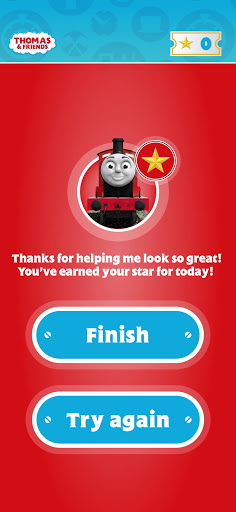
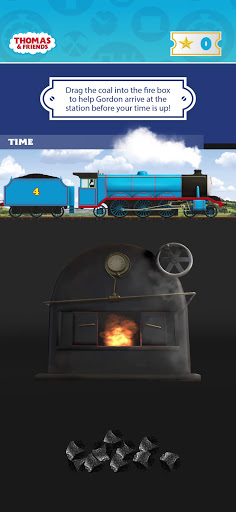
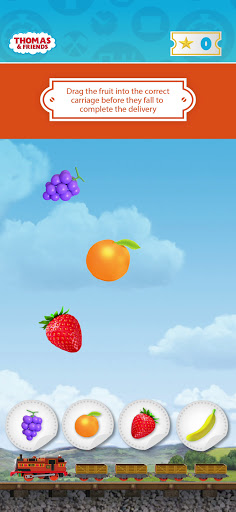
Thomas & Friends™ have created a fun and engaging range of games and augmented reality stories from each of the engines, to help your little one overcome some of life’s challenges. Each engine from the Steam Team has set a challenge to be completed over two days, and for every task they complete, they will be rewarded with a gold star and an acknowledgment from the engines!
Percy’s Challenge – Join Percy in his challenge to eat your greens! Once you’ve completed your task, help Percy deliver the mail with his jigsaw game!
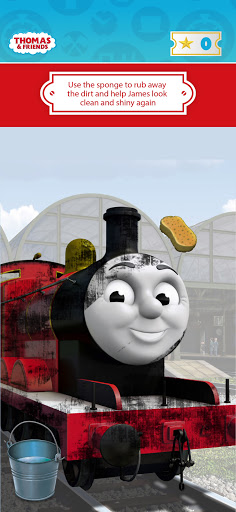
James’ Challenge – James likes to keep things clean! Complete your challenge and help James in his game to keep him nice and shiny!
Gordon’s Challenge – Gordon is never late! Getting ready on time is the theme for this game, where you help Gordon to get going to make it to the station on time!
Nia’s Challenge – It can be hard learning something new. As the newest member of the team, Nia knows this all too well. Once you’ve completed your daily task, help Nia to organise all the fruit into the right trucks!
Rebecca’s Challenge – Keeping things tidy is Rebecca’s job, but there looks like there’s some balls fallen onto the tracks. Help her to clear them up and put them in the box out of the way.
Emily’s Challenge – Emily is super helpful but now she needs your help. All her delivery tickets are jumbled up. Can you pair them together and put things in order?
Thomas’ Challenge – Thomas is a kind engine who is always there to help his friends. Can you be a friend to Thomas and pop the bubbles that are leaking from his trucks?
Please Note: this app works only in conjunction with The Entertainer Reward Poster redeemable when purchasing Thomas products online at The Entertainer.
Alternatively, the tracking marker can be downloaded here: https://bit.ly/3au0Xfj
© 2021 Gullane (Thomas) Limited. The Thomas name and character and the Thomas & Friends logo are trademarks of Gullane (Thomas) Limited and its affiliates and are registered in my jurisdictions throughout the world.
Tunjukkan Lagi

1. Muat turun pemasang MEmu dan selesaikan persediaan

2. Mulakan MEnu kemudian buka Google Play di desktop

3. Cari Thomas Reward Challenge di Google Play
Install
4. Muat turun dan Pasang Thomas Reward Challenge
5. Apabila selesai pemasangan, menekan ikon itu untuk memulakan

6. Nikmati bermain Thomas Reward Challenge di komputer dengan MEmu
MEmu Play adalah emulator Android terbaik dan 100 juta orang sudah menikmati pengalaman permainan Androidnya yang luar biasa. Teknologi virtualisasi MEmu memberi kuasa kepada anda untuk bermain beribu-ribu permainan Android dengan lancar di komputar anda, malah yang paling intensif grafik.
Skrin lebih besar dengan grafik yang lebih baik; Tempoh yang panjang, tanpa had bateri atau data mudah alih.
Sokongan Keymapping penuh untuk kawalan tepat papan kekunci dan tetikus atau gamepad.
Pelbagai akaun permainan atau tugas pada satu PC sekaligus dengan pengurus pelbagai contoh.
Play Thomas Reward Challenge on PC by following steps: