4K Wallpaper & Live Wallpaper
Dikemas kini
Versi Semasa
1.0.16
Ditawarkan Oleh

Berhentilah bimbang dengan bayaran berlebihan semasa menggunakan 4K Wallpaper & Live Wallpaper di telefon bimbit anda, bebaskan diri anda dari layar kecil dan nikmati penggunaan aplikasi pada paparan yang jauh lebih besar. Mulai sekarang, dapatkan pengalaman skrin penuh aplikasi anda dengan papan kekunci dan tetikus. MEmu Play semua ciri mengejutkan yang anda harapkan: pemasangan cepat dan penyediaan mudah, kawalan intuitif, tidak ada batasan bateri, data mudah alih, dan panggilan yang mengganggu. MEmu 9 yang baru adalah pilihan terbaik untuk menggunakan 4K Wallpaper & Live Wallpaper di komputer anda. Dikodkan dengan penyerapan kami, pengurus multi-instance menjadikan pembukaan 2 atau lebih akaun pada masa yang sama mungkin. Dan yang paling penting, mesin emulasi eksklusif kami dapat melepaskan potensi penuh PC anda, menjadikan semuanya lancar dan menyeronokkan.
Tunjukkan Lagi
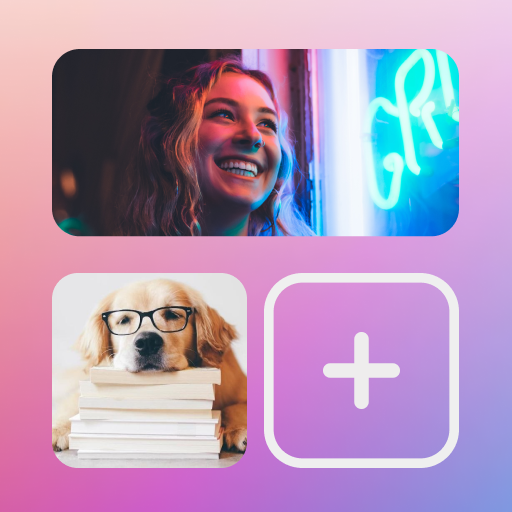
Nikmati pengalaman hebat menggunakan 4K Wallpaper & Live Wallpaper di PC dengan MEmu Play. Ia merupakan emulator Android percuma yang hebat yang menyediakan beribu-ribu aplikasi Android untuk versi desktop mereka. Nikmati berhubung dengan rakan-rakan dan menggilap kerja anda dengan kecekapan yang lebih tinggi! Transform your phone screen with 4K Live Wallpapers and stunning HD backgrounds designed for modern devices.
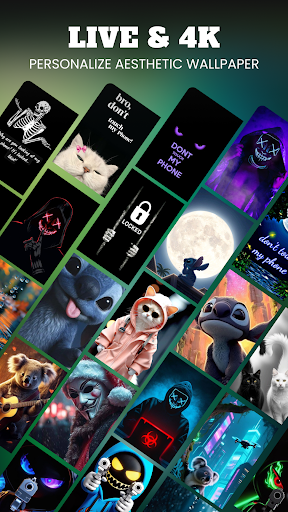
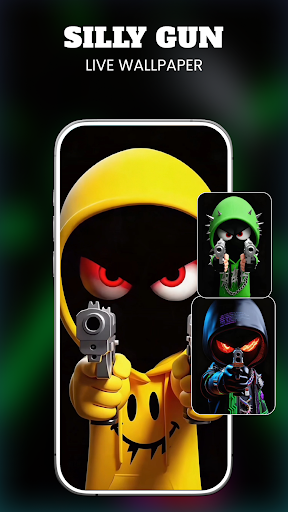
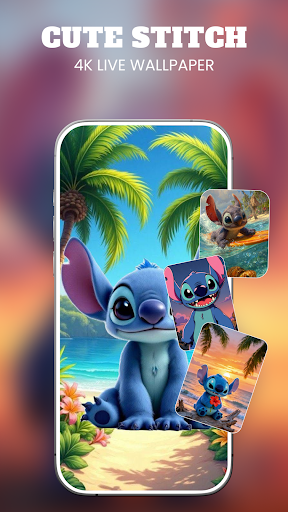
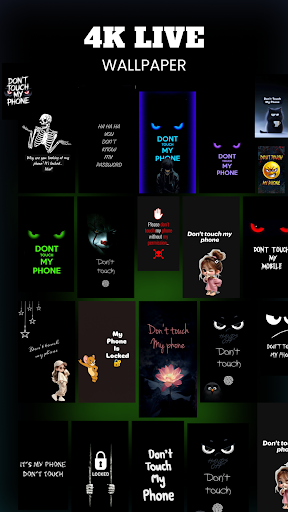
Transform your phone screen with 4K Live Wallpapers and stunning HD backgrounds designed for modern devices. This app offers a carefully curated collection of ultra-high-resolution wallpapers, smooth live backgrounds, and immersive 3D visuals that bring your home screen and lock screen to life.
Whether you prefer minimal designs, anime art, nature scenes, or abstract 3D graphics, you’ll find wallpapers optimized for clarity, performance, and battery efficiency.
You can use it when your phone feels boring, when you want a new look, or when you just want something relaxing to see when unlocking your device. Some users prefer simple HD wallpapers, while others enjoy animated live backgrounds. This app supports both.
You can set a live wallpaper or a 4K image wallpaper, and choose whether it appears on the home screen, lock screen, or both.
◆ Main Features
• Live & Video Wallpapers
Apply moving backgrounds with smooth animation. Many dynamic wallpaper styles are available including water, glow, particles, and subtle motion effects.
• Home Screen & Lock Screen Support
You are not limited to one screen. Set different wallpapers for each screen or use the same background everywhere.
• 4K and HD Wallpapers
Clear and high-quality wallpapers that fit modern displays. From full HD wallpaper to detailed 4K backgrounds, images remain sharp on large screens.
• 3D & Motion Effects
Some wallpapers include depth-style effects and gentle motion that react naturally to the screen.
• Easy Preview
Before applying, you can preview how the wallpaper will look on your phone.
• Simple Categories
- Browse collections such as:
- abstract and aesthetic designs
- animals and cute pets
- nature scenes like waterfalls and waterdrops
- dark, black and pink styles
- love and heart wallpapers
- colorful and cool moving backgrounds
• Quick Apply
Tap once to set wallpaper. No cropping tools or manual resizing needed.
Everyday situations where it helps:
• You change wallpapers often and want fresh backgrounds ready
• You prefer calm moving wallpapers instead of bright static images
• You want a different look for day and night
• You want a simple home background that is not distracting
• You like animated lock screens but still want battery-friendly behavior
Many users install wallpaper apps but stop using them because they are confusing. This app focuses on quick browsing and fast applying so you can update your screen in seconds.
Not everyone wants the same style. Some people like minimal HD backgrounds. Others like vivid 3D wallpapers. That is why the app includes both still images and live wallpapers.
You can:
• change wallpapers anytime
• try different themes
• keep a simple background for work
• use colorful wallpapers for personal time
• Because wallpapers are organized into themes, it is easy to find something that matches your mood.
The app is built to be lightweight and easy to use. Wallpapers are optimized to run smoothly on most Android devices. The live backgrounds are designed to avoid unnecessary battery usage while still showing motion.
You do not need special settings. Just open, choose a wallpaper, preview it, and apply.
If you enjoy refreshing your phone’s appearance from time to time, you can try different wallpapers and see what fits your style. New designs may also be added so you always have something new to use.
Tunjukkan Lagi

1. Muat turun pemasang MEmu dan selesaikan persediaan

2. Mulakan MEnu kemudian buka Google Play di desktop

3. Cari 4K Wallpaper & Live Wallpaper di Google Play
Install
4. Muat turun dan Pasang 4K Wallpaper & Live Wallpaper
5. Apabila selesai pemasangan, menekan ikon itu untuk memulakan

6. Gunakan MENu untuk mengalami 4K Wallpaper & Live Wallpaper pada komputer anda
MEmu Play ialah emulator Android terbaik, dengan lebih 100 juta pengguna mengalami pengalaman aplikasi Android yang unggul. Teknologi virtualisasi MEmu membolehkan anda menjalankan beribu-ribu aplikasi Android dengan lancar pada komputer anda, walaupun yang paling mencabar.
Skrin lebih besar dengan grafik yang lebih baik; Tempoh yang panjang, tanpa had bateri atau data mudah alih.
Sokongan Keymapping penuh untuk kawalan tepat papan kekunci dan tetikus atau gamepad.
Pelbagai akaun permainan atau tugas pada satu PC sekaligus dengan pengurus pelbagai contoh.
Use 4K Wallpaper & Live Wallpaper on PC by following steps: