Baby Shark ABC Phonics: Games
Dikemas kini
Versi Semasa
50.06
Ditawarkan Oleh

Berhentilah bimbang dengan bayaran berlebihan semasa menggunakan Baby Shark ABC Phonics: Games di telefon bimbit anda, bebaskan diri anda dari layar kecil dan nikmati penggunaan aplikasi pada paparan yang jauh lebih besar. Mulai sekarang, dapatkan pengalaman skrin penuh aplikasi anda dengan papan kekunci dan tetikus. MEmu Play semua ciri mengejutkan yang anda harapkan: pemasangan cepat dan penyediaan mudah, kawalan intuitif, tidak ada batasan bateri, data mudah alih, dan panggilan yang mengganggu. MEmu 9 yang baru adalah pilihan terbaik untuk menggunakan Baby Shark ABC Phonics: Games di komputer anda. Dikodkan dengan penyerapan kami, pengurus multi-instance menjadikan pembukaan 2 atau lebih akaun pada masa yang sama mungkin. Dan yang paling penting, mesin emulasi eksklusif kami dapat melepaskan potensi penuh PC anda, menjadikan semuanya lancar dan menyeronokkan.
Tunjukkan Lagi
Download Baby Shark ABC Phonics: Games on PC with MEmu Android Emulator. Enjoy playing on big screen. Alphabet learning songs, videos, and free games for kids and toddlers!
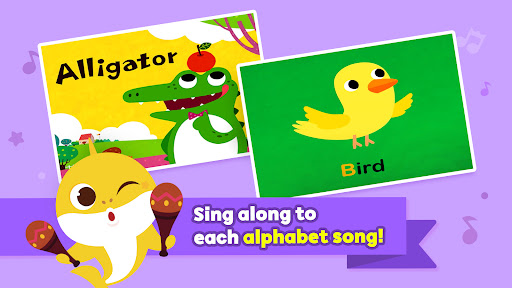
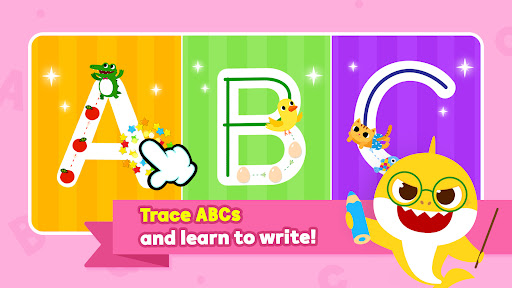
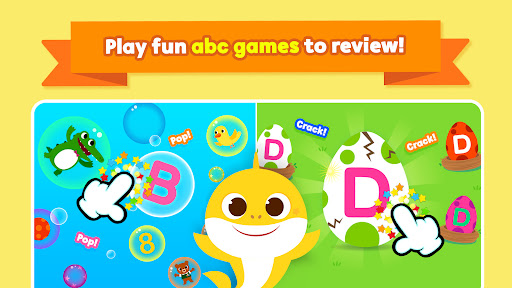
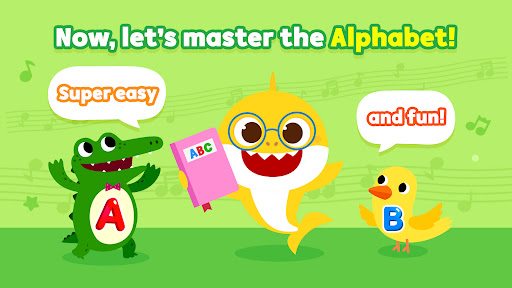
Alphabet learning songs, videos, and free games for kids and toddlers!
Sing, write, read, trace letters abc, and play baby learning games at Pinkfong Baby Shark's fun kids world!
“Baby Shark ABC Phonics” is an educational learning app for kids and toddlers ages 0 to 8, featuring various kids educational activities that will help them with mastering basic abc phonics skills.
Watch videos from A to Z, each featuring kids’ favorite animals dancing along to abc songs with catchy tunes — watch how your baby sings along!
Specific kids abc games include: popping alphabet bubbles, tracing letters, tapping animals, and cracking abc eggs.
After all, why should my kids start learning English with "Baby Shark ABC Phonics"?
First, learning ABCs for the first time should be fun!
- Each English alphabet - from A to Z comes along with fun nursery rhyme videos suitable for preschool toddlers. Learn the alphabet shapes, pronunciations, and basic vocabulary with fun songs.
- B is for Bear and Bird! Review each alphabet by playing games and singing along to abc songs with animal characters.
- Tracing letters and words for toddlers is as fun as drawing pictures! Check out cute illustrations and graphics that make tracing much fun!
Second, kids can master the phonics much quicker!
- There are 3 key educational steps to each activity : listen, write, and memorize the alphabet.
- Meanwhile, review your ABCs and strengthen your phonics skills.
- The app comes along with kids-friendly interface, helping toddlers to easily navigate the app by themselves.
Third, bright and colorful designs help children's encouragement in English learning.
- Improve your learning experience and stay motivated with adorable Pinkfong characters!
- Adorable images that kids love will make learning more familiar. It helps toddlers get self-motivated.
- Fun activities and cute animal characters will help with the development of kids' creativity.
Ready to join our educational abc game journey? abcd! Let’s have fun together with writing and tracing games!
*Note to parents: Baby Shark ABC phonics is a free learning app, but some content requires additional in-app purchases.
-
A World of Play + Learning
- Discover a premium kids' membership designed by Pinkfong's unique expertise!
• Official Website: https://fong.kr/pinkfongplus/
• What's so great about Pinkfong Plus:
1. 30+ apps with different themes and levels for each stage of child development!
2. Interactive play and educational content that allows for self-directed learning!
3. Unlock all premium content
4. Block unsafe ads and inappropriate content
5. Exclusive Pinkfong Plus original content only available to members!
6. Connect with various devices such as smartphones, tablets, and smart TVs
7. Certified by teachers and professional organizations!
• Unlimited apps available with Pinkfong Plus:
- Baby Shark World for Kids, Baby Shark Princess Dress Up, Baby Shark Chef Cooking Game, Bebefinn Baby Care, Baby Shark Hospital Play, Baby Shark Taco Sandwich Maker, Baby Shark's Dessert Shop, Pinkfong Baby Shark, Baby Shark Pizza Game, Pinkfong Baby Shark Phone, Pinkfong Shapes & Colors, Pinkfong Dino World, Pinkfong Tracing World, Baby Shark Coloring Book, Baby Shark ABC Phonics, Baby Shark Makeover Game, Pinkfong My Body, Baby Shark Car Town, Pinkfong 123 Numbers, Pinkfong Guess the Animal, Pinkfong Numbers Zoo, Pinkfong Learn Korean, Pinkfong Police Heroes Game, Pinkfong Coloring Fun, Pinkfong Super Phonics, Pinkfong Baby Shark Storybook, Pinkfong Word Power + more!
- More available apps will be updated soon.
- Click the 'More Apps' button on each app's main screen or search for the app on Google Play!
-
Privacy Policy:
https://pid.pinkfong.com/terms?type=privacy-policy
Terms of Use of Pinkfong Integrated Services:
https://pid.pinkfong.com/terms?type=terms-and-conditions
Terms of Use of Pinkfong Interactive App:
https://pid.pinkfong.com/terms?type=interactive-terms-and-conditions
Tunjukkan Lagi

1. Muat turun pemasang MEmu dan selesaikan persediaan

2. Mulakan MEnu kemudian buka Google Play di desktop

3. Cari Baby Shark ABC Phonics: Games di Google Play
Install
4. Muat turun dan Pasang Baby Shark ABC Phonics: Games
5. Apabila selesai pemasangan, menekan ikon itu untuk memulakan

6. Gunakan MENu untuk mengalami Baby Shark ABC Phonics: Games pada komputer anda
MEmu Play ialah emulator Android terbaik, dengan lebih 100 juta pengguna mengalami pengalaman aplikasi Android yang unggul. Teknologi virtualisasi MEmu membolehkan anda menjalankan beribu-ribu aplikasi Android dengan lancar pada komputer anda, walaupun yang paling mencabar.
Skrin lebih besar dengan grafik yang lebih baik; Tempoh yang panjang, tanpa had bateri atau data mudah alih.
Sokongan Keymapping penuh untuk kawalan tepat papan kekunci dan tetikus atau gamepad.
Pelbagai akaun permainan atau tugas pada satu PC sekaligus dengan pengurus pelbagai contoh.
Use Baby Shark ABC Phonics: Games on PC by following steps: