BabySleep: Whitenoise lullaby
Dikemas kini
Versi Semasa
1718964596
Ditawarkan Oleh

Berhentilah bimbang dengan bayaran berlebihan semasa menggunakan BabySleep: Whitenoise lullaby di telefon bimbit anda, bebaskan diri anda dari layar kecil dan nikmati penggunaan aplikasi pada paparan yang jauh lebih besar. Mulai sekarang, dapatkan pengalaman skrin penuh aplikasi anda dengan papan kekunci dan tetikus. MEmu Play semua ciri mengejutkan yang anda harapkan: pemasangan cepat dan penyediaan mudah, kawalan intuitif, tidak ada batasan bateri, data mudah alih, dan panggilan yang mengganggu. MEmu 9 yang baru adalah pilihan terbaik untuk menggunakan BabySleep: Whitenoise lullaby di komputer anda. Dikodkan dengan penyerapan kami, pengurus multi-instance menjadikan pembukaan 2 atau lebih akaun pada masa yang sama mungkin. Dan yang paling penting, mesin emulasi eksklusif kami dapat melepaskan potensi penuh PC anda, menjadikan semuanya lancar dan menyeronokkan.
Tunjukkan Lagi
Download BabySleep: Whitenoise lullaby on PC with MEmu Android Emulator. Enjoy playing on big screen. Puts your baby to sleep.
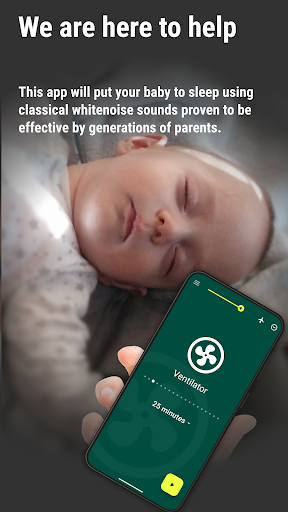
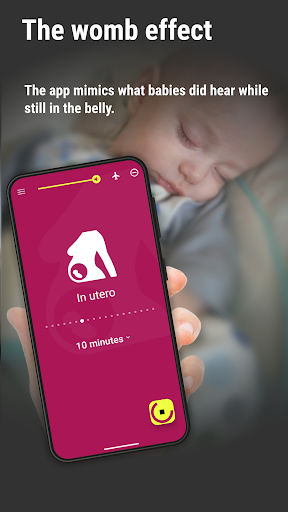
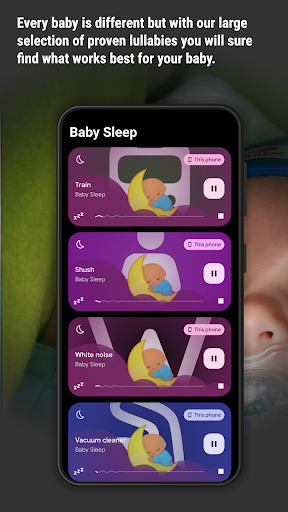
Puts your baby to sleep.
This app is intended especially for parents of newborns. It helps them put their babies to sleep instantly. The app uses classic white noise sounds (lullabies) proven to be more effective than music, tones or sung by generations of parents! They resemble the natural sounds of the womb and thus create a calming environment for the babies they are used to.
Why is my baby crying?
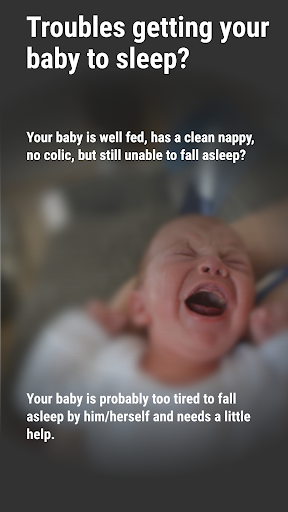
Your baby is fed, has a clean nappy, no issues with colic, you were playing with your baby but still it is crying? The baby is probably too tired, but at the same time unable to fall asleep by itself. This is a common situation of newborns and a situation when Baby Sleep can help the most.
Baby Sleep helps you to put your baby to sleep using classic monotonous low frequency sounds proven to be effective by generations of parents.
Available lullabies:
• Shower
• Washing machine
• Car
• Hairdryer
• Vacuum cleaner
• Shush
• Fan
• Train
• Musicbox
• Heartbeats
• Sea
• White/Brown/Pink noise
From practical experience, we have learned that such sounds are more effective as a lullaby than tones, music or sing which on the contrary makes the baby rather pay attention.
Even for older babies Baby Sleep helps to increase the overall noise level in the room, so that sudden urban sounds like traffic would not disturb your baby from sleeping.
Baby Sleep is easy to use. Every lullaby has a specific color and a symbol. A timer will automatically stop the lullaby when times run out. All sounds are available offline so you do not need the internet.
We do highly recommend not putting the phone closer to the baby than necessary and turning on airplane mode as well as muting alerts during the entire use of this app.
Tunjukkan Lagi

1. Muat turun pemasang MEmu dan selesaikan persediaan

2. Mulakan MEnu kemudian buka Google Play di desktop

3. Cari BabySleep: Whitenoise lullaby di Google Play
Install
4. Muat turun dan Pasang BabySleep: Whitenoise lullaby
5. Apabila selesai pemasangan, menekan ikon itu untuk memulakan

6. Gunakan MENu untuk mengalami BabySleep: Whitenoise lullaby pada komputer anda
MEmu Play ialah emulator Android terbaik, dengan lebih 100 juta pengguna mengalami pengalaman aplikasi Android yang unggul. Teknologi virtualisasi MEmu membolehkan anda menjalankan beribu-ribu aplikasi Android dengan lancar pada komputer anda, walaupun yang paling mencabar.
Skrin lebih besar dengan grafik yang lebih baik; Tempoh yang panjang, tanpa had bateri atau data mudah alih.
Sokongan Keymapping penuh untuk kawalan tepat papan kekunci dan tetikus atau gamepad.
Pelbagai akaun permainan atau tugas pada satu PC sekaligus dengan pengurus pelbagai contoh.
Use BabySleep: Whitenoise lullaby on PC by following steps: