BB Cloud- Android Cloud Phone
Dikemas kini
Versi Semasa
2.1.4
Ditawarkan Oleh

Berhentilah bimbang dengan bayaran berlebihan semasa menggunakan BB Cloud- Android Cloud Phone di telefon bimbit anda, bebaskan diri anda dari layar kecil dan nikmati penggunaan aplikasi pada paparan yang jauh lebih besar. Mulai sekarang, dapatkan pengalaman skrin penuh aplikasi anda dengan papan kekunci dan tetikus. MEmu Play semua ciri mengejutkan yang anda harapkan: pemasangan cepat dan penyediaan mudah, kawalan intuitif, tidak ada batasan bateri, data mudah alih, dan panggilan yang mengganggu. MEmu 9 yang baru adalah pilihan terbaik untuk menggunakan BB Cloud- Android Cloud Phone di komputer anda. Dikodkan dengan penyerapan kami, pengurus multi-instance menjadikan pembukaan 2 atau lebih akaun pada masa yang sama mungkin. Dan yang paling penting, mesin emulasi eksklusif kami dapat melepaskan potensi penuh PC anda, menjadikan semuanya lancar dan menyeronokkan.
Tunjukkan Lagi
Download BB Cloud- Android Cloud Phone on PC with MEmu Android Emulator. Enjoy playing on big screen. BB Cloud is a cloud-based smartphone and a must-have tool for idle game players.
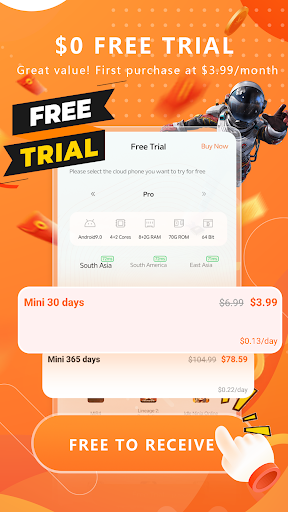
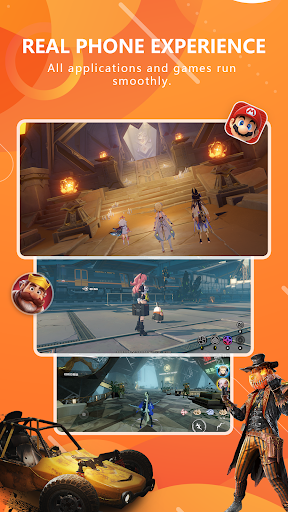
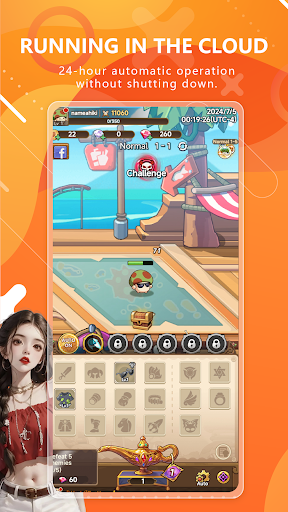
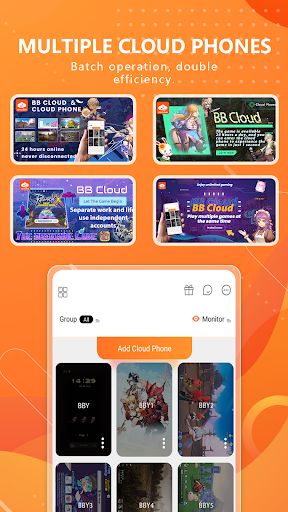
BB Cloud is a cloud-based smartphone and a must-have tool for idle game players. BB Cloud never loses power or network, and has an independent cloud CPU, memory, and storage space. You can host or run any application and game in the world 24 hours a day, completely freeing up local mobile phone resources.
If you want to understand the exotic customs, owning BB CLOUD is equivalent to owning a foreign mobile phone. You can have more private and traceless social communication in BB CLOUD. You can also use BB Cloud to achieve cross-border operations, taking you to enjoy the global experience brought by BB Cloud, making smart life everywhere.
BB Cloud has eight common application scenarios:
1. Own a foreign mobile phone;
2. The game is automatically hung up 24 hours a day without interference;
3. The local mobile phone memory and space cannot meet the needs;
4. A more secretive social communication tool;
5. Intercommunication with local mobile phones, photo and video backup storage;
6. The BB Cloud authorization function allows others to remotely access and operate your cloud phone to complete your work instead;
7. BB Cloud traffic is permanently free, a little helper for business trips and travel;
8. Own independent IP resources, Tiktok, Facebook matrix marketing.
BB Cloud advantages:
24-hour automatic operation without shutdown:
BB Cloud has the ability to run around the clock. Even when you are resting, it can continue to process data and execute tasks to ensure that your work and entertainment experience is uninterrupted.
Cloud operation, no local resources:
All operations are completed in the cloud, and your device is only responsible for display and control. This means that BB Cloud will not occupy the storage space and processor resources of your device, making your device run more smoothly.
Smooth operation, ultra-low latency:
BB Cloud uses advanced network technology to ensure fast and reliable data transmission, greatly reducing latency and providing users with a smooth experience close to real devices.
Real device experience, play all games and applications:
By simulating the operating interface of a real smartphone, BB Cloud allows you to enjoy a variety of games and applications in the cloud without worrying about device performance limitations.
Multi-opening in the cloud, batch operation:
Supports running multiple virtual phones at the same time. Users can perform batch operations on multiple cloud phones, greatly improving work efficiency, especially suitable for users who need to run multiple applications or games at the same time.
Private social networking in the cloud:
In this Internet age, privacy and security have become important needs for social interaction. Our cloud phone software focuses on providing a safe and private social platform to ensure the security of your communication information while bringing you a convenient cloud experience.
Data security:
In BB Cloud, we put user data security first. All data is stored in encrypted cloud servers to effectively prevent data leakage, loss or access by unauthorized third parties. This means that no matter where you are, you can access and manage your information with confidence.
BB Cloud's Commitment
Continuous Updates and Improvements: We are committed to continuously optimizing the functionality and performance of BB Cloud to ensure that the software can meet the growing needs of users.
Customer Support: Our professional team is always ready to provide assistance to ensure that users have the best experience when using BB Cloud.
Strong Adaptability: No matter which device or operating system you are using, BB Cloud can provide a smooth experience.
If you encounter problems or have good suggestions, you can contact us.
Official Website: http://www.beibeicloud.net/
Facebook Homepage: https://www.facebook.com/people/BB-Cloud/61554590357252/
Discord: https://discord.gg/ekFTgpWt
Customer Service Email: bbcloud.box@gmail.com
Tunjukkan Lagi

1. Muat turun pemasang MEmu dan selesaikan persediaan

2. Mulakan MEnu kemudian buka Google Play di desktop

3. Cari BB Cloud- Android Cloud Phone di Google Play
Install
4. Muat turun dan Pasang BB Cloud- Android Cloud Phone
5. Apabila selesai pemasangan, menekan ikon itu untuk memulakan

6. Gunakan MENu untuk mengalami BB Cloud- Android Cloud Phone pada komputer anda
MEmu Play ialah emulator Android terbaik, dengan lebih 100 juta pengguna mengalami pengalaman aplikasi Android yang unggul. Teknologi virtualisasi MEmu membolehkan anda menjalankan beribu-ribu aplikasi Android dengan lancar pada komputer anda, walaupun yang paling mencabar.
Skrin lebih besar dengan grafik yang lebih baik; Tempoh yang panjang, tanpa had bateri atau data mudah alih.
Sokongan Keymapping penuh untuk kawalan tepat papan kekunci dan tetikus atau gamepad.
Pelbagai akaun permainan atau tugas pada satu PC sekaligus dengan pengurus pelbagai contoh.
Use BB Cloud- Android Cloud Phone on PC by following steps: