DroneVR+ FPV for DJI Drones
Dikemas kini
Versi Semasa
1.9.9
Ditawarkan Oleh

Berhentilah bimbang dengan bayaran berlebihan semasa menggunakan DroneVR+ FPV for DJI Drones di telefon bimbit anda, bebaskan diri anda dari layar kecil dan nikmati penggunaan aplikasi pada paparan yang jauh lebih besar. Mulai sekarang, dapatkan pengalaman skrin penuh aplikasi anda dengan papan kekunci dan tetikus. MEmu Play semua ciri mengejutkan yang anda harapkan: pemasangan cepat dan penyediaan mudah, kawalan intuitif, tidak ada batasan bateri, data mudah alih, dan panggilan yang mengganggu. MEmu 9 yang baru adalah pilihan terbaik untuk menggunakan DroneVR+ FPV for DJI Drones di komputer anda. Dikodkan dengan penyerapan kami, pengurus multi-instance menjadikan pembukaan 2 atau lebih akaun pada masa yang sama mungkin. Dan yang paling penting, mesin emulasi eksklusif kami dapat melepaskan potensi penuh PC anda, menjadikan semuanya lancar dan menyeronokkan.
Tunjukkan Lagi
Download DroneVR+ FPV for DJI Drones on PC with MEmu Android Emulator. Enjoy playing on big screen. With DroneVR you can take a seat in your DJI drone and fly like a bird.
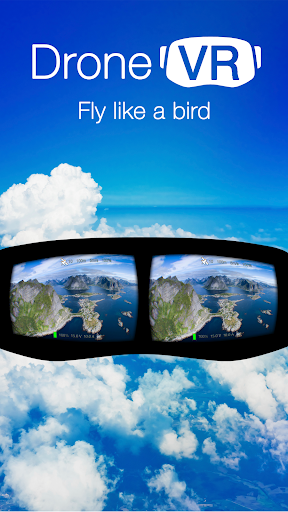
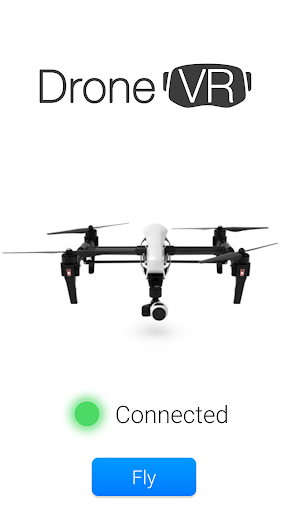
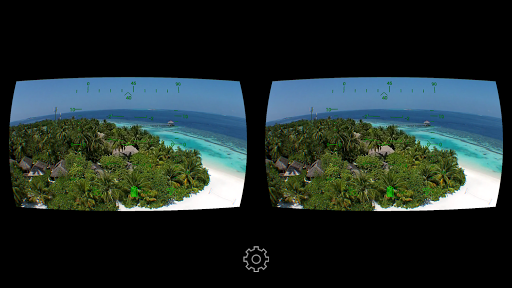
With DroneVR you can take a seat in your DJI drone and fly like a bird. DroneVR connects to your DJI drone and renders the live video stream in stereo with lens distortion correction so that it can be viewed with a virtual reality headset for your phone.
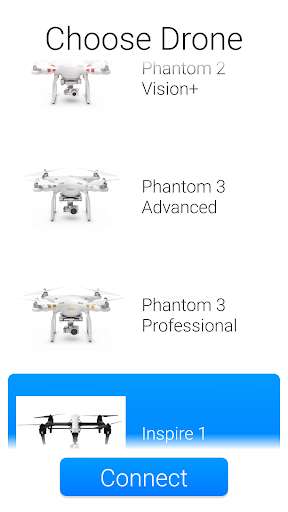
Note: DroneVR supports the DJI Mavic Mini / 2, Mavic Pro / 2, Mavic Air / 2 / 2s, Spark, Phantom 4 / Advanced / Pro, Phantom 3 Standard / Advanced / Pro, Inspire 1 and Ryze Tello.
Important: The Mavic 3 is NOT supported because DJI does not offer a developer kit so far. We will add support in case DJI releases a developer kit. Kindly asking you to not down-rate the app because we cannot control this issue.
The Phantom 3 SE is NOT supported as it does not support 3rd party apps. Support for the Tello is free, for unlimited use of the other drones the support to be unlocked via an In-App purchase. In addition, DroneVR offers a time limited trial mode so that you can test how it works with your drone and phone. Support for the Phantom 2 Vision+ is available as a separate app 'DroneVR - Phantom 2 Vision+' for free.
DroneVR's features:
==============
* Beautiful and configurable head-up display to show telemetry information such heading, speed, height, pitch and battery status blended into the live camera view.
* Head-tracking allows you to controls the orientation of your camera in realtime by moving your head ! For DJI Phantom Series head tracking is supported for camera pitch. With the DJI Inspire 1 head tracking across all three axis is supported.
* Advanced lens distortion correction algorithms ensure highest quality and low latency video rendering.
* Hardware accelerated video decoding provides best image quality and low battery consumption.
* High definition video quality of 720p and 30 frames / second with Phantom 3 / Inspire 1 and even 1080p with Mavic Pro / 2.
* Spectator mode to connect a 2nd phone to fly with a friend.
* Picture size and position and be adjustable to work with almost any virtual reality headset.
Important notes:
============
* To use DroneVR you need one of the above listed DJI drones.
* To use DroneVR in stereo mode you need a virtual reality headset where you can mount your phone (e.g. FreeFly VR, Zeiss VR One or a Google Cardboard). A phone with a high resolution screen and a screen size of at least 4.7 is recommended.
Tunjukkan Lagi

1. Muat turun pemasang MEmu dan selesaikan persediaan

2. Mulakan MEnu kemudian buka Google Play di desktop

3. Cari DroneVR+ FPV for DJI Drones di Google Play
Install
4. Muat turun dan Pasang DroneVR+ FPV for DJI Drones
5. Apabila selesai pemasangan, menekan ikon itu untuk memulakan

6. Gunakan MENu untuk mengalami DroneVR+ FPV for DJI Drones pada komputer anda
MEmu Play ialah emulator Android terbaik, dengan lebih 100 juta pengguna mengalami pengalaman aplikasi Android yang unggul. Teknologi virtualisasi MEmu membolehkan anda menjalankan beribu-ribu aplikasi Android dengan lancar pada komputer anda, walaupun yang paling mencabar.
Skrin lebih besar dengan grafik yang lebih baik; Tempoh yang panjang, tanpa had bateri atau data mudah alih.
Sokongan Keymapping penuh untuk kawalan tepat papan kekunci dan tetikus atau gamepad.
Pelbagai akaun permainan atau tugas pada satu PC sekaligus dengan pengurus pelbagai contoh.
Use DroneVR+ FPV for DJI Drones on PC by following steps: