Weather
Dikemas kini
Versi Semasa
0.4.0.1
Ditawarkan Oleh

Berhentilah bimbang dengan bayaran berlebihan semasa menggunakan Weather di telefon bimbit anda, bebaskan diri anda dari layar kecil dan nikmati penggunaan aplikasi pada paparan yang jauh lebih besar. Mulai sekarang, dapatkan pengalaman skrin penuh aplikasi anda dengan papan kekunci dan tetikus. MEmu Play semua ciri mengejutkan yang anda harapkan: pemasangan cepat dan penyediaan mudah, kawalan intuitif, tidak ada batasan bateri, data mudah alih, dan panggilan yang mengganggu. MEmu 9 yang baru adalah pilihan terbaik untuk menggunakan Weather di komputer anda. Dikodkan dengan penyerapan kami, pengurus multi-instance menjadikan pembukaan 2 atau lebih akaun pada masa yang sama mungkin. Dan yang paling penting, mesin emulasi eksklusif kami dapat melepaskan potensi penuh PC anda, menjadikan semuanya lancar dan menyeronokkan.
Tunjukkan Lagi
Download Weather on PC with MEmu Android Emulator. Enjoy playing on big screen. Hyperlocal weather forecasts are here to help you own the day!
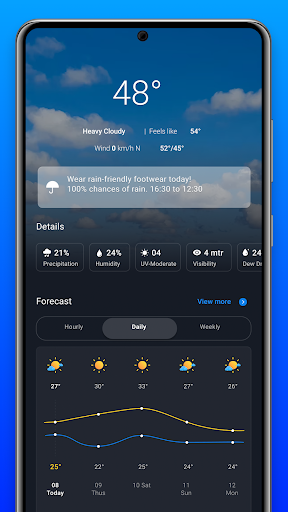
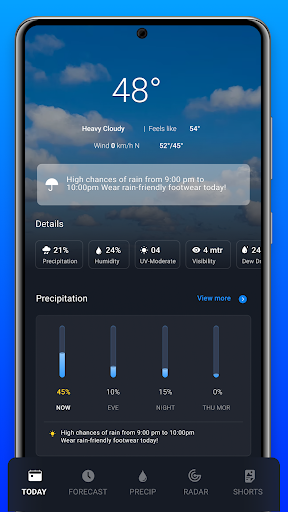
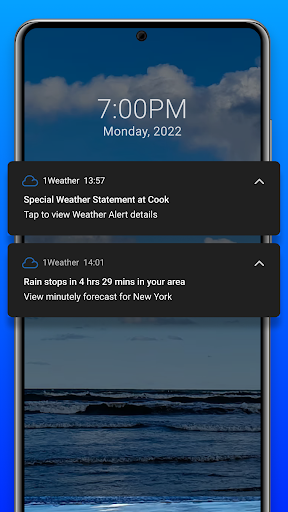
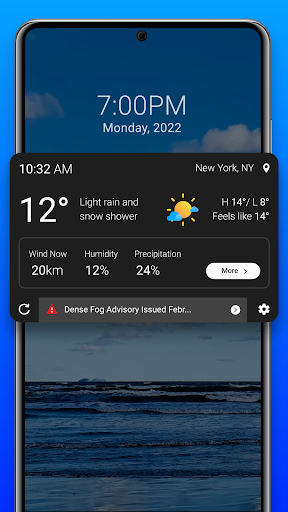
Hyperlocal weather forecasts are here to help you own the day! Trusted by 100 Million+ users across the world, the Weather app by Swish will keep you weather-ready, every day.
Key Features
✓10 Day weather forecast
✓48 hours rain forecast
✓Multi-layer radar maps
✓10+ customizable widgets
✓Air quality info
✓Sun and Moon Tracker
Accurate Forecasts
Minute-by-minute forecast and precipitation up to 48 hours. Plan your days in advance with our 10 Day forecast.
Radar Map
Multiple weather layers and future radar maps to track thunderstorms, typhoons, hurricanes, rainfall, snowfall and more.
Detailed Weather Info
More than 15 weather data points that give you all the information you need. UV index, dew point, visibility, humidity, wind speed, atmospheric pressure & more.
Health Center
Enjoy the outdoors with details about wind chill, moisture, air pollution level, and pollen count.
Air Quality Index: Get real-time air quality info for your area and plan accordingly.
Allergy outlook: Track grass, weed, and tree pollen.
Pollution level: Check pollutant levels of PM10, PM2.5, O3, CO, NO2 and SO2
Health tips: Get advice for general health and sensitive groups.
Beautiful Weather Widgets
We want you to see the weather your way. Choose from 1x1 widget, 2x1, 2x2, 2x3, 3x4, 4x1 widget, 4x2, 4x3, 5x1 widget, & 5x2 widget sizes in preferred formats.
Sun and Moon Tracker
Plan your day or night activities with sunrise, sunset, moonrise, and moonset. Explore various moon phases, including New Moon and Full Moon.
Additional features
Customizable Units: Personalize your weather experience by customizing units to your preference.
Multilingual Support: Choose from multiple languages to make the app more accessible to you.
Dark and Light Themes: Customize your app's appearance with dark and light themes to suit your preferences and reduce eye strain in low-light conditions.
100 million downloads and counting! Download the best android weather app now.
Need help? Feel free to contact us at oneweather@onelouder.com. We would love to hear from you.
Note: We may collect information from your use of the app that we may share with our partners to deliver personalized ads and improve our services. You may modify your choices at any time as explained in our Privacy Policy: https://1weatherapp.com/privacy/#rights.
Tunjukkan Lagi

1. Muat turun pemasang MEmu dan selesaikan persediaan

2. Mulakan MEnu kemudian buka Google Play di desktop

3. Cari Weather di Google Play
Install
4. Muat turun dan Pasang Weather
5. Apabila selesai pemasangan, menekan ikon itu untuk memulakan

6. Gunakan MENu untuk mengalami Weather pada komputer anda
MEmu Play ialah emulator Android terbaik, dengan lebih 100 juta pengguna mengalami pengalaman aplikasi Android yang unggul. Teknologi virtualisasi MEmu membolehkan anda menjalankan beribu-ribu aplikasi Android dengan lancar pada komputer anda, walaupun yang paling mencabar.
Skrin lebih besar dengan grafik yang lebih baik; Tempoh yang panjang, tanpa had bateri atau data mudah alih.
Sokongan Keymapping penuh untuk kawalan tepat papan kekunci dan tetikus atau gamepad.
Pelbagai akaun permainan atau tugas pada satu PC sekaligus dengan pengurus pelbagai contoh.
Use Weather on PC by following steps: