Fake Call – Fun Prank Call
Dikemas kini
Versi Semasa
1.0.8
Ditawarkan Oleh

Berhentilah bimbang dengan bayaran berlebihan semasa menggunakan Fake Call – Fun Prank Call di telefon bimbit anda, bebaskan diri anda dari layar kecil dan nikmati penggunaan aplikasi pada paparan yang jauh lebih besar. Mulai sekarang, dapatkan pengalaman skrin penuh aplikasi anda dengan papan kekunci dan tetikus. MEmu Play semua ciri mengejutkan yang anda harapkan: pemasangan cepat dan penyediaan mudah, kawalan intuitif, tidak ada batasan bateri, data mudah alih, dan panggilan yang mengganggu. MEmu 9 yang baru adalah pilihan terbaik untuk menggunakan Fake Call – Fun Prank Call di komputer anda. Dikodkan dengan penyerapan kami, pengurus multi-instance menjadikan pembukaan 2 atau lebih akaun pada masa yang sama mungkin. Dan yang paling penting, mesin emulasi eksklusif kami dapat melepaskan potensi penuh PC anda, menjadikan semuanya lancar dan menyeronokkan.
Tunjukkan Lagi
Download Fake Call – Fun Prank Call on PC with MEmu Android Emulator. Enjoy playing on big screen. Want to prank your friends via phone call?
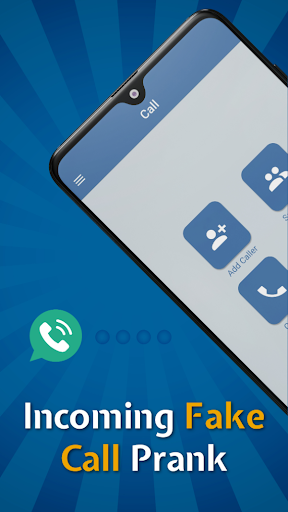
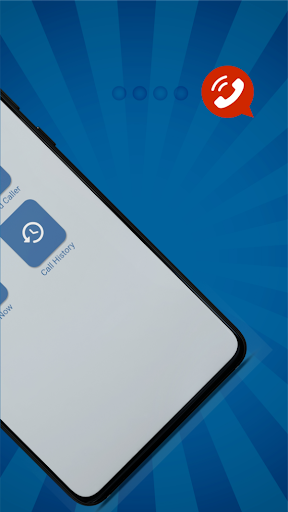
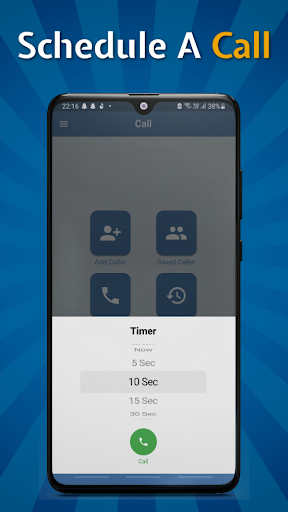
Want to prank your friends via phone call? Then fake call app is for you. You will receive a fake phone call from a fake caller ID. Fake Call allows you to schedule a call at your desired time and day. Receive a prank phone call from a girlfriend, wife, boyfriend, husband, boss, lawyer, or anyone else. With a single tap, you can also schedule a quick fake call.
Fake call is a useful tool when you want to get rid of an uncomfortable gathering. With a prank call app, you can simulate a fake caller id to get out of an awkward situation, such as a boring meeting, annoying conversation, or meaningless interview. Fake call app is totally free. Receive a call fake in front of your friends to pretend that someone is calling to you!
Make a fake phone call without actually being called. The prank call app simulates a time-based fake calling notification. You can easily fool your friends with a fun phone call app by creating fake calls with other numbers.
Call your own phone from any number you pick from the free calling app.
How to make a Fake Call:
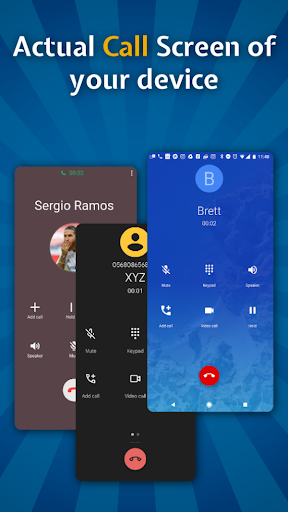
To make a call click on call now button in the menu, it will ask you for contact permissions for picking up your desired contact. After picking up the contact you will be asked to allow FAKE CALL to use your microphone and call logs so FAKE CALL can add real call logs into your Phone’s Call log. Lastly you will be asked to allow FAKE CALLING account from the settings. In many phones the APP will take you to the required setting screen with the FAKE CALL allow toggle but if not click on the all calling accounts and allow FAKE CALL. This setting will show you the original Call screen of your device. For more help please see our video. We provided a complete guide on different devices in the video.
Fake Call Prank Features:
• Fake Call can call you whenever you want.
• Choose a caller from your contacts.
• Customize fake caller name, fake caller number and photo.
• When click on call, it will automatically fetch pic from contacts if your saved contact has a photo.
• Schedule a fake call at a specific time or click on Call now to get an instant call.
• You will also get a real-time pop-up call notification.
• You will also get a missed call notification if you didn’t receive the call.
• The scheduled call details were also visible in your fake call history.
• This app will show the actual call screen of your mobile.
• With actual call UI, your friends won’t be able to detect its fake.
• Working call menu buttons.
• When you click on Call Now or schedule a call, the app will automatically minimize and show you a call from background.
• The Call will also work when you minimize it.
• You can also receive calls on the lock screen.
• You can make a fake call and receive it as a genuine one.
• This app works without internet.
• Can call background and foreground.
Why use our app Fake Call - Fun Prank Call?
• You can create Fake Calls and fool your friends with fake phone call app.
• You can make as many fake calls as you want and receive as many as you want.
• Faster, better, and 100% FREE.
• We will update the application regularly.
• To set Fake caller ID, you can edit and select any image from the Gallery.
• Fake call apps are completely free to use in order to have a good time on the phone.
Disclaimer:
Fake Caller app does not have a genuine incoming call feature - it is just a fake incoming call. This application is Just for Fun. Pictures utilized in screenshots are simply to tell you about the application.
Tunjukkan Lagi

1. Muat turun pemasang MEmu dan selesaikan persediaan

2. Mulakan MEnu kemudian buka Google Play di desktop

3. Cari Fake Call – Fun Prank Call di Google Play
Install
4. Muat turun dan Pasang Fake Call – Fun Prank Call
5. Apabila selesai pemasangan, menekan ikon itu untuk memulakan

6. Gunakan MENu untuk mengalami Fake Call – Fun Prank Call pada komputer anda
MEmu Play ialah emulator Android terbaik, dengan lebih 100 juta pengguna mengalami pengalaman aplikasi Android yang unggul. Teknologi virtualisasi MEmu membolehkan anda menjalankan beribu-ribu aplikasi Android dengan lancar pada komputer anda, walaupun yang paling mencabar.
Skrin lebih besar dengan grafik yang lebih baik; Tempoh yang panjang, tanpa had bateri atau data mudah alih.
Sokongan Keymapping penuh untuk kawalan tepat papan kekunci dan tetikus atau gamepad.
Pelbagai akaun permainan atau tugas pada satu PC sekaligus dengan pengurus pelbagai contoh.
Use Fake Call – Fun Prank Call on PC by following steps: