DevCheck Device & System Info
Dikemas kini
Versi Semasa
5.35
Ditawarkan Oleh

Berhentilah bimbang dengan bayaran berlebihan semasa menggunakan DevCheck Device & System Info di telefon bimbit anda, bebaskan diri anda dari layar kecil dan nikmati penggunaan aplikasi pada paparan yang jauh lebih besar. Mulai sekarang, dapatkan pengalaman skrin penuh aplikasi anda dengan papan kekunci dan tetikus. MEmu Play semua ciri mengejutkan yang anda harapkan: pemasangan cepat dan penyediaan mudah, kawalan intuitif, tidak ada batasan bateri, data mudah alih, dan panggilan yang mengganggu. MEmu 9 yang baru adalah pilihan terbaik untuk menggunakan DevCheck Device & System Info di komputer anda. Dikodkan dengan penyerapan kami, pengurus multi-instance menjadikan pembukaan 2 atau lebih akaun pada masa yang sama mungkin. Dan yang paling penting, mesin emulasi eksklusif kami dapat melepaskan potensi penuh PC anda, menjadikan semuanya lancar dan menyeronokkan.
Tunjukkan Lagi
Download DevCheck Device & System Info on PC with MEmu Android Emulator. Enjoy playing on big screen. Monitor your hardware in real time and get complete information about your device model, CPU, GPU, memory, battery, camera, storage, network, sensors and operating system.
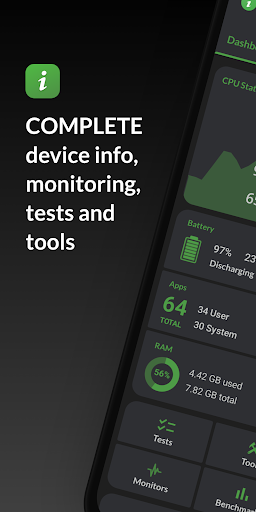
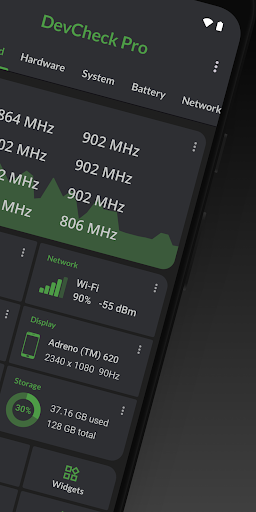
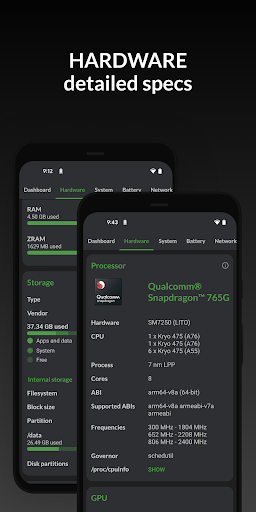
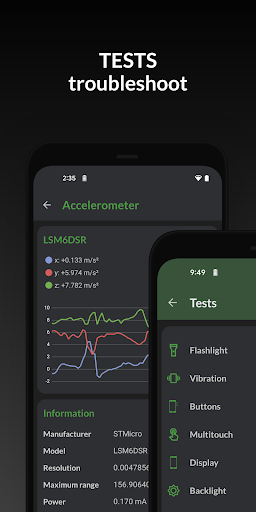
Monitor your hardware in real time and get complete information about your device model, CPU, GPU, memory, battery, camera, storage, network, sensors and operating system. DevCheck shows all the information you need about your hardware and operating system in a clear, accurate and organized way.
DevCheck provides the most detailed CPU and System-on-a-chip (SOC) info available. See specifications for Bluetooth, GPU, RAM, storage and other hardware in your phone or tablet. See details about your Wi-Fi and mobile networks, including dual SIM info. Get real time sensor data. Learn about your phone's operating system and architecture. Root is fully supported, so rooted users can discover even more info.
Dashboard: a comprehensive overview of critical device and hardware info, including real-time monitoring of CPU frequencies, memory usage, battery stats, deep sleep and uptime. With summaries and shortcuts to system settings.
Hardware: displays all detail about your SOC, CPU, GPU, memory, storage, Bluetooth and other hardware, including chip names and manufacturers, architecture, processor cores and configuration, manufacturing process, frequencies, governor, storage capacity, input devices and display specifications.
System: get all info about your device, including codename, brand, manufacturer, bootloader, radio, Android version, security patch level and kernel. DevCheck can also check root, busybox, KNOX status and other info related to software and operating system.
Battery: real-time info about your battery status, temperature, level, technology, health, voltage, current, power and capacity. With Pro version, get details about battery usage with the screen on and off using the Battery Monitor service.
Network: shows info about your Wi-Fi and mobile/cellular connections, including IP addresses (ipv4 and ipv6), connection info, operator, phone and network type, public IP and more. Most complete dual SIM information available
Apps: detailed info and management of all your apps. Running apps provides list of apps and services running on your device, with current memory usage. On Android Nougat or later, memory usage is only available on rooted devices.
DevCheck displays the most advanced camera specifications, including aperture, focal length, ISO range, RAW capability, 35mm equivalents, resolution (megapixels), crop factor, field of view, focus modes, flash modes, JPEG quality and image format, available face detection modes and more
Sensors: a list of all sensors on the device, including type, manufacturer, power and resolution. Real time graphical info for accelerometer, step detector, gyroscope, proximity, light and other sensors.
Tests: flashlight, vibrator, buttons, multitouch, display, backlight, charging, speakers, headset, earpiece, microphone and biometric scanners (the last six tests require PRO version)
Tools: root check, bluetooth, SafetyNet, Permissions, Wi-Fi scan, GPS location and USB accessories (Permissions, SafetyNet, Wi-Fi, GPS & USB tools require PRO)
PRO VERSION is available through in-app purchase
The pro version includes access to all tests and tools, benchmarking, battery monitor, widgets and floating monitors.
DevCheck Pro has several modern widgets to choose from. Show battery, RAM, storage usage and other stats right on your home screen!
Floating monitors are customizable, movable, always-on-top transparent windows that allow you to monitor CPU frequencies, temperatures, battery, network activity and more in real time while using other apps.
The pro version also allows you to choose different color schemes.
PERMISSIONS
DevCheck requires many permissions in order to display detailed information about your device. None of your personal information is ever collected or shared. Your privacy is always respected. DevCheck is ad-free.
Tunjukkan Lagi

1. Muat turun pemasang MEmu dan selesaikan persediaan

2. Mulakan MEnu kemudian buka Google Play di desktop

3. Cari DevCheck Device & System Info di Google Play
Install
4. Muat turun dan Pasang DevCheck Device & System Info
5. Apabila selesai pemasangan, menekan ikon itu untuk memulakan

6. Gunakan MENu untuk mengalami DevCheck Device & System Info pada komputer anda
MEmu Play ialah emulator Android terbaik, dengan lebih 100 juta pengguna mengalami pengalaman aplikasi Android yang unggul. Teknologi virtualisasi MEmu membolehkan anda menjalankan beribu-ribu aplikasi Android dengan lancar pada komputer anda, walaupun yang paling mencabar.
Skrin lebih besar dengan grafik yang lebih baik; Tempoh yang panjang, tanpa had bateri atau data mudah alih.
Sokongan Keymapping penuh untuk kawalan tepat papan kekunci dan tetikus atau gamepad.
Pelbagai akaun permainan atau tugas pada satu PC sekaligus dengan pengurus pelbagai contoh.
Use DevCheck Device & System Info on PC by following steps: