DS Speedometer & Odometer
Dikemas kini
Versi Semasa
7.09
Ditawarkan Oleh

Berhentilah bimbang dengan bayaran berlebihan semasa menggunakan DS Speedometer & Odometer di telefon bimbit anda, bebaskan diri anda dari layar kecil dan nikmati penggunaan aplikasi pada paparan yang jauh lebih besar. Mulai sekarang, dapatkan pengalaman skrin penuh aplikasi anda dengan papan kekunci dan tetikus. MEmu Play semua ciri mengejutkan yang anda harapkan: pemasangan cepat dan penyediaan mudah, kawalan intuitif, tidak ada batasan bateri, data mudah alih, dan panggilan yang mengganggu. MEmu 9 yang baru adalah pilihan terbaik untuk menggunakan DS Speedometer & Odometer di komputer anda. Dikodkan dengan penyerapan kami, pengurus multi-instance menjadikan pembukaan 2 atau lebih akaun pada masa yang sama mungkin. Dan yang paling penting, mesin emulasi eksklusif kami dapat melepaskan potensi penuh PC anda, menjadikan semuanya lancar dan menyeronokkan.
Tunjukkan Lagi
Download DS Speedometer & Odometer on PC with MEmu Android Emulator. Enjoy playing on big screen. Welcome to the page for the New DS Speedometer!
Welcome to the page for the New DS Speedometer!
DS Speedometer represents a whole new generation of speedometers with special features for the newest android devices!
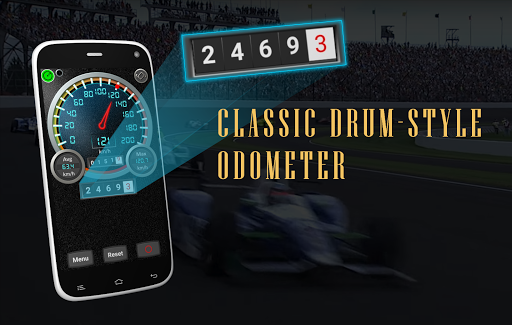
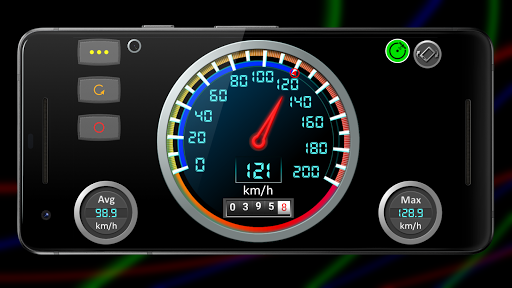
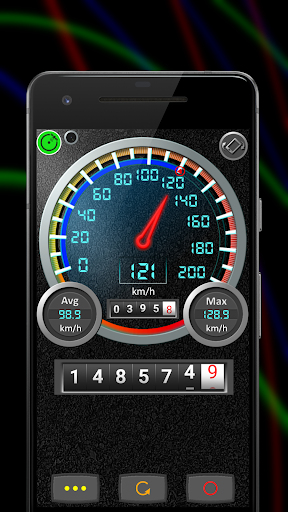
The app is an accurate high performance speedometer and odometer with digital and analog-style controls including a drum odometer that rolls the numbers, just like the one in an old car.
Use the app to replace or augment the information provided by the speedometer in you car or truck. The speedometer may also be used to check the accuracy of your vehicle's speedometer while driving at a steady speed.
In addition to keeping track of your speed and distance traveled, the speedometer also reports your average speed, maximal speed and includes a compass and clock. There are 2 odometers- One for trip and one for total distance.
Drive safely, avoid speeding tickets and keep your auto insurance rates down by using the app's speed alerts.
Choose from 2 different speedometers: A metric speedometer and an American speedometer.
Bike doesn't have a cycling speedometer and odometer? This is the app for you! Just be sure to mount the phone safely on your bicycle.
Also includes:
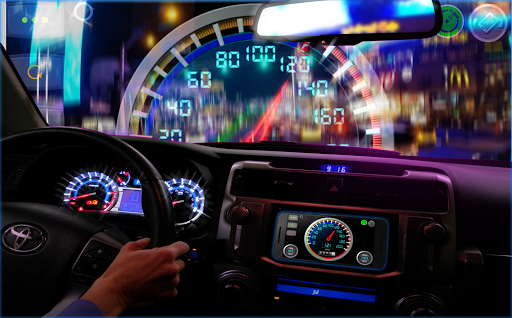
☑️ Night HUD (heads up display) mode.
☑️ Speed alarm. Avoid speeding tickets, drive safely and keep your auto insurance premiums as low as possible.
☑️ Route recorder and trip logger. Map and get statistics for all your trips. Great for business travel and vacation planning.
☑️ Background odometer to keep track of distance traveled when the app is not in the foreground.
☑️ Digital odometer and a pre-digital-era drum odometer that works like the real deal.
⍟ Note: If you are looking for a pedometer or odometer and speedometer for walking or running, please download our Walking Odometer Pro app instead. Get it on Google Play at https://play.google.com/store/apps/details?id=com.discipleskies.android.pedometer
Tunjukkan Lagi

1. Muat turun pemasang MEmu dan selesaikan persediaan

2. Mulakan MEnu kemudian buka Google Play di desktop

3. Cari DS Speedometer & Odometer di Google Play
Install
4. Muat turun dan Pasang DS Speedometer & Odometer
5. Apabila selesai pemasangan, menekan ikon itu untuk memulakan

6. Gunakan MENu untuk mengalami DS Speedometer & Odometer pada komputer anda
MEmu Play ialah emulator Android terbaik, dengan lebih 100 juta pengguna mengalami pengalaman aplikasi Android yang unggul. Teknologi virtualisasi MEmu membolehkan anda menjalankan beribu-ribu aplikasi Android dengan lancar pada komputer anda, walaupun yang paling mencabar.
Skrin lebih besar dengan grafik yang lebih baik; Tempoh yang panjang, tanpa had bateri atau data mudah alih.
Sokongan Keymapping penuh untuk kawalan tepat papan kekunci dan tetikus atau gamepad.
Pelbagai akaun permainan atau tugas pada satu PC sekaligus dengan pengurus pelbagai contoh.
Use DS Speedometer & Odometer on PC by following steps: