
EdgeProp SG: Find Properties
Dikemas kini
Versi Semasa
6.6.0
Ditawarkan Oleh

Berhentilah bimbang dengan bayaran berlebihan semasa menggunakan EdgeProp SG: Find Properties di telefon bimbit anda, bebaskan diri anda dari layar kecil dan nikmati penggunaan aplikasi pada paparan yang jauh lebih besar. Mulai sekarang, dapatkan pengalaman skrin penuh aplikasi anda dengan papan kekunci dan tetikus. MEmu Play semua ciri mengejutkan yang anda harapkan: pemasangan cepat dan penyediaan mudah, kawalan intuitif, tidak ada batasan bateri, data mudah alih, dan panggilan yang mengganggu. MEmu 9 yang baru adalah pilihan terbaik untuk menggunakan EdgeProp SG: Find Properties di komputer anda. Dikodkan dengan penyerapan kami, pengurus multi-instance menjadikan pembukaan 2 atau lebih akaun pada masa yang sama mungkin. Dan yang paling penting, mesin emulasi eksklusif kami dapat melepaskan potensi penuh PC anda, menjadikan semuanya lancar dan menyeronokkan.
Tunjukkan Lagi
Download EdgeProp SG: Find Properties on PC with MEmu Android Emulator. Enjoy playing on big screen. Mobex Gold Award - Best Property App 2019.
Mobex Gold Award - Best Property App 2019
Need help finding the "ONE"?
Your dream home is just 3 clicks away with the new & improved EdgeProp App. Whether you are looking for a HDB, Condo, Landed or Commercial property,we'll personalise the search results for you!
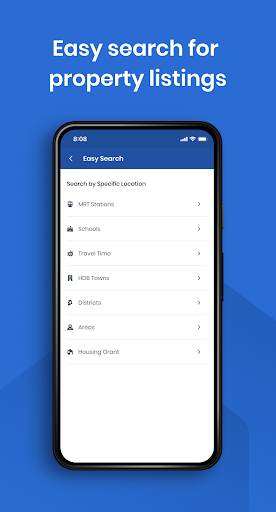
No more browsing through endless listings hoping to get a lucky break. Our powerful filters give you the "edge" to find your perfect property from hundreds of thousands of genuine listings. Prefer searching visually? Try our updated map search function too!
Search by MRT, Schools, Districts, Floor Area, Tenure, No. of Bathrooms, Furnishing, Completion Date, No. of Levels, Project Rental Yields, Rental Volume, Sales Volume, Nearby Amenities, Open-Keyword Searches & More.
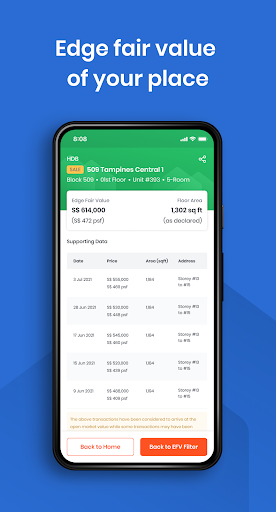
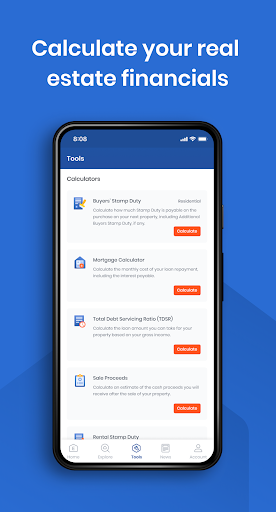
Use EdgeFairValue to find undervalued HDBs, Condos & Landed Properties primed for investment. Our proprietary Home Value Tool also allows you to calculate your current home's market valuation based on historical data & property algorithms.
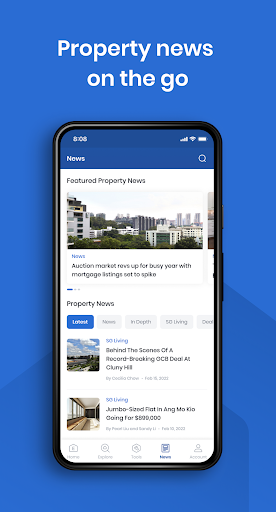
Keep up-to-date with the latest property news & insights on real estate in Singapore & the region from our established panel of journalists & analysts. Curious about the various new launches in Singapore? We have you covered, our new launches page features ALL new launches in Singapore, including data from government agencies, sales teams and more as we bring together big data from numerous sources to allow each property buyer to make data-driven decisions.
Tunjukkan Lagi

1. Muat turun pemasang MEmu dan selesaikan persediaan

2. Mulakan MEnu kemudian buka Google Play di desktop

3. Cari EdgeProp SG: Find Properties di Google Play
Install
4. Muat turun dan Pasang EdgeProp SG: Find Properties
5. Apabila selesai pemasangan, menekan ikon itu untuk memulakan

6. Gunakan MENu untuk mengalami EdgeProp SG: Find Properties pada komputer anda
MEmu Play ialah emulator Android terbaik, dengan lebih 100 juta pengguna mengalami pengalaman aplikasi Android yang unggul. Teknologi virtualisasi MEmu membolehkan anda menjalankan beribu-ribu aplikasi Android dengan lancar pada komputer anda, walaupun yang paling mencabar.
Skrin lebih besar dengan grafik yang lebih baik; Tempoh yang panjang, tanpa had bateri atau data mudah alih.
Sokongan Keymapping penuh untuk kawalan tepat papan kekunci dan tetikus atau gamepad.
Pelbagai akaun permainan atau tugas pada satu PC sekaligus dengan pengurus pelbagai contoh.
Use EdgeProp SG: Find Properties on PC by following steps: