
Espresso from The Economist
Dikemas kini
Versi Semasa
3.33.1
Ditawarkan Oleh

Berhentilah bimbang dengan bayaran berlebihan semasa menggunakan Espresso from The Economist di telefon bimbit anda, bebaskan diri anda dari layar kecil dan nikmati penggunaan aplikasi pada paparan yang jauh lebih besar. Mulai sekarang, dapatkan pengalaman skrin penuh aplikasi anda dengan papan kekunci dan tetikus. MEmu Play semua ciri mengejutkan yang anda harapkan: pemasangan cepat dan penyediaan mudah, kawalan intuitif, tidak ada batasan bateri, data mudah alih, dan panggilan yang mengganggu. MEmu 9 yang baru adalah pilihan terbaik untuk menggunakan Espresso from The Economist di komputer anda. Dikodkan dengan penyerapan kami, pengurus multi-instance menjadikan pembukaan 2 atau lebih akaun pada masa yang sama mungkin. Dan yang paling penting, mesin emulasi eksklusif kami dapat melepaskan potensi penuh PC anda, menjadikan semuanya lancar dan menyeronokkan.
Tunjukkan Lagi
Download Espresso from The Economist on PC with MEmu Android Emulator. Enjoy playing on big screen. Espresso from The Economist is the faster, smarter way to know the news.

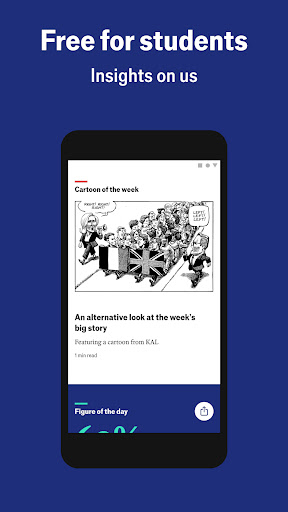
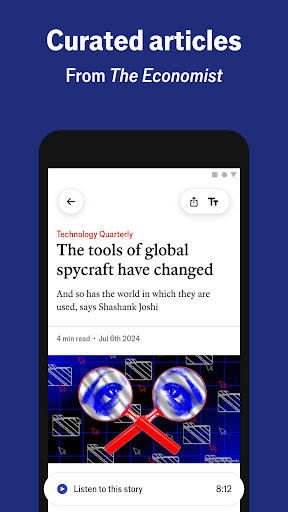

Espresso from The Economist is the faster, smarter way to know the news. Power through the world’s top stories in the time it takes to have a cup of coffee, with incisive analysis updated throughout the day.
The Espresso app is now free for students aged 16 and over. Students can sign up without providing payment details. Verification of student status will happen automatically by checking that a student’s email address is from an educational institution.
Here is what people say about Espresso:
“If all you have each day is a few minutes and you're tired of the 24hrs news cycle mostly regurgitating the same info all day everyday, the Espresso helps distil the cacophony of news each day into a single powerful update.”
What you’ll get:
- Live-updated AI translation available in French, German, Mandarin and Spanish, in addition to English. And, although translated by a large language model, honed by native speakers, our reporting and analysis will never be AI-generated.
- Top stories for quick analysis
- “The World in Brief” news summary updated three times a day
- Five bite-size articles offering finishable 1 minute reads
- Audio versions of articles to enjoy hands-free
- Daily podcasts and short videos offering fresh perspectives on current events
- A zingy blend of Figure of the day, Quote of the day and Chart of the day
- Selected news stories from the weekly edition in the “For you” tab
Features:
- Time to read highlighted on each article
- Adjustable text size
- Personalize your topic preferences
- Dark mode for more comfortable reading
- Mobile and tablet-compatible
- Enable notifications
Topics covered:
- The Americas
- Asia
- China
- Britain
- Business
- Middle East
- Africa
- Finance
- Economics
- Science
- Technology
- Culture
- People
- Coronavirus
- US Elections
- Editor’s Picks
Full terms of use can be found at https://www.economistgroup.com/terms-of-use
Our privacy policy can be found at https://www.economistgroup.com/privacy-policy
Tunjukkan Lagi

1. Muat turun pemasang MEmu dan selesaikan persediaan

2. Mulakan MEnu kemudian buka Google Play di desktop

3. Cari Espresso from The Economist di Google Play
Install
4. Muat turun dan Pasang Espresso from The Economist
5. Apabila selesai pemasangan, menekan ikon itu untuk memulakan

6. Gunakan MENu untuk mengalami Espresso from The Economist pada komputer anda
MEmu Play ialah emulator Android terbaik, dengan lebih 100 juta pengguna mengalami pengalaman aplikasi Android yang unggul. Teknologi virtualisasi MEmu membolehkan anda menjalankan beribu-ribu aplikasi Android dengan lancar pada komputer anda, walaupun yang paling mencabar.
Skrin lebih besar dengan grafik yang lebih baik; Tempoh yang panjang, tanpa had bateri atau data mudah alih.
Sokongan Keymapping penuh untuk kawalan tepat papan kekunci dan tetikus atau gamepad.
Pelbagai akaun permainan atau tugas pada satu PC sekaligus dengan pengurus pelbagai contoh.
Use Espresso from The Economist on PC by following steps: