GPS Navigation Earth Map View
Dikemas kini
Versi Semasa
5.9.5
Ditawarkan Oleh

Berhentilah bimbang dengan bayaran berlebihan semasa menggunakan GPS Navigation Earth Map View di telefon bimbit anda, bebaskan diri anda dari layar kecil dan nikmati penggunaan aplikasi pada paparan yang jauh lebih besar. Mulai sekarang, dapatkan pengalaman skrin penuh aplikasi anda dengan papan kekunci dan tetikus. MEmu Play semua ciri mengejutkan yang anda harapkan: pemasangan cepat dan penyediaan mudah, kawalan intuitif, tidak ada batasan bateri, data mudah alih, dan panggilan yang mengganggu. MEmu 9 yang baru adalah pilihan terbaik untuk menggunakan GPS Navigation Earth Map View di komputer anda. Dikodkan dengan penyerapan kami, pengurus multi-instance menjadikan pembukaan 2 atau lebih akaun pada masa yang sama mungkin. Dan yang paling penting, mesin emulasi eksklusif kami dapat melepaskan potensi penuh PC anda, menjadikan semuanya lancar dan menyeronokkan.
Tunjukkan Lagi
Download GPS Navigation Earth Map View on PC with MEmu Android Emulator. Enjoy playing on big screen. GPS Earth Maps & Navigation offers all-in-one navigation experience with features like Street View, Earth Maps, and Satellite View to give you detailed perspective of your surroundings.
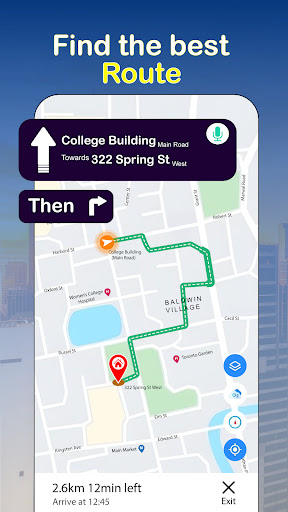
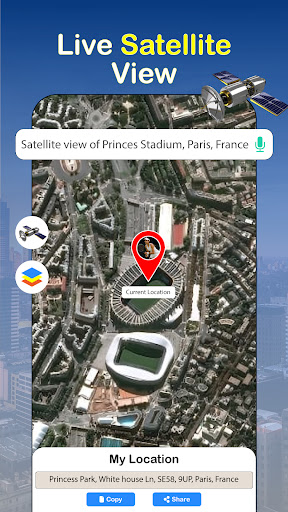
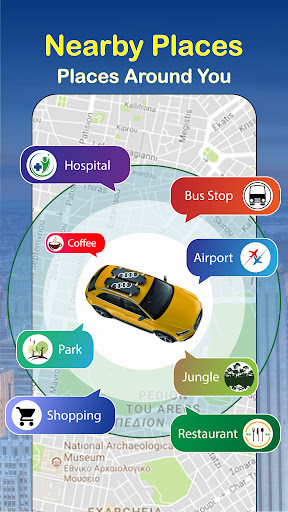

GPS Earth Maps & Navigation offers all-in-one navigation experience with features like Street View, Earth Maps, and Satellite View to give you detailed perspective of your surroundings. With GPS Maps & Navigation, you can easily find your way. Driving Directions provide step-by-step guidance, while the Route Finder helps you discover best paths to your destination. Enjoy hands-free navigation with Voice Navigation, ensuring a smooth and efficient journey every time.
• Live Earth View Maps: Navigate with a global map interface, offering a comprehensive overview of Live earth map street view 3d.
• GPS Navigation: Get real-time turn-by-turn directions to your destination on GPS Maps, ensuring you never lose your way.
• Street View: Explore live street view real time hd camera 360 panoramic images, providing a detailed Street View maps, navigation and landmarks.
• GPS Maps: View accurate, up-to-date maps with precise locations and routes for GPS Maps navigation.
• Driving Directions: Receive clear, easy-to-follow directions for driving with voice, optimized for the fastest routes.
• Route Finder Driving Navigation: Discover multiple route options, helping you choose the quickest path to your destination.
• Voice Navigation for Driving: Listen to step-by-step voice-guided directions, allowing hands-free navigation while driving.
• Live Satellite View of Earth: See your location from a bird’s-eye perspective with satellite imagery and live satellite view in real time, enhancing map accuracy and clarity.
Live Street View gives you a bird’s-eye perspective of your surroundings, enhancing your navigation experience with live, real-time HD imagery. Using Street View maps & navigation, you can switch between satellite view of earth and Street View live camera 360, providing a detailed look at streets and landmarks. With the GPS navigation free app, you’ll enjoy accurate, turn-by-turn directions and route planning, making it the perfect tool for effortless travel.
Earth Map offers a dynamic, interactive experience with Live Earth Map features that provide a real-time, bird’s-eye view of the world. With Live Earth Map & GPS Maps, you can explore locations and plan your journey with Live Earth View Map and Route Planner for precise navigation. GPS Maps & Navigation ensures accurate, turn-by-turn directions, while the GPS Maps Camera helps you visualize your route in 3D through Live Earth Map Street View for a more immersive journey.
Satellite View provides a comprehensive satellite view of Earth, offering a live satellite view in real time for accurate, up-to-date navigation. With satellite view maps and live satellite view GPS maps, you can plan your route effectively while enjoying a clear, bird's-eye perspective of your surroundings. Voice navigation for driving guides you seamlessly through your journey, whether using Google Maps or a voice navigation GPS app, ensuring hands-free, turn-by-turn directions for a smoother drive.
The Route Finder app helps you discover the best routes with real-time navigation, ensuring you take the quickest or most scenic paths. Whether you need Route Finder driving assistance or Route Finder navigation, it provides accurate guidance based on your preferences. With driving directions with voice, you can easily follow the route using hands-free instructions, making your journey more convenient and safe.
Download GPS Earth Maps & Navigation that combines powerful features like Street View, Earth Maps, and satellite view to offer immersive navigation experience. With GPS navigation and GPS maps, you can explore your surroundings and plan your journey with precision. Voice navigation ensures hands-free guidance, while the Route Finder helps you choose the best path. Whether you're looking for driving directions or a scenic route, our app is your ultimate companion for seamless navigation.
Tunjukkan Lagi

1. Muat turun pemasang MEmu dan selesaikan persediaan

2. Mulakan MEnu kemudian buka Google Play di desktop

3. Cari GPS Navigation Earth Map View di Google Play
Install
4. Muat turun dan Pasang GPS Navigation Earth Map View
5. Apabila selesai pemasangan, menekan ikon itu untuk memulakan

6. Gunakan MENu untuk mengalami GPS Navigation Earth Map View pada komputer anda
MEmu Play ialah emulator Android terbaik, dengan lebih 100 juta pengguna mengalami pengalaman aplikasi Android yang unggul. Teknologi virtualisasi MEmu membolehkan anda menjalankan beribu-ribu aplikasi Android dengan lancar pada komputer anda, walaupun yang paling mencabar.
Skrin lebih besar dengan grafik yang lebih baik; Tempoh yang panjang, tanpa had bateri atau data mudah alih.
Sokongan Keymapping penuh untuk kawalan tepat papan kekunci dan tetikus atau gamepad.
Pelbagai akaun permainan atau tugas pada satu PC sekaligus dengan pengurus pelbagai contoh.
Use GPS Navigation Earth Map View on PC by following steps: