iCall OS 26 - Phone Dialer
Dikemas kini
Versi Semasa
Ditawarkan Oleh

Berhentilah bimbang dengan bayaran berlebihan semasa menggunakan iCall OS 26 - Phone Dialer di telefon bimbit anda, bebaskan diri anda dari layar kecil dan nikmati penggunaan aplikasi pada paparan yang jauh lebih besar. Mulai sekarang, dapatkan pengalaman skrin penuh aplikasi anda dengan papan kekunci dan tetikus. MEmu Play semua ciri mengejutkan yang anda harapkan: pemasangan cepat dan penyediaan mudah, kawalan intuitif, tidak ada batasan bateri, data mudah alih, dan panggilan yang mengganggu. MEmu 9 yang baru adalah pilihan terbaik untuk menggunakan iCall OS 26 - Phone Dialer di komputer anda. Dikodkan dengan penyerapan kami, pengurus multi-instance menjadikan pembukaan 2 atau lebih akaun pada masa yang sama mungkin. Dan yang paling penting, mesin emulasi eksklusif kami dapat melepaskan potensi penuh PC anda, menjadikan semuanya lancar dan menyeronokkan.
Tunjukkan Lagi
Nikmati pengalaman hebat menggunakan iCall OS 26 - Phone Dialer di PC dengan MEmu Play. Ia merupakan emulator Android percuma yang hebat yang menyediakan beribu-ribu aplikasi Android untuk versi desktop mereka. Nikmati berhubung dengan rakan-rakan dan menggilap kerja anda dengan kecekapan yang lebih tinggi! Want a Pure OS style Contacts & Dial pad?
Want a Pure OS style Contacts & Dial pad?
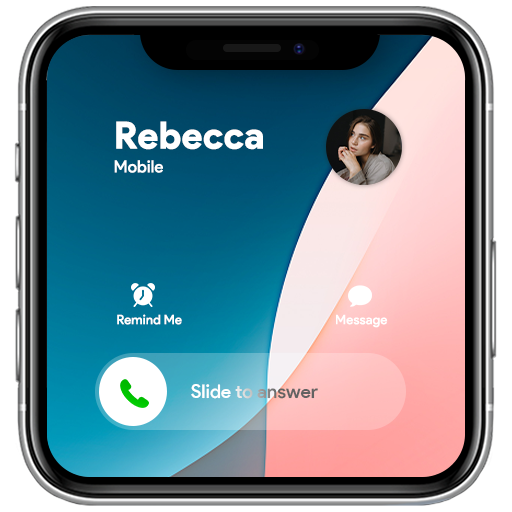
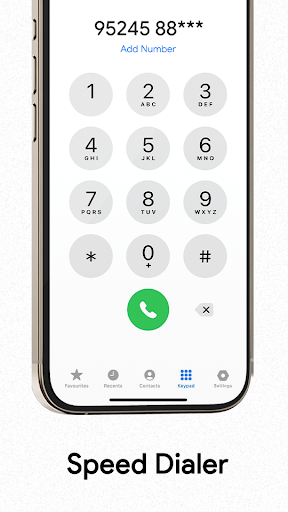
iCall OS 26 - Phone Dialer is a Free App brings you OS 12&13 Phone 14 & Phone 11s max style theme Dialing Screen and Phonebook experience.
It is all-in-one contacts, dialer and call log phone App.
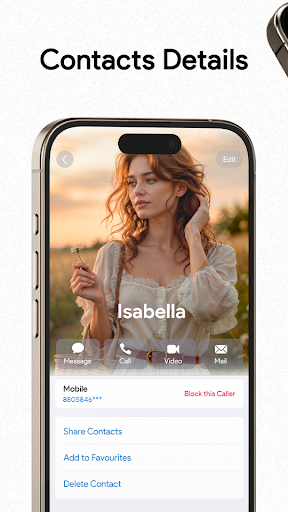
This OS Phone Dialer app has a contacts list, recent list, favorite list, and dialer T9 search keypad.
Download Now Bring your Android phone to the NEW looks.
Cool iCall OS 26 Features
You can personalize your Phone Dialer / Dialpad easily! Slide to answer the call, change Call Screen backgrounds, change ringtones, block - unblock users, and sim card preference. Enjoy the full screen caller ID, dialer and dialpad iCall style on your Android device.
Also, in the iCall OS 26 app, users can add calls, see contacts, add a reminder for the call, send a message when you are not able to take calls, merge calls with the conference call, swap call, and split from the conference.
Fantastic features of iCall OS 26 - Phone Dialer:
Set custom wallpapers or backgrounds
Customize and decorate wallpaper of background for the call screen.
Set OS14, OS15 ringtones
It allows you to set OS 14 and OS 15 ringtones. Customize your dialer screen and ringtones per contact.
Call block
It allows you to block unwanted or spam calls.
Phone Dialer
There are many features in the dialer app:
Search or manage a smooth contacts book.
See recent calls history.
Add and remove contacts in favorites.
The advanced dialer T9 keypad allows users to search and see the contact detail.
Customization settings
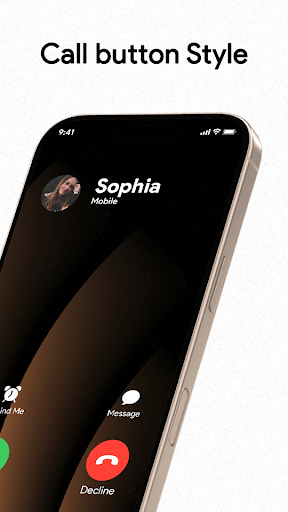
There are many settings like changing wallpapers and ringtones, blocker, swap accepts, and decline buttons for incoming ↘ and outgoing ↗ call screen.
Callscreen
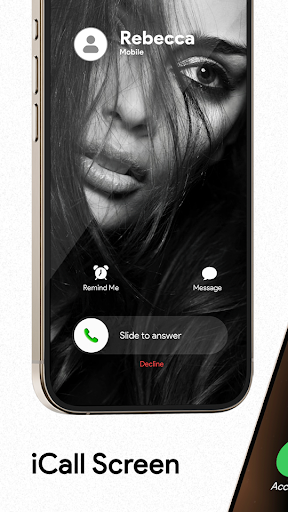
Enjoy all the fantastic features that the OS 15 call screen provides. Jump on a conference call or customize your phone dialer screen. It's up to you.
Slide to answer button
Everyone wants the "slide to answer button." The iCallScreen app gives you a feel like an actual iPhone slide to answer button on OS 26.
Dual-SIM support
The app supports a dual sim card. So a user can manage SIM settings and choose a sim card before a call or set a default sim.
Fake Call
Schedule a fake call with a custom contact name, mobile number, and ringtone.
Flash on Call
Blink a flashlight while the incoming call rings and adjust flash preference as per your preference.
Dark Mode
The dark mode option is available to optimize battery life. Customize the dialpad with your preferred color.
Lightweight
The app size is only 10 to 15 MB. Enjoy a custom dial pad on any device!
Call back screen
After hanging up, the call, call back screens comes for you to recall, send a message, block, or make a note of calls.
Manage Conference
You can merge two or more calls, manage the conference, and split the calls if needed.
+ Is it free?
Tunjukkan Lagi

1. Muat turun pemasang MEmu dan selesaikan persediaan

2. Mulakan MEnu kemudian buka Google Play di desktop

3. Cari iCall OS 26 - Phone Dialer di Google Play
Install
4. Muat turun dan Pasang iCall OS 26 - Phone Dialer
5. Apabila selesai pemasangan, menekan ikon itu untuk memulakan

6. Gunakan MENu untuk mengalami iCall OS 26 - Phone Dialer pada komputer anda
MEmu Play ialah emulator Android terbaik, dengan lebih 100 juta pengguna mengalami pengalaman aplikasi Android yang unggul. Teknologi virtualisasi MEmu membolehkan anda menjalankan beribu-ribu aplikasi Android dengan lancar pada komputer anda, walaupun yang paling mencabar.
Skrin lebih besar dengan grafik yang lebih baik; Tempoh yang panjang, tanpa had bateri atau data mudah alih.
Sokongan Keymapping penuh untuk kawalan tepat papan kekunci dan tetikus atau gamepad.
Pelbagai akaun permainan atau tugas pada satu PC sekaligus dengan pengurus pelbagai contoh.
Use iCall OS 26 - Phone Dialer on PC by following steps: