KLCK Kustom Lock Screen Maker
Dikemas kini
Versi Semasa
Ditawarkan Oleh

Berhentilah bimbang dengan bayaran berlebihan semasa menggunakan KLCK Kustom Lock Screen Maker di telefon bimbit anda, bebaskan diri anda dari layar kecil dan nikmati penggunaan aplikasi pada paparan yang jauh lebih besar. Mulai sekarang, dapatkan pengalaman skrin penuh aplikasi anda dengan papan kekunci dan tetikus. MEmu Play semua ciri mengejutkan yang anda harapkan: pemasangan cepat dan penyediaan mudah, kawalan intuitif, tidak ada batasan bateri, data mudah alih, dan panggilan yang mengganggu. MEmu 9 yang baru adalah pilihan terbaik untuk menggunakan KLCK Kustom Lock Screen Maker di komputer anda. Dikodkan dengan penyerapan kami, pengurus multi-instance menjadikan pembukaan 2 atau lebih akaun pada masa yang sama mungkin. Dan yang paling penting, mesin emulasi eksklusif kami dapat melepaskan potensi penuh PC anda, menjadikan semuanya lancar dan menyeronokkan.
Tunjukkan Lagi
Nikmati pengalaman hebat menggunakan KLCK Kustom Lock Screen Maker di PC dengan MEmu Play. Ia merupakan emulator Android percuma yang hebat yang menyediakan beribu-ribu aplikasi Android untuk versi desktop mereka. Nikmati berhubung dengan rakan-rakan dan menggilap kerja anda dengan kecekapan yang lebih tinggi! KLCK is the most powerful lock screen maker on Google Play.
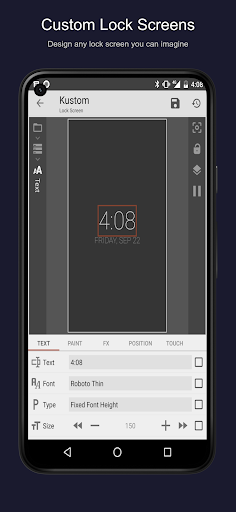
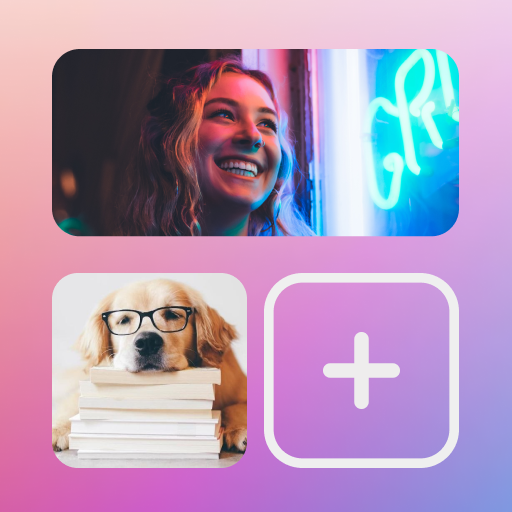
KLCK is the most powerful lock screen maker on Google Play. Design any lock screen you can imagine with our WYSIWYG editor.
*This is NOT a secure Lock. For security, use this together with your standard system lockscreen.*
Not looking for a Lock Screen? Check out KWGT widgets and KLWP live wallpapers.
Create clocks, animated patterns, live maps, weather displays, system monitors, gyroscopic effects, and more. Imagination is the limit.
• Starter skins and Komponents
• Text with custom fonts, colors, sizes, 3D effects
• Shapes: ovals, rects, arcs, triangles, SVG paths
• Gradients, shadows, filters, and layers with blur/saturation
• Touch actions on any element
• PNG/JPG/WEBP/SVG image support
• Animations based on position, accelerometer, touch
• Gyroscope support for motion effects
• Programming with functions, conditionals, variables
• Dynamic HTTP content, RSS, XML/XPATH parsing
• Music player info (title, album, cover)
• Weather with wind chill and feels-like temps
• Tasker support
• Battery, calendar, astronomy, CPU, WiFi, traffic, location and more
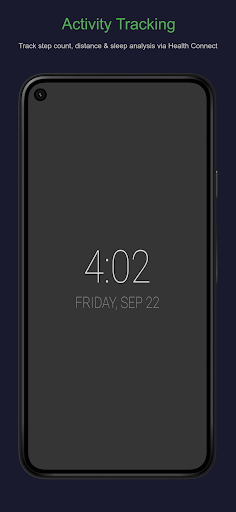
KLCK monitors and analyzes your fitness data via Health Connect.
• Track Activity: Steps, distance, floors, elevation.
• Analyze Calories: Active calories, total expenditure, workout duration.
• Sleep Patterns: Sleep duration and rest trends.
• Workouts: Exercise sessions with type and duration.
• Why Health Connect? Exclusive data source for KLCK's $fd()$ functions. All data processed locally—your info never leaves your phone.
• Remove Ads
• Support the dev
• Unlock SD import and external skins
• Allow APK preset packs
• Site: https://kustom.rocks/
• Reddit: https://reddit.com/r/Kustom
• Email: help@kustom.rocks
Tunjukkan Lagi

1. Muat turun pemasang MEmu dan selesaikan persediaan

2. Mulakan MEnu kemudian buka Google Play di desktop

3. Cari KLCK Kustom Lock Screen Maker di Google Play
Install
4. Muat turun dan Pasang KLCK Kustom Lock Screen Maker
5. Apabila selesai pemasangan, menekan ikon itu untuk memulakan

6. Gunakan MENu untuk mengalami KLCK Kustom Lock Screen Maker pada komputer anda
MEmu Play ialah emulator Android terbaik, dengan lebih 100 juta pengguna mengalami pengalaman aplikasi Android yang unggul. Teknologi virtualisasi MEmu membolehkan anda menjalankan beribu-ribu aplikasi Android dengan lancar pada komputer anda, walaupun yang paling mencabar.
Skrin lebih besar dengan grafik yang lebih baik; Tempoh yang panjang, tanpa had bateri atau data mudah alih.
Sokongan Keymapping penuh untuk kawalan tepat papan kekunci dan tetikus atau gamepad.
Pelbagai akaun permainan atau tugas pada satu PC sekaligus dengan pengurus pelbagai contoh.
Use KLCK Kustom Lock Screen Maker on PC by following steps: