Live Wallpaper: Magic Fluid
Dikemas kini
Versi Semasa
2.7
Ditawarkan Oleh

Berhentilah bimbang dengan bayaran berlebihan semasa menggunakan Live Wallpaper: Magic Fluid di telefon bimbit anda, bebaskan diri anda dari layar kecil dan nikmati penggunaan aplikasi pada paparan yang jauh lebih besar. Mulai sekarang, dapatkan pengalaman skrin penuh aplikasi anda dengan papan kekunci dan tetikus. MEmu Play semua ciri mengejutkan yang anda harapkan: pemasangan cepat dan penyediaan mudah, kawalan intuitif, tidak ada batasan bateri, data mudah alih, dan panggilan yang mengganggu. MEmu 9 yang baru adalah pilihan terbaik untuk menggunakan Live Wallpaper: Magic Fluid di komputer anda. Dikodkan dengan penyerapan kami, pengurus multi-instance menjadikan pembukaan 2 atau lebih akaun pada masa yang sama mungkin. Dan yang paling penting, mesin emulasi eksklusif kami dapat melepaskan potensi penuh PC anda, menjadikan semuanya lancar dan menyeronokkan.
Tunjukkan Lagi
Download Live Wallpaper: Magic Fluid on PC with MEmu Android Emulator. Enjoy playing on big screen. Experience Magic with Magic Fluids Wallpaper: Discover Our Magic Touch Wallpapers.
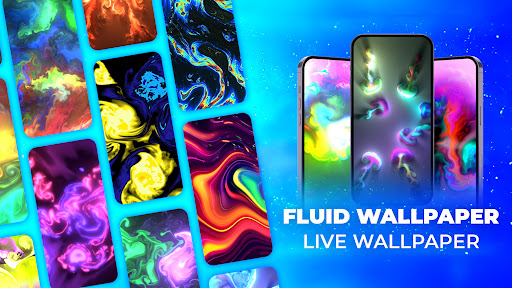
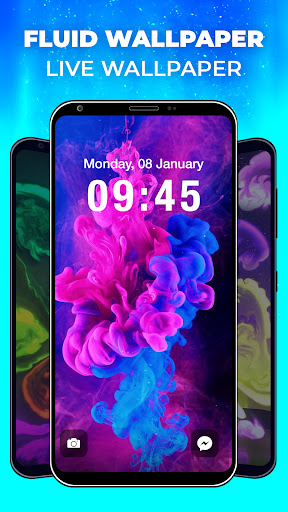
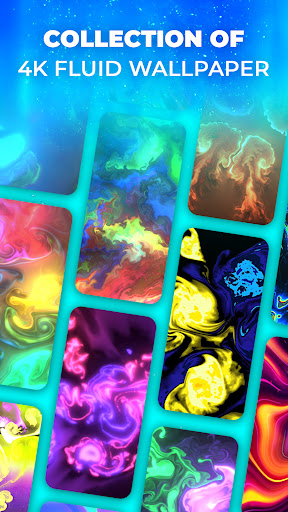
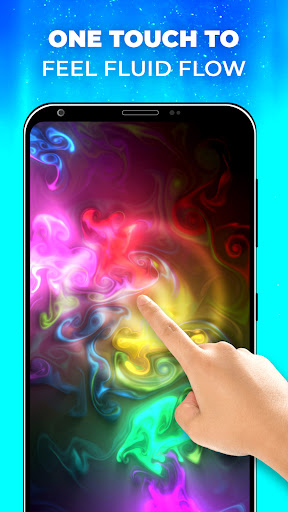
Experience Magic with Magic Fluids Wallpaper: Discover Our Magic Touch Wallpapers
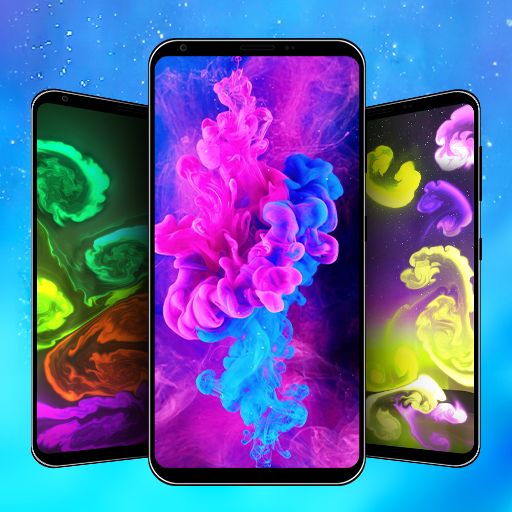
Transform your device with mesmerizing fluid art! Fluid Live Wallpaper is a revolutionary app that brings the beauty of fluid dynamics right to your smartphone or tablet
Key Features of the Fluid Simulation Wallpaper app:
Extensive 4K Fluid Live Wallpaper Collection: Discover an impressive gallery of high-definition fluid wallpapers. Our diverse collection ranges from vibrant, energetic patterns to calming, soft-hued flows, catering to all preferences. Whether you're into abstract art, nature-inspired themes, or futuristic designs, there's something for everyone.
Customization at Your Fluid Wallpaper: Adjust the color schemes, flow speed, dynamics, and special effects to create a fluid live wallpaper that resonates with your style. Experiment with looks that mimic galaxies, fire, smoke, or even lava to create a truly unique backdrop for your device.
Interactive Fluid Wallpaper Experience: Engage with your fluid wallpaper like never before. Touch the fluid wallpaper and watch as fluid patterns dance and swirl in response, creating a captivating display of color and movement. It’s an interactive art piece in your pocket!
Fluid Wallpaper Setup: Effortlessly set your favorite fluid wallpapers on both your main screen and lock screen. Enjoy a seamless and aesthetic continuity that turns your device into a dynamic piece of art.
What makes the Magic Fluid Wallpaper app stand out:
+ One-Tap Flow Activation: Experience the magic of fluid wallpapers with just a single touch.
+ Easy Set-Up for Screens: A hassle-free process to adorn your screens with fluid beauty.
+ High-Quality, Gorgeous Wallpapers: Each Fluid wallpaper is crafted for visual perfection.
+ Preview Effects: Try out different fluid effects before applying them to your screen.
+ Regular Updates: Stay updated with the latest, trending, and most
Embark on a visual journey with Fluid Live Wallpaper App and transform your device into a canvas of ever-changing art. Whether you want to relax, add a touch of sophistication to your device, or simply enjoy the beauty of fluid dynamics, our app is the perfect choice
Thank you for choosing Fluid Simulation: Live 4K – where art and technology flow together.
Tunjukkan Lagi

1. Muat turun pemasang MEmu dan selesaikan persediaan

2. Mulakan MEnu kemudian buka Google Play di desktop

3. Cari Live Wallpaper: Magic Fluid di Google Play
Install
4. Muat turun dan Pasang Live Wallpaper: Magic Fluid
5. Apabila selesai pemasangan, menekan ikon itu untuk memulakan

6. Gunakan MENu untuk mengalami Live Wallpaper: Magic Fluid pada komputer anda
MEmu Play ialah emulator Android terbaik, dengan lebih 100 juta pengguna mengalami pengalaman aplikasi Android yang unggul. Teknologi virtualisasi MEmu membolehkan anda menjalankan beribu-ribu aplikasi Android dengan lancar pada komputer anda, walaupun yang paling mencabar.
Skrin lebih besar dengan grafik yang lebih baik; Tempoh yang panjang, tanpa had bateri atau data mudah alih.
Sokongan Keymapping penuh untuk kawalan tepat papan kekunci dan tetikus atau gamepad.
Pelbagai akaun permainan atau tugas pada satu PC sekaligus dengan pengurus pelbagai contoh.
Use Live Wallpaper: Magic Fluid on PC by following steps: