Livegood app
Dikemas kini
Versi Semasa
1
Ditawarkan Oleh

Berhentilah bimbang dengan bayaran berlebihan semasa menggunakan Livegood app di telefon bimbit anda, bebaskan diri anda dari layar kecil dan nikmati penggunaan aplikasi pada paparan yang jauh lebih besar. Mulai sekarang, dapatkan pengalaman skrin penuh aplikasi anda dengan papan kekunci dan tetikus. MEmu Play semua ciri mengejutkan yang anda harapkan: pemasangan cepat dan penyediaan mudah, kawalan intuitif, tidak ada batasan bateri, data mudah alih, dan panggilan yang mengganggu. MEmu 9 yang baru adalah pilihan terbaik untuk menggunakan Livegood app di komputer anda. Dikodkan dengan penyerapan kami, pengurus multi-instance menjadikan pembukaan 2 atau lebih akaun pada masa yang sama mungkin. Dan yang paling penting, mesin emulasi eksklusif kami dapat melepaskan potensi penuh PC anda, menjadikan semuanya lancar dan menyeronokkan.
Tunjukkan Lagi
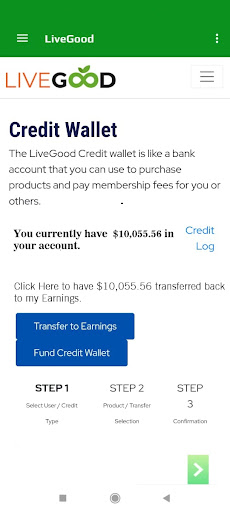
Download Livegood app on PC with MEmu Android Emulator. Enjoy playing on big screen. At LiveGood, your health and wellness will always be our number one focus.

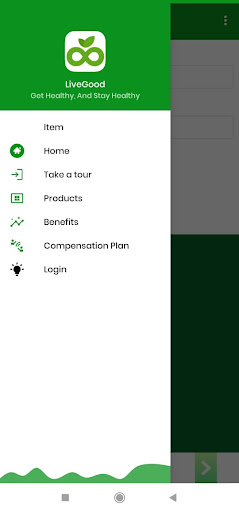
At LiveGood, your health and wellness will always be our number one focus. That’s why we eliminate the middle man, to make the highest quality products on the planet available to our customers and members for a fraction of the price of the competition.
And on top of the huge savings you get when you purchase any of our life-changing products, we also give you the opportunity to earn income with the most exciting compensation plan in the industry!
At LiveGood, your health and wellness will always be our number one focus. That’s why we eliminate the middle man, to make the highest quality products on the planet available to our customers and members for a fraction of the price of the competition.
And on top of the huge savings you get when you purchase any of our life-changing products, we also give you the opportunity to earn income with the most exciting compensation plan in the industry!
WEEKLY FAST START COMMISSIONS
For each person who you refer to LiveGood who becomes a member and an affiliate for $49.95, we will reward you with a $25 commission paid out the very next week!
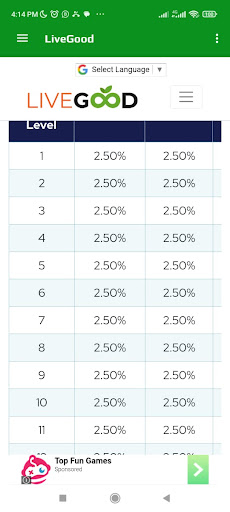
Plus, if any of the people you enroll choose to enroll others, not only will they be rewarded, but you will also receive additional bonus commissions up to 10 levels deep.
All percentages are based on monthly $9.95 membership fees. Commissions for Members who join at the yearly option will be paid out over 12 months as $9.95 per month.
Matrix Commissions and Matching Bonuses are paid Monthly the first week of each month for the previous month's Matrix volume. Remember, the first month's Membership is paid out in Fast Start Commissions only. So Matrix volume starts to accumulate on Members' second month Membership and beyond.
Example: If you joined LiveGood in January and you have 50 Members under you in the Matrix in January, you would not earn a matrix commission for January because only Fast Start Commissions are paid on first month Memberships. Assuming all 50 of those Members remained active in February, you would receive your first Matrix commission the first week of March for those 50 Members in your Matrix who paid their second month Memberships in February.
If another 100 Members were placed in your Matrix in February, for a total of 150 active Members in your Matrix, for the Matrix commissions that go out first week of March for February Matrix volume, you would be paid on 150 Members in your Matrix (50 who paid their 3rd month Membership, and 100 who paid their second month Membership).
Keep in mind, in this example all 150 Members were under you in the matrix in February. But you only got paid on 50 of them for that month, because those 50 paid their second-month Membership, while the other 100 who joined in February, had their first-month Membership paid out in Fast Start Commissions.
Tunjukkan Lagi

1. Muat turun pemasang MEmu dan selesaikan persediaan

2. Mulakan MEnu kemudian buka Google Play di desktop

3. Cari Livegood app di Google Play
Install
4. Muat turun dan Pasang Livegood app
5. Apabila selesai pemasangan, menekan ikon itu untuk memulakan

6. Gunakan MENu untuk mengalami Livegood app pada komputer anda
MEmu Play ialah emulator Android terbaik, dengan lebih 100 juta pengguna mengalami pengalaman aplikasi Android yang unggul. Teknologi virtualisasi MEmu membolehkan anda menjalankan beribu-ribu aplikasi Android dengan lancar pada komputer anda, walaupun yang paling mencabar.
Skrin lebih besar dengan grafik yang lebih baik; Tempoh yang panjang, tanpa had bateri atau data mudah alih.
Sokongan Keymapping penuh untuk kawalan tepat papan kekunci dan tetikus atau gamepad.
Pelbagai akaun permainan atau tugas pada satu PC sekaligus dengan pengurus pelbagai contoh.
Use Livegood app on PC by following steps: