Microsoft Designer
Dikemas kini
Versi Semasa
1.2435904.7001
Ditawarkan Oleh

Berhentilah bimbang dengan bayaran berlebihan semasa menggunakan Microsoft Designer di telefon bimbit anda, bebaskan diri anda dari layar kecil dan nikmati penggunaan aplikasi pada paparan yang jauh lebih besar. Mulai sekarang, dapatkan pengalaman skrin penuh aplikasi anda dengan papan kekunci dan tetikus. MEmu Play semua ciri mengejutkan yang anda harapkan: pemasangan cepat dan penyediaan mudah, kawalan intuitif, tidak ada batasan bateri, data mudah alih, dan panggilan yang mengganggu. MEmu 9 yang baru adalah pilihan terbaik untuk menggunakan Microsoft Designer di komputer anda. Dikodkan dengan penyerapan kami, pengurus multi-instance menjadikan pembukaan 2 atau lebih akaun pada masa yang sama mungkin. Dan yang paling penting, mesin emulasi eksklusif kami dapat melepaskan potensi penuh PC anda, menjadikan semuanya lancar dan menyeronokkan.
Tunjukkan Lagi
Download Microsoft Designer on PC with MEmu Android Emulator. Enjoy playing on big screen. Unleash your creativity—visually create, design, and edit anything you can imagine with AI.
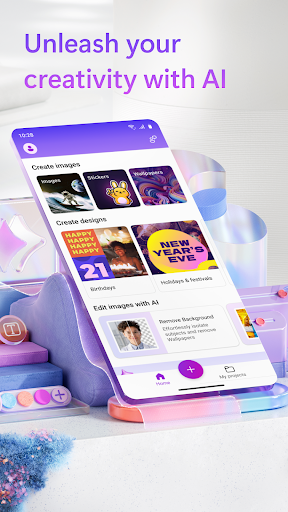
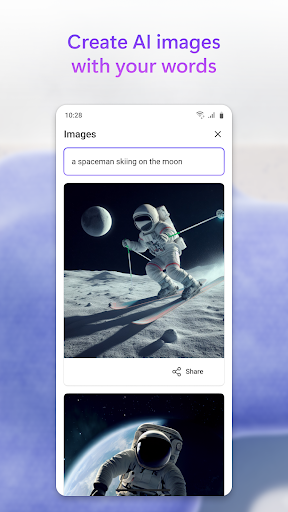
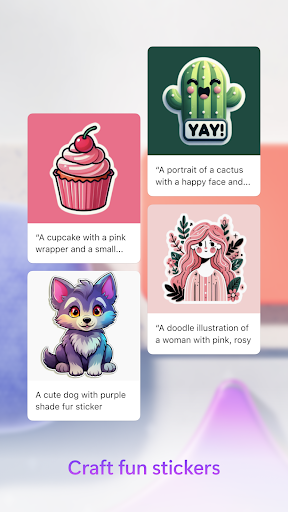
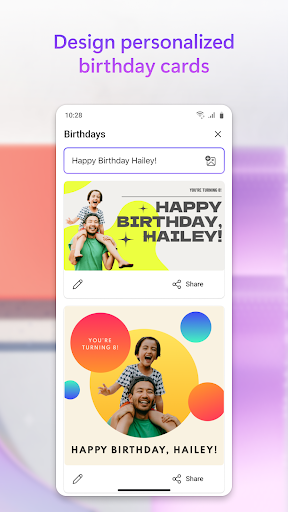
Unleash your creativity—visually create, design, and edit anything you can imagine with AI. Use the power of generative AI to create eye-catching images with your words, craft next-level designs that pop like personalised birthday cards, holiday cards, and wallpapers for your phone, and even use AI to edit photos like an expert, like erasing your photo’s background. Create what you want, when and where you need it.
Key capabilities:
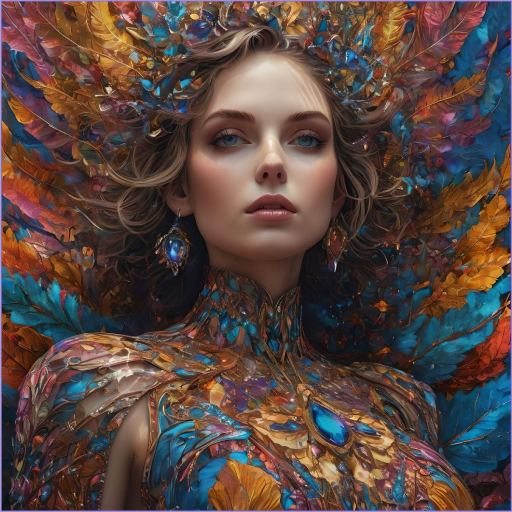
• Images: sci-fi art, surreal scenes, funny images? Dream it, type it, and create it with AI. Your imagination is limitless!
• Stickers: liven up your messages by creating fun stickers with AI. Easily share these stickers to any messaging app on your phone with a single tap.
• Wallpapers: use AI to make unique, personalised wallpapers for your phone screens that fit every mood.
• Designs: easily create a design from scratch with AI, using words or photos to describe an idea.
• Holiday cards: spread the holiday cheer with festive designs for any occasion. Type in the occasion and get variety of ready-to-use designs.
• Birthday cards: show how much you care with personalised cards to help celebrate.
• Edit images with AI: take control of your photos and images and make them perfect with AI. With a single tap, Designer helps you:
o Remove background: select & erase background of your photo.
o Blur background: select & blur background of your photo.
o Resize your image as needed to directly share your image to social media platforms.
Additional information about terms of use can be found here: https://designer.microsoft.com/mobile/termsOfUseMobile.pdf
Download Designer and create something new today!
Tunjukkan Lagi

1. Muat turun pemasang MEmu dan selesaikan persediaan

2. Mulakan MEnu kemudian buka Google Play di desktop

3. Cari Microsoft Designer di Google Play
Install
4. Muat turun dan Pasang Microsoft Designer
5. Apabila selesai pemasangan, menekan ikon itu untuk memulakan

6. Gunakan MENu untuk mengalami Microsoft Designer pada komputer anda
MEmu Play ialah emulator Android terbaik, dengan lebih 100 juta pengguna mengalami pengalaman aplikasi Android yang unggul. Teknologi virtualisasi MEmu membolehkan anda menjalankan beribu-ribu aplikasi Android dengan lancar pada komputer anda, walaupun yang paling mencabar.
Skrin lebih besar dengan grafik yang lebih baik; Tempoh yang panjang, tanpa had bateri atau data mudah alih.
Sokongan Keymapping penuh untuk kawalan tepat papan kekunci dan tetikus atau gamepad.
Pelbagai akaun permainan atau tugas pada satu PC sekaligus dengan pengurus pelbagai contoh.
Use Microsoft Designer on PC by following steps: