Berhentilah bimbang dengan bayaran berlebihan semasa menggunakan My Device Settings di telefon bimbit anda, bebaskan diri anda dari layar kecil dan nikmati penggunaan aplikasi pada paparan yang jauh lebih besar. Mulai sekarang, dapatkan pengalaman skrin penuh aplikasi anda dengan papan kekunci dan tetikus. MEmu Play semua ciri mengejutkan yang anda harapkan: pemasangan cepat dan penyediaan mudah, kawalan intuitif, tidak ada batasan bateri, data mudah alih, dan panggilan yang mengganggu. MEmu 9 yang baru adalah pilihan terbaik untuk menggunakan My Device Settings di komputer anda. Dikodkan dengan penyerapan kami, pengurus multi-instance menjadikan pembukaan 2 atau lebih akaun pada masa yang sama mungkin. Dan yang paling penting, mesin emulasi eksklusif kami dapat melepaskan potensi penuh PC anda, menjadikan semuanya lancar dan menyeronokkan.
Tunjukkan Lagi
Versi PC tangkapan skrin dan video My Device Settings
Nikmati pengalaman hebat menggunakan My Device Settings di PC dengan MEmu Play. Ia merupakan emulator Android percuma yang hebat yang menyediakan beribu-ribu aplikasi Android untuk versi desktop mereka. Nikmati berhubung dengan rakan-rakan dan menggilap kerja anda dengan kecekapan yang lebih tinggi! Phone Settings App - Understand Your Device Down to the Last Detail!
Maklumat permohonan
Phone Settings App - Understand Your Device Down to the Last Detail!
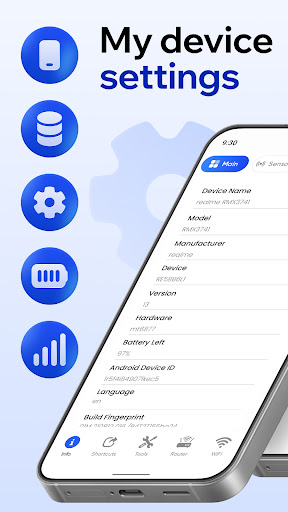
The Phone Settings App is a one-stop solution for all the details that you need to control and customize all functions of your smartphone. You can examine the system details and even functions that your smartphone performs. You can also track how your smartphone performs and accesses the core details about your smartphone. The Phone Settings App helps you track how your smartphone performs to ensure that your experience is optimal.
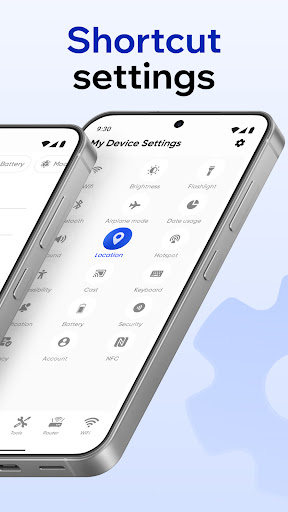
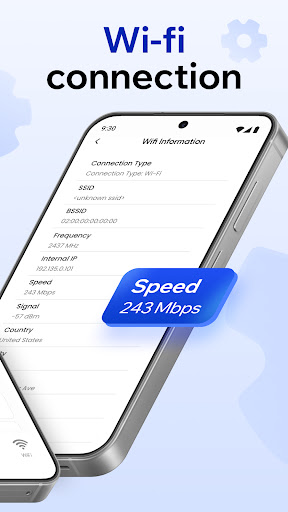
Whether you are organized or not, Settings Device Info Tool helps you remain organized and offers you the shortcut to all the necessary details about your mobile system. You can access the battery performance, how much space is left on your smartphone, the performance of the smartphone, and even the hardware details. It helps you manage complex smartphone features in a simple way.
Key Features of Phone Settings App: Real time charging and battery health analytics; Insight of total storage and how much space is left; Built-in and easy access metal detection compass; User-friendly and easy to navigate; Easy sharing of all info and access to devices with your connections.
Monitor, Analyze, and Optimize to Your Heart's Content!
With My Device Settings, you control your phone like never before! Everyone likes something, whether it is a phone, laptop, or any other gadget to perform how they like or customize it for their own convenience. Carry, assess, and control every system update. Monitor the hardware specifications, and perform scans to assess whether an underlying issue is plaguing your device. Scans to assess whether a device is plaguing your device top performance every day!
Track Every System Detail: Settings Device Info Tool is your key to the deep system internals of your device memory! Analyze every potential hardware unit, system architectures, and firmware in detail. With precision, you command the device, and it will perform according to your will or command. Manage and assess what is powered that runs the phone, to cross assess whether it performance efficiently and effectively.
Insights on Your Battery & Storage: Power of Phone Settings App, it offers an estimation of battery capacity and your wireless battery's usage. Manage the device's battery, assess usage time, analyze power consumption and evaluate battery efficiency with ease. My Device Settings helps analyze your storage in a visual way and remote access to clean clutter from storage.
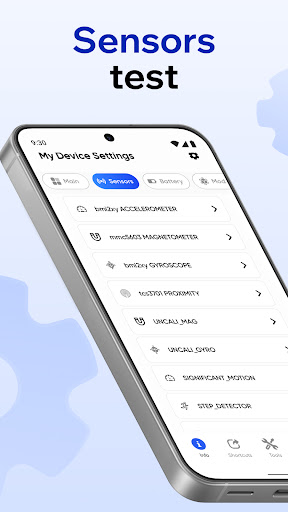
Intelligent Tools for Daily Tasks: Compass and metal detection add-ons make My Device Settings more versatile than just basic device management. Tools in the Phone Settings App help you figure out the cardinal direction and even find metal objects nearby. They allow you to complete everyday tasks and conveniences right from your phone.
Quick, Simple, and Trustworthy: There are no confusing setups or elusive menus, the Settings Device Info Tool responds to your request immediately. It is user-friendly, reliable, and designed for everyday users and technology professionals alike. All of the functions in My Device Settings are focused on maximizing usability and efficiency.
Get My Device Settings and Enjoy Complete Control Today!
Elevate your smartphone usage to the next level with Phone Settings App. Find hidden features and practices, tweak your settings for your device, and fully leverage your device hardware. You will value the seamless synergy My Device Settings and Settings Device Info Tool provide in offering complete control and assurance in what your device can do.
Tunjukkan Lagi
Cara Muat turun My Device Settings di komputer
1. Muat turun pemasang MEmu dan selesaikan persediaan
2. Mulakan MEnu kemudian buka Google Play di desktop
3. Cari My Device Settings di Google Play
Install
4. Muat turun dan Pasang My Device Settings
5. Apabila selesai pemasangan, menekan ikon itu untuk memulakan
6. Gunakan MENu untuk mengalami My Device Settings pada komputer anda
Mengapa memilih MEmu untuk merasai pengalaman My Device Settings
MEmu Play ialah emulator Android terbaik, dengan lebih 100 juta pengguna mengalami pengalaman aplikasi Android yang unggul. Teknologi virtualisasi MEmu membolehkan anda menjalankan beribu-ribu aplikasi Android dengan lancar pada komputer anda, walaupun yang paling mencabar.
Skrin lebih besar dengan grafik yang lebih baik; Tempoh yang panjang, tanpa had bateri atau data mudah alih.
Sokongan Keymapping penuh untuk kawalan tepat papan kekunci dan tetikus atau gamepad.
Pelbagai akaun permainan atau tugas pada satu PC sekaligus dengan pengurus pelbagai contoh.