Speaking Clock withoutnt.
Dikemas kini
Versi Semasa
1.37
Ditawarkan Oleh

Berhentilah bimbang dengan bayaran berlebihan semasa menggunakan Speaking Clock withoutnt. di telefon bimbit anda, bebaskan diri anda dari layar kecil dan nikmati penggunaan aplikasi pada paparan yang jauh lebih besar. Mulai sekarang, dapatkan pengalaman skrin penuh aplikasi anda dengan papan kekunci dan tetikus. MEmu Play semua ciri mengejutkan yang anda harapkan: pemasangan cepat dan penyediaan mudah, kawalan intuitif, tidak ada batasan bateri, data mudah alih, dan panggilan yang mengganggu. MEmu 9 yang baru adalah pilihan terbaik untuk menggunakan Speaking Clock withoutnt. di komputer anda. Dikodkan dengan penyerapan kami, pengurus multi-instance menjadikan pembukaan 2 atau lebih akaun pada masa yang sama mungkin. Dan yang paling penting, mesin emulasi eksklusif kami dapat melepaskan potensi penuh PC anda, menjadikan semuanya lancar dan menyeronokkan.
Tunjukkan Lagi
Nikmati pengalaman hebat menggunakan Speaking Clock withoutnt. di PC dengan MEmu Play. Ia merupakan emulator Android percuma yang hebat yang menyediakan beribu-ribu aplikasi Android untuk versi desktop mereka. Nikmati berhubung dengan rakan-rakan dan menggilap kerja anda dengan kecekapan yang lebih tinggi! Voice-Guided Tools App for the Visually Impaired.
Voice-Guided Tools App for the Visually Impaired.
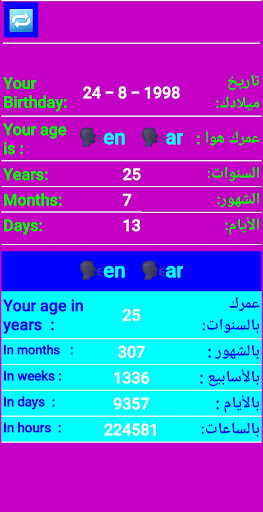
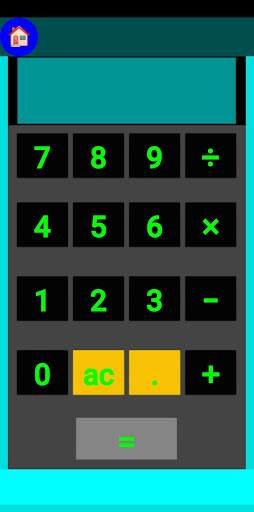
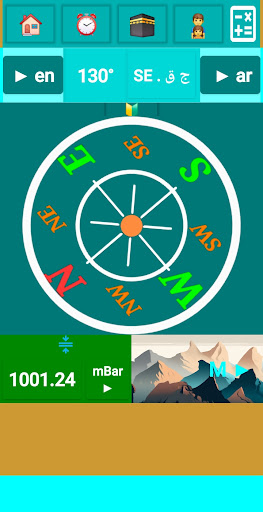
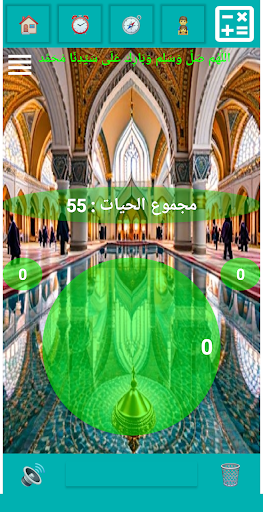
This app offers a suite of voice-enabled tools tailored to support visually impaired individuals in everyday tasks. By utilizing device sensors, the app announces information when the phone is moved or the screen is touched, providing easy access without needing to rely on visual cues. The features include:
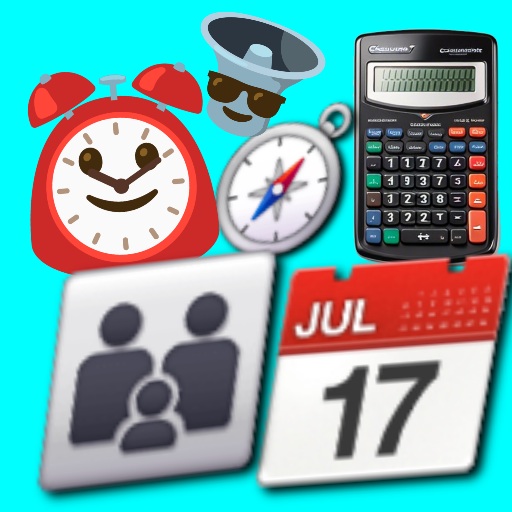
*Speaking Clock & Date: Provides the current time and date audibly. Users can simply move their phone or touch the screen to hear updates, making it easy to stay informed.
*Talking Calculator: Allows users to perform calculations, with results spoken aloud. The app makes calculations accessible by enabling audio feedback, so users don’t need to see the screen.
*Talking Compass: Offers directional guidance through voice instructions. When the scree is touched , the app announces the direction, helping users orient themselves easily.
*Age Calculator: Audibly announces the calculated age, broken down into years, months, and days. Users can access this feature simply by tapping on the screen.
The app enhances independence and convenience for visually impaired users, allowing them to access essential tools through intuitive audio cues based on movement or touch.
Listen to the time with a simple shake: You can listen to the time at any moment by simply shaking the phone, giving you the freedom to use it without the need to directly interact with the screen.
Work in the background: The Listen to the time feature can be activated even when using other applications or the screen is closed.
Note: When the phone is restarted, the feature to listen to the time in the background must be reactivated when the phone is shaken
Tunjukkan Lagi

1. Muat turun pemasang MEmu dan selesaikan persediaan

2. Mulakan MEnu kemudian buka Google Play di desktop

3. Cari Speaking Clock withoutnt. di Google Play
Install
4. Muat turun dan Pasang Speaking Clock withoutnt.
5. Apabila selesai pemasangan, menekan ikon itu untuk memulakan

6. Gunakan MENu untuk mengalami Speaking Clock withoutnt. pada komputer anda
MEmu Play ialah emulator Android terbaik, dengan lebih 100 juta pengguna mengalami pengalaman aplikasi Android yang unggul. Teknologi virtualisasi MEmu membolehkan anda menjalankan beribu-ribu aplikasi Android dengan lancar pada komputer anda, walaupun yang paling mencabar.
Skrin lebih besar dengan grafik yang lebih baik; Tempoh yang panjang, tanpa had bateri atau data mudah alih.
Sokongan Keymapping penuh untuk kawalan tepat papan kekunci dan tetikus atau gamepad.
Pelbagai akaun permainan atau tugas pada satu PC sekaligus dengan pengurus pelbagai contoh.
Use Speaking Clock withoutnt. on PC by following steps: