Super VPN - Fast Speed VPN
Dikemas kini
Versi Semasa
1.1.6
Ditawarkan Oleh

Berhentilah bimbang dengan bayaran berlebihan semasa menggunakan Super VPN - Fast Speed VPN di telefon bimbit anda, bebaskan diri anda dari layar kecil dan nikmati penggunaan aplikasi pada paparan yang jauh lebih besar. Mulai sekarang, dapatkan pengalaman skrin penuh aplikasi anda dengan papan kekunci dan tetikus. MEmu Play semua ciri mengejutkan yang anda harapkan: pemasangan cepat dan penyediaan mudah, kawalan intuitif, tidak ada batasan bateri, data mudah alih, dan panggilan yang mengganggu. MEmu 9 yang baru adalah pilihan terbaik untuk menggunakan Super VPN - Fast Speed VPN di komputer anda. Dikodkan dengan penyerapan kami, pengurus multi-instance menjadikan pembukaan 2 atau lebih akaun pada masa yang sama mungkin. Dan yang paling penting, mesin emulasi eksklusif kami dapat melepaskan potensi penuh PC anda, menjadikan semuanya lancar dan menyeronokkan.
Tunjukkan Lagi
Nikmati pengalaman hebat menggunakan Super VPN - Fast Speed VPN di PC dengan MEmu Play. Ia merupakan emulator Android percuma yang hebat yang menyediakan beribu-ribu aplikasi Android untuk versi desktop mereka. Nikmati berhubung dengan rakan-rakan dan menggilap kerja anda dengan kecekapan yang lebih tinggi! In an era where online privacy is becoming increasingly critical, it's imperative to safeguard your digital footprint from prying eyes.
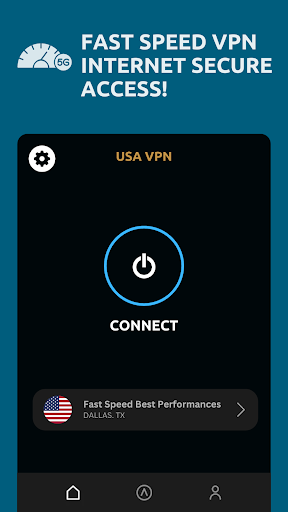
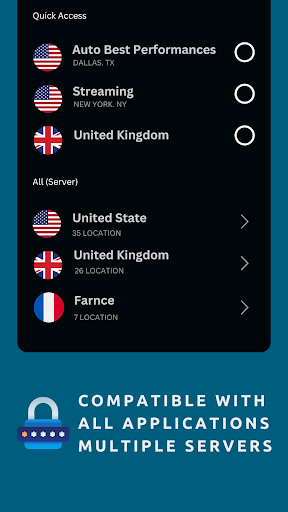
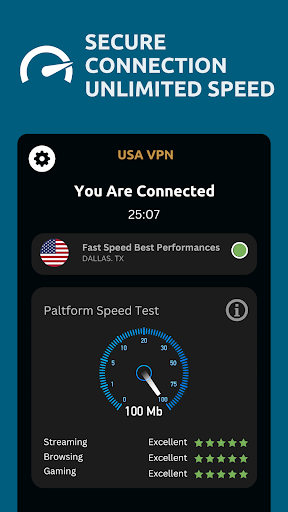
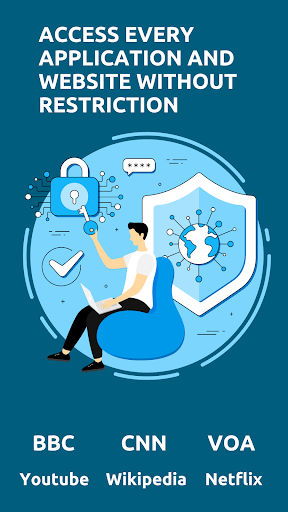
In an era where online privacy is becoming increasingly critical, it's imperative to safeguard your digital footprint from prying eyes. Enter VPN Proxy, your go-to solution for secure and private internet browsing. With cutting-edge encryption technology and a user-friendly interface, VPN Proxy empowers you to take control of your online presence and enjoy unrestricted access to the web.
Why VPN Proxy?
Advanced Encryption: VPN Proxy employs state-of-the-art encryption protocols to ensure that your data remains secure from hackers, ISPs, and government surveillance. Whether you're browsing the web, accessing public Wi-Fi, or conducting sensitive transactions, rest assured that your information is shielded from unauthorized access.
Global Network: With servers strategically located around the world, VPN Proxy offers unparalleled access to geo-restricted content. Whether you want to stream your favorite Netflix shows, access region-locked websites, or bypass censorship filters, our vast network of servers ensures that you can enjoy unrestricted internet access from anywhere.
Anonymous Browsing: Say goodbye to online tracking and invasive advertisements. VPN Proxy masks your IP address and encrypts your internet traffic, allowing you to browse the web anonymously without leaving a digital footprint. Enjoy true online freedom without compromising your privacy.
Fast and Reliable Connections: Experience blazing-fast internet speeds without sacrificing security. VPN Proxy optimizes server performance to deliver seamless browsing, streaming, and gaming experiences. Whether you're downloading large files or streaming HD content, our high-speed servers ensure smooth and uninterrupted connectivity.
Cross-Platform Compatibility: Whether you're using a smartphone, tablet, or computer, VPN Proxy has you covered. Our app is compatible with all major platforms, including Android, iOS, Windows, and Mac, allowing you to protect all your devices with a single subscription.
Key Features:
Military-Grade Encryption: Protect your data with AES-256 encryption, the industry standard for securing sensitive information.
No Logs Policy: We respect your privacy. VPN Proxy operates under a strict no-logs policy, ensuring that your browsing history remains private and confidential.
Kill Switch: Stay protected at all times with our built-in kill switch feature, which automatically disconnects your internet connection if the VPN connection is lost.
Multi-Device Support: Secure all your devices with one account. Whether you're at home or on the go, VPN Proxy ensures that your data remains safe and secure.
Unlimited Bandwidth: Enjoy unlimited bandwidth without any throttling or data caps. Stream, download, and browse to your heart's content without worrying about restrictions.
Easy-to-Use Interface: Our intuitive interface makes it easy for users of all skill levels to connect to VPN servers and customize their browsing experience.
How It Works:
Download and Install: Simply download VPN Proxy from the Google Play Store and follow the on-screen instructions to install the app on your Android device.
Connect to a Server: Choose from our extensive list of servers located around the world and connect to the one that best suits your needs.
Browse Anonymously: Once connected, enjoy anonymous browsing, streaming, and downloading without any restrictions or limitations.
Stay Protected: With VPN Proxy running in the background, rest assured that your data is secure and your privacy is protected at all times.
Get Started Today:
Take control of your online privacy and security with VPN Proxy. Download the app now and enjoy unrestricted access to the web while keeping your personal information safe from prying eyes. Join millions of satisfied users who trust VPN Proxy to safeguard their digital lives. Experience true online freedom with VPN Proxy today!
Protect Your Privacy. Access the Web Freely. Download VPN Proxy Now.
Tunjukkan Lagi

1. Muat turun pemasang MEmu dan selesaikan persediaan

2. Mulakan MEnu kemudian buka Google Play di desktop

3. Cari Super VPN - Fast Speed VPN di Google Play
Install
4. Muat turun dan Pasang Super VPN - Fast Speed VPN
5. Apabila selesai pemasangan, menekan ikon itu untuk memulakan

6. Gunakan MENu untuk mengalami Super VPN - Fast Speed VPN pada komputer anda
MEmu Play ialah emulator Android terbaik, dengan lebih 100 juta pengguna mengalami pengalaman aplikasi Android yang unggul. Teknologi virtualisasi MEmu membolehkan anda menjalankan beribu-ribu aplikasi Android dengan lancar pada komputer anda, walaupun yang paling mencabar.
Skrin lebih besar dengan grafik yang lebih baik; Tempoh yang panjang, tanpa had bateri atau data mudah alih.
Sokongan Keymapping penuh untuk kawalan tepat papan kekunci dan tetikus atau gamepad.
Pelbagai akaun permainan atau tugas pada satu PC sekaligus dengan pengurus pelbagai contoh.
Use Super VPN - Fast Speed VPN on PC by following steps: