Weather Hi-Def Radar
Dikemas kini
Versi Semasa
1.8.0(31)
Ditawarkan Oleh

Berhentilah bimbang dengan bayaran berlebihan semasa menggunakan Weather Hi-Def Radar di telefon bimbit anda, bebaskan diri anda dari layar kecil dan nikmati penggunaan aplikasi pada paparan yang jauh lebih besar. Mulai sekarang, dapatkan pengalaman skrin penuh aplikasi anda dengan papan kekunci dan tetikus. MEmu Play semua ciri mengejutkan yang anda harapkan: pemasangan cepat dan penyediaan mudah, kawalan intuitif, tidak ada batasan bateri, data mudah alih, dan panggilan yang mengganggu. MEmu 9 yang baru adalah pilihan terbaik untuk menggunakan Weather Hi-Def Radar di komputer anda. Dikodkan dengan penyerapan kami, pengurus multi-instance menjadikan pembukaan 2 atau lebih akaun pada masa yang sama mungkin. Dan yang paling penting, mesin emulasi eksklusif kami dapat melepaskan potensi penuh PC anda, menjadikan semuanya lancar dan menyeronokkan.
Tunjukkan Lagi
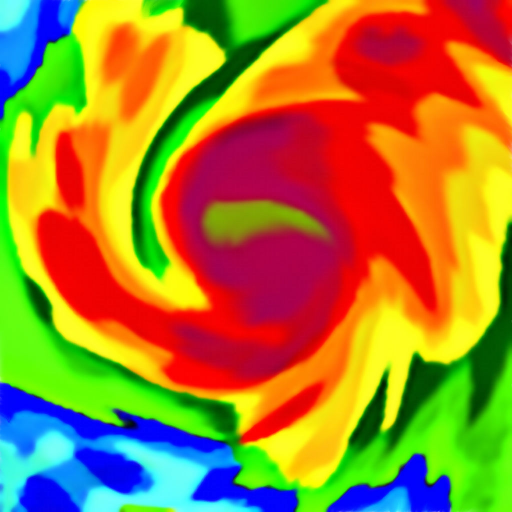
Download Weather Hi-Def Radar on PC with MEmu Android Emulator. Enjoy playing on big screen. Weather Hi-Def Radar is a simple yet powerful weather radar app that features real-time animated weather radar images in vivid color on a highly-responsive interactive map.
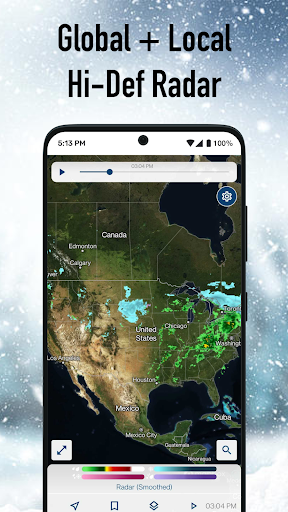
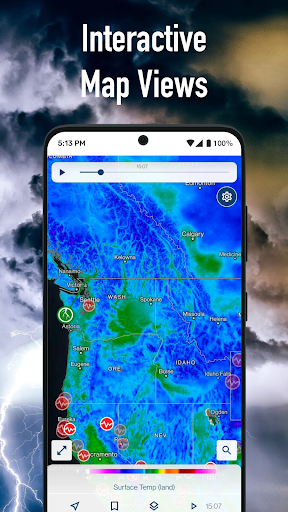
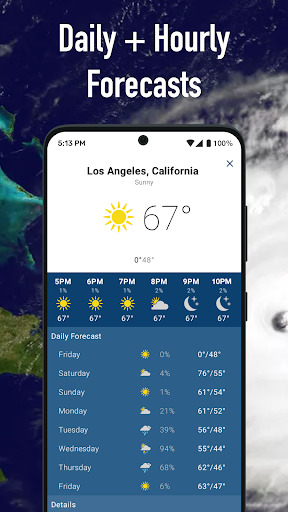
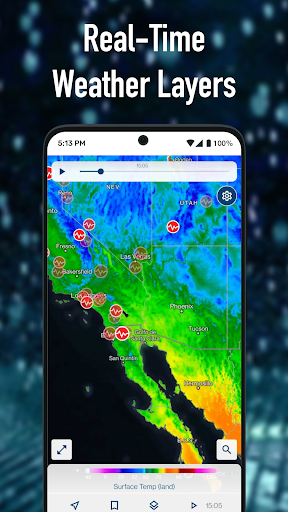
Weather Hi-Def Radar is a simple yet powerful weather radar app that features real-time animated weather radar images in vivid color on a highly-responsive interactive map. View future forecasts and detailed weather information with map layers, including snowfall and windspeed.
Features include:
Sharp weather radar displays for current & future radar images
Tap & hold on the map to check current weather conditions and forecasts (for U.S. locations, and some non-U.S. locations where available)
Save multiple locations for fast & easy access to weather forecasts, current road conditions, barometric pressure readings, and detailed weather information for all your saved locations
View your GPS position, direction of travel and elevation on the map with location enabled
View weather map full-screen on your device and hide app buttons for a crystal clear display of weather radar activity
Turn on Weather Layers to see past weather imagery (for U.S. locations & some non-U.S. locations where available):
Radar layer
Clouds layer
Clouds & Radar layer
Temperature layer
Wind Speed layer
Snowfall layer
Severe Weather Overlays and alerts on the map display severe weather warning boxes (U.S. locations only):
Tornado & Thunderstorm watches and warnings
Flood watches and warnings
Hurricane & Tropical Storm forecast tracks
Hurricane & Tropical Storm watches and warnings
Storm Tracks show storm direction in the next few minutes
Winter storm watches and warnings
Marine and coastal alerts
Earthquakes
Recent Lightning strikes
Upgrade to Storm Watch Plus for even more features that keep you safe and informed:
Future Radar: See predicted radar imagery for the next few hours
Future Clouds: See predicted cloud coverage for the next few hours
Sync Clouds & Radar: See predicted future clouds and radar imagery in one place
Future Temperatures Map: See predicted future temperatures on the map
Future Wind Speeds Map: See predicted future wind speeds on the map
Storm Tracker: Stay safe with severe weather overlays
Snowfall Radar: Keep track of flurries and snowstorms alike
Extended Forecast: Plan ahead with predicted temperatures for the weeks ahead
Privacy Policy: http://www.weathersphere.com/privacy
Terms of Service: http://www.weathersphere.com/terms
Tunjukkan Lagi

1. Muat turun pemasang MEmu dan selesaikan persediaan

2. Mulakan MEnu kemudian buka Google Play di desktop

3. Cari Weather Hi-Def Radar di Google Play
Install
4. Muat turun dan Pasang Weather Hi-Def Radar
5. Apabila selesai pemasangan, menekan ikon itu untuk memulakan

6. Gunakan MENu untuk mengalami Weather Hi-Def Radar pada komputer anda
MEmu Play ialah emulator Android terbaik, dengan lebih 100 juta pengguna mengalami pengalaman aplikasi Android yang unggul. Teknologi virtualisasi MEmu membolehkan anda menjalankan beribu-ribu aplikasi Android dengan lancar pada komputer anda, walaupun yang paling mencabar.
Skrin lebih besar dengan grafik yang lebih baik; Tempoh yang panjang, tanpa had bateri atau data mudah alih.
Sokongan Keymapping penuh untuk kawalan tepat papan kekunci dan tetikus atau gamepad.
Pelbagai akaun permainan atau tugas pada satu PC sekaligus dengan pengurus pelbagai contoh.
Use Weather Hi-Def Radar on PC by following steps: