PovChat: AI characters to chat
Zaktualizowano
Aktualna wersja
1.0.44
Sprzedawca

Przestań martwić się nadmiernymi opłatami podczas korzystania z PovChat: AI characters to chat na telefonie komórkowym, uwolnij się od małego ekranu i ciesz się korzystaniem z aplikacji na znacznie większym wyświetlaczu. Od teraz korzystaj z aplikacji na pełnym ekranie za pomocą klawiatury i myszy. MEmu oferuje wszystkie zaskakujące funkcje, których się spodziewałeś: szybką instalację i łatwą konfigurację, intuicyjne sterowanie, koniec z ograniczeniami baterii, danych mobilnych i niepokojących połączeń. Zupełnie nowy MEmu 9 to najlepszy wybór do używania PovChat: AI characters to chat na twoim komputerze. Zakodowany przez naszą absorpcję, menedżer wielu instancji umożliwia otwarcie 2 lub więcej kont w tym samym czasie. A co najważniejsze, nasz ekskluzywny emulator może uwolnić pełny potencjał twojego komputera, sprawić, że wszystko będzie płynne i przyjemne.
Pokaż więcej
Ciesz się wspaniałym doświadczeniem podczas grania w PovChat: AI characters to chat na komputerze z aplikacją MEMU App Player. Jest to potężny darmowy emulator Androida Umożliwia korzystanie z tysięcy aplikacji Androida. You’ve got some AI friends to chat with!
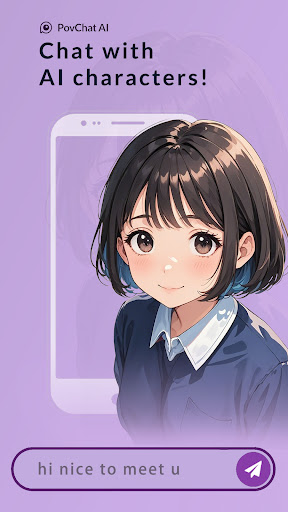
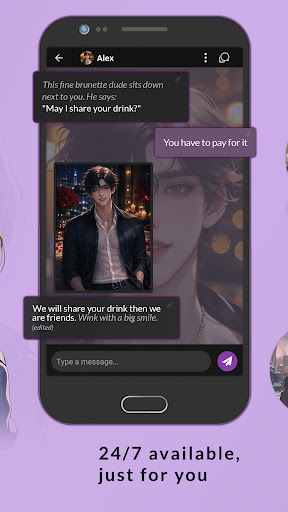
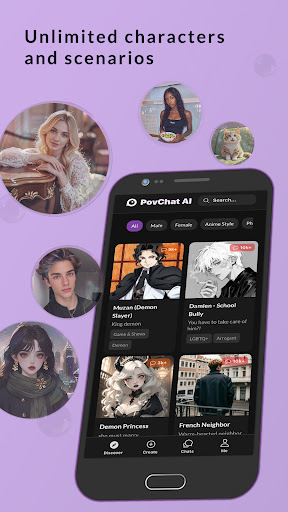
You’ve got some AI friends to chat with! Whether you are looking for roleplay, companionship, anime characters, or fantasy interactive stories…… PovChat AI is for you. Here, you will find a world of AI-powered characters, each having personality and relationship dynamics. It’s fun!
Why PovChat AI?
PovChat has its own AI models specifically for fantasy and roleplay conversations. You can experience deeper, more coherent interactions that truly feel like talking to someone real. The characters remember your conversations, understand context, and provide meaningful and fun responses.
Key functions
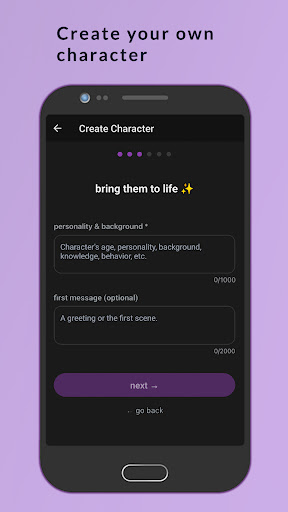
- Create your own characters: Design custom characters with unique traits, backgrounds, appearances, and backstories to bring your imagination to life. All you need is creativity, and PovChat will do the rest.
- Edit a message: Don’t like a reply from AI? Easily revise or refine your conversations with simple in-place editing. By using it more and more, your characters will understand your dialogue preferences.
- Model selection: Besides PovChat AI’s roleplay model, you can also use general-purpose language models like ChatGPT, Deepseek, and Mistral, for different conversations in different vibes.
Time to start your adventure in the world of AI!
------------------------------------------------
Terms of Service: https://povchat.ai/terms
Privacy Policies: https://povchat.ai/privacy
Pokaż więcej

1. Pobierz instalator MEmu i zakończ instalację

2. Uruchom MEmu, a następnie otwórz Google Play na pulpicie

3. Wyszukaj PovChat: AI characters to chat w Google Play
Install
4. Pobierz i zainstaluj PovChat: AI characters to chat
5. Po zakończeniu instalacji kliknij ikonę, aby rozpocząć

6. Użyj MEmu, aby doświadczyć PovChat: AI characters to chat na swoim komputerze
MEmu Play to najlepszy emulator Androida, z którego korzysta ponad 100 milionów użytkowników, ciesząc się wyjątkowym doświadczeniem aplikacji na Androida. Technologia wirtualizacji MEmu pozwala na płynne uruchamianie tysięcy aplikacji Androida na komputerze, nawet tych najbardziej wymagających.
Większy ekran z lepszą grafiką; Długi czas, bez ograniczeń baterii lub danych mobilnych.
Pełna obsługa mapowania klawiszy dla precyzyjnego sterowania klawiaturą i myszą lub gamepadem.
Wiele kont gier lub zadań na jednym komputerze jednocześnie z menedżerem wielu instancji.
Use PovChat: AI characters to chat on PC by following steps: