Real Piano
Güncellendi
Mevcut Sürüm
3.0.3
Sunan

Real Piano oynamak için bu kadar tutkuluyken, ellerin telefonunun küçük ekranıyla sınırlı kalmamalı.Bir profesyonel gibi oyna ve klavye ve fare ile oyununun tüm kontrolü sende olsun.MEmu sana beklediğin her şeyi sunuyor.PC'de Real Piano indir ve oyna. İstediğin kadar oyna, artık pil sınırlamaları, mobil veri ve rahatsız edici çağrılar yok.Yepyeni MEmu 9, PC'de Real Piano oynamak için en iyi seçim. Uzmanlığımızla hazırlanan zarif ön ayar tuş eşleme sistemi Real Piano oyununu gerçek bir PC oyununa dönüştürüyor.MEmu çoklu örnek yöneticisi, aynı cihazda 2 veya daha fazla hesap oynamayı mümkün kılıyor.Ve en önemlisi, özel emülasyon motorumuz PC'nizin tüm potansiyelini ortaya çıkarıyor, her şeyi sorunsuz hale getiriyor.
Daha fazla göster
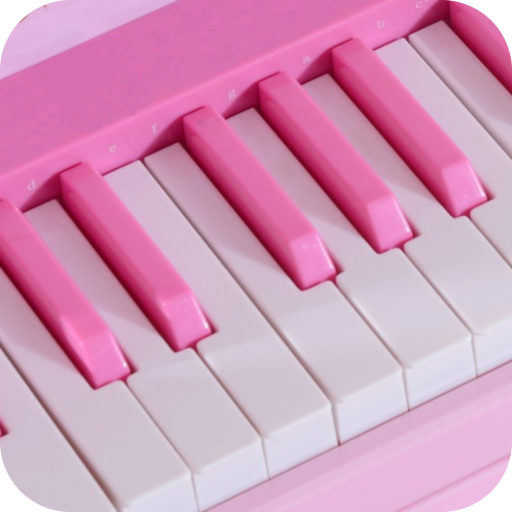
Real Piano’i MEmu Android Emülatör ile PC’ye indirin. Büyük ekranda oynamanın keyfini çıkarın. The best piano keyboard on the app play!
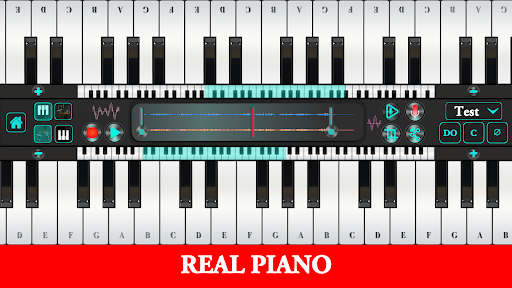
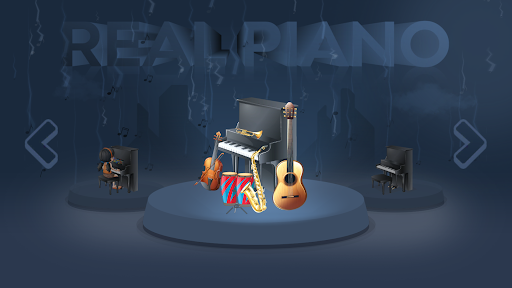
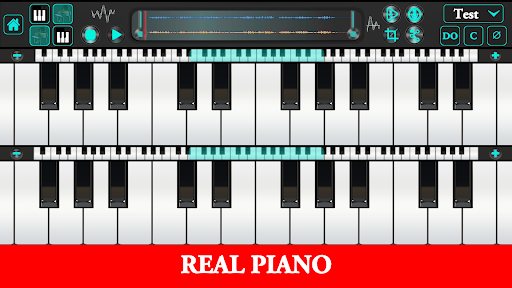
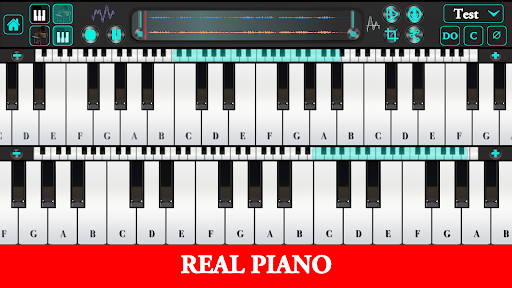
The best piano keyboard on the app play! For pianists, keyboardists, musician, performers, artists, amateurs or beginners!
Want to learn how to play the piano? You’ve come to the right place!
With 88 keys, a rich history, and many associated celebrities, the piano can be an intimidating instrument. But it’s also an accessible one. Anyone can learn the piano at any age and have hours of fun on it.
This comprehensive series will take you from never touching the piano to playing your first chords and first song. You’ll also learn fundamental skills, good habits
1: You can make amazing sounds from day 1
Some instruments, like the violin or the trumpet, take skill just to make a decent sound
But piano is rewarding from day 1 because you don’t have to “make” the sound yourself. All you have to do is press a key that’s attached to a hammer that hits a string to create a perfectly clear note.
Most people can figure out a simple melody on a keyboard by playing around. Of course, there’s more to playing piano than eking out “Twinkle, Little Star,” but at least you won’t be squeaking through your first few lessons!
2: You learn both melody and harmony, treble clef and bass clef
A neat thing pianists can do is play both melody and harmony. Most instruments can’t do this
As a pianist, you’ll gain a deeper understanding of both melody and harmony — that is, both the foreground and background of music.
Knowledge of both treble and bass clef also helps. Many instruments only use the treble clef, but if you decide to pick up the tuba later on, that bass clef knowledge will come in handy
#3: You are an independent music-making machine — but you can also have fun with other people
Since pianos handle both melody and harmony, you don’t require someone to accompany you. Other instruments, such as the violin or guitar, require bands, backing tracks, or an accompanying pianist to sound “complete.”
#4: Piano knowledge lets you pick up other musical instruments with ease
Because piano requires fine motor skills, knowledge of both treble and bass clefs, and good musicality, when you learn piano, you gain transferable skills for other instruments.
Since learning piano, I’ve learned flute, electric and acoustic guitar, electric bass, and a few basic drum patterns. I believe these instruments were definitely easier to learn because I had piano skills as a foundation.
Real Piano - A free piano app that helps you learn chords and music notes with virtual musical instruments! Learn how to play piano in many ways.
You will learn how to play the piano very quickly.
Increase your fun with different musical instruments (Piano, Flute, Organ, Guitar).
Your children will learn while having fun and their intelligence levels will improve. By attracting the attention of children will improve their musical abilities.
You can record the instrument you played and then listen again. You can adjust the size of the piano with the plus and minus keys.
Made for pianists, musicians, artists, learners and beginners!
Use the app whether you are a music teacher, singer, songwriter, or beginner. Or simply learn how to play the piano, without having to own one.
Express your musicality and creativity. Record your music on the go and play it back whenever you like. Share your recordings with your friends fast and easy through the integrated sharing function.
Features
Daha fazla göster

1. MEmu yükleyicisini indirin ve kurulumu tamamlayın

2. MEmu'yu başlatın ve ana sayfada Google Play'i açın

3. Google Play'de Real Piano arayın
Install
4. Real Piano indirin ve yükleyin
5. Kurulum tamamlandığında başlamak için simgeye tıklayın

6. PC’de MEmu ile Real Piano oyunun keyfini çıkarın
MEmu App Player, en iyi ücretsiz Android emülatörüdür ve 50 milyon insan zaten mükemmel Android oyun deneyimini yaşamaktadır. MEmu sanallaştırma teknolojisi, binlerce grafik oyunu hatta grafikte en yoğun olanları bile sorunsuz bir şekilde bilgisayarınızda oynamanızı sağlar.
Daha büyük ekranla daha iyi grafiklere sahip; Pil veya mobil veri sınırlaması olmaksızın uzun süre.
Keymapping klavye ve fare veya gamepad'in hassas kontrolü için destek verir.
Multi-Instance yöneticisi ile tek bir bilgisayarda aynı anda birden fazla oyun hesabı veya görev gerçekleşilebilir.
Play Real Piano on PC by following steps: