Dream Mancave - Match 3 Games
更新日期
目前版本
1.1
提供者

愛玩Dream Mancave - Match 3 Games的你,雙手不應該被束縛在智慧手機的小屏幕上。像職業選手一樣用鍵盤和滑鼠來全面控制你的遊戲吧。逍遙模擬器給你提供了你所有的期待。在電腦上下載、安裝Dream Mancave - Match 3 Games並盡情遊玩。再也不用擔心剩餘電量、流量消耗和煩人的來電。全新的逍遙模擬器9是你在電腦上遊玩Dream Mancave - Match 3 Games的最佳選擇!我们用心準備,完美的按鍵映射系統讓Dream Mancave - Match 3 Games宛如電腦遊戲;我們,用嫻熟的技術編程,逍遙多開器讓所有遊戲開好開滿;獨一無二的虛擬化引擎釋放你電腦的全部潛力,一切都入絲般順滑。我們不僅在意你怎樣遊玩,更在意如何讓你享受遊玩的樂趣!
更多
透過逍遙模擬器,在電腦上下載Dream Mancave - Match 3 Games,享受大熒幕的暢快體驗。 打造專屬紳士樂園 Match-3—離線暢玩、免費入門,成人裝飾謎題滿載!
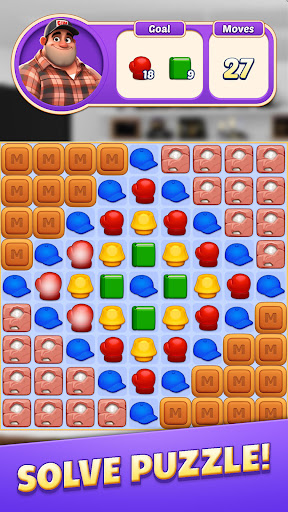
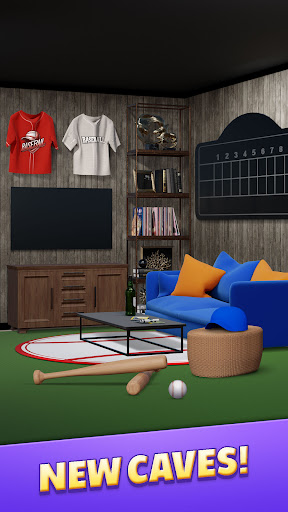
打造專屬紳士樂園 Match-3—離線暢玩、免費入門,成人裝飾謎題滿載!
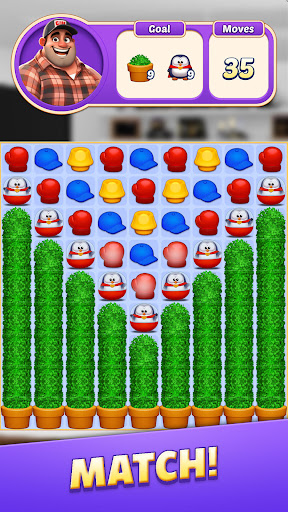
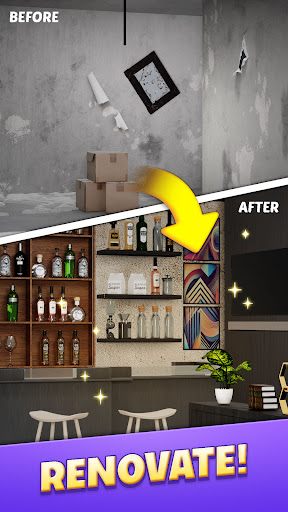
Dream Mancave 結合輕鬆三消與深度房間設計,讓你在掌中打造散發皮革香氣的私人避風港。
必玩理由
• 紳士樂園幻想 – 復古街機、手工雪茄盒、機車海報任意擺放。
• 5 000 精調關卡 – 滑動消除;每 2 週更新。
• 真實 3D 展示 – 第一人稱漫遊,邀好友點評。
• 離線遊玩 & 免費開局 – 無需 Wi-Fi。
• 稀有主題套裝 – Car Loft、Cigar Lounge 等 20+ 套。
• 溫馨劇情 – 重溫深夜聊天、球賽聚會與人生導師。
玩法詳解
• 經典三消 – 三連消得星並觸發消行。
• 動態強化 – 雷射光束、超級消行、金色迪斯可炸彈。
• 平衡生命系統 – 通關或短廣告即可恢復。
• 智慧難度 – 新手與高手皆能輕鬆又具成就感。
活動與獎勵
• Fast Track – 週末衝刺打造最炫樂園,贏取獨家霓虹。
• 賽季通行證 – Summer Surf Shack 等季節主題。
• 每日登入禮 – 免費強化、金幣、限定造型。
加入兄弟會
立即下載 Dream Mancave,率先打造你的私人聖地!
更多

1. 下載逍遙安裝器並完成設置

2. 啟動逍遙後打開位於桌面上的谷歌商店

3. 在谷歌商店中搜尋Dream Mancave - Match 3 Games
Install
4. 下載並安裝Dream Mancave - Match 3 Games
5. 下載完成後點擊圖標來啟動

6. 透過逍遙享受在電腦上玩Dream Mancave - Match 3 Games
逍遙安卓是優秀的安卓模擬器,全球超過5000萬用戶的優先選擇。逍遙安卓以虛擬化技術為核心,為用户打造突破手機配備局限的遊戲平台!
大屏精細展示;無限待機,超越電池和流量限制
鍵鼠,手把操作全面支持,操作更精準
用逍遙多開同時運行多個遊戲、應用。
Play Dream Mancave - Match 3 Games on PC by following steps: