
Dream Mancave - Match 3 Games
Updated
Current Version
1.1
Offered By

With your passion for Dream Mancave - Match 3 Games, you shouldn’t have to limit yourself to the small screen of a phone. Play like a pro and take full control of the game using a keyboard and mouse. MEmu gives you everything you’re looking for. Download and play Dream Mancave - Match 3 Games on PC. Play as long as you want — no more worries about battery life, mobile data, or unexpected calls. The all-new MEmu 9 is the best way to play Dream Mancave - Match 3 Games on PC. With our expertly designed keymapping system, Dream Mancave - Match 3 Games feels just like a real PC game. The MEmu multi-instance manager lets you run two or more accounts on the same device at the same time. Most importantly, our exclusive emulation engine unlocks your PC’s full potential, delivering smooth and seamless performance.
Show more
Download Dream Mancave - Match 3 Games on PC with MEmu Android Emulator. Enjoy playing on big screen. Build the ultimate match-3 mancave—offline, free to start, and packed with decorating puzzles made for grown-ups.
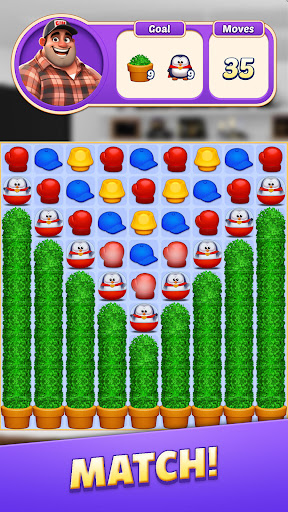
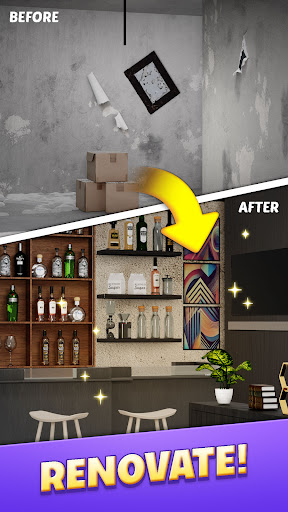
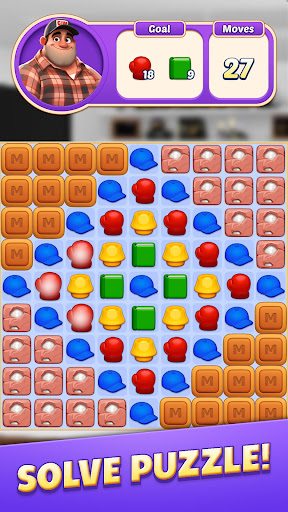
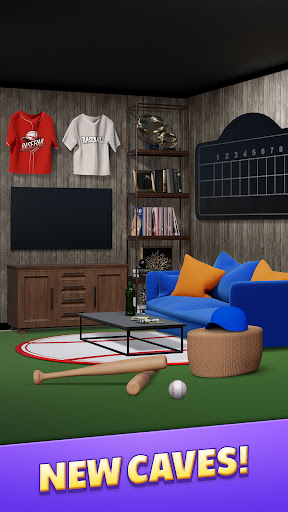
Build the ultimate match-3 mancave—offline, free to start, and packed with decorating puzzles made for grown-ups.
Dream Mancave blends relaxing match-3 gameplay with deep room-design so you can unwind, collect, and curate a leather-scented refuge in your pocket.
Why You’ll Love It
True Mancave Fantasy – Fill your hideout with vintage arcade cabinets, handcrafted humidors, motorbike posters, and more.
5,000 Hand-Tuned Match-3 Levels – Swipe, match, and clear tiles; new levels arrive every 2 weeks to keep the puzzle fun rolling.
Real-3D Showcase Mode – Walk through your room in first-person and invite friends to judge your style.
Offline Play, Free Entry – No Wi-Fi required. Start free and keep playing anywhere.
Collect Rare Theme Sets – Unlock Car Loft, Cigar Lounge, Retro Arcade, Tech Lab, plus 20 future drops.
Soft Story Beats – Relive late-night chats, game-day gatherings, and mentors who shaped you.
Gameplay Deep Dive
• Classic Match-3 Puzzle – Match three tiles to earn stars for décor and powerful line blasts.
• Dynamic Boosters – Fire the Laser Beam, Mega Line-Blast, or Golden Disco-Bomb to clear whole zones.
• Balanced Heart System – Hearts recharge as you beat stages or watch a quick ad—no hard paywall.
• Smart Difficulty Curve – Adaptive mode keeps puzzles calm yet rewarding for newcomers and veterans alike.
Live Events & Rewards
Fast Track – A weekend sprint to build the slickest mancave; grab exclusive neon rewards.
Season Pass – Summer Surf Shack, Holiday Ski Cabin, and more arrive every season with themed décor.
Daily Login Gifts – Free boosters, coin bundles, and limited skins boost your progress every day.
Join the Brotherhood
Download Dream Mancave today—be among the first to craft the personal refuge you’ve always imagined.
Show more

1. Download MEmu installer and finish the setup

2. Start MEmu then open Google Play on the desktop

3. Search Dream Mancave - Match 3 Games in Google Play
Install
4. Download and Install Dream Mancave - Match 3 Games
5. On install completion click the icon to start

6. Enjoy playing Dream Mancave - Match 3 Games on PC with MEmu
MEmu Play is the best Android emulator and 100 million people already enjoy its superb Android gaming experience. The MEmu virtualization technology empowers you to play thousands of Android games smoothly on your PC, even the most graphic-intensive ones.
Bigger screen with better graphics; Long duration, without limitation of battery or mobile data.
Full Keymapping support for precise control of keyboard and mouse or gamepad.
Multiple game accounts or tasks on single PC at one time with Multi-Instance manager.
Play Dream Mancave - Match 3 Games on PC by following steps:

















































