Maze Puzzle Pro : Path Finder
更新日期
目前版本
1.0
提供者

愛玩Maze Puzzle Pro : Path Finder的你,雙手不應該被束縛在智慧手機的小屏幕上。像職業選手一樣用鍵盤和滑鼠來全面控制你的遊戲吧。逍遙模擬器給你提供了你所有的期待。在電腦上下載、安裝Maze Puzzle Pro : Path Finder並盡情遊玩。再也不用擔心剩餘電量、流量消耗和煩人的來電。全新的逍遙模擬器9是你在電腦上遊玩Maze Puzzle Pro : Path Finder的最佳選擇!我们用心準備,完美的按鍵映射系統讓Maze Puzzle Pro : Path Finder宛如電腦遊戲;我們,用嫻熟的技術編程,逍遙多開器讓所有遊戲開好開滿;獨一無二的虛擬化引擎釋放你電腦的全部潛力,一切都入絲般順滑。我們不僅在意你怎樣遊玩,更在意如何讓你享受遊玩的樂趣!
更多
透過逍遙模擬器,在電腦上下載Maze Puzzle Pro : Path Finder,享受大熒幕的暢快體驗。 Maze Puzzle Pro: Path Finder is a fun and challenging maze puzzle game where you guide the player through twisty paths, avoid traps, and find the correct exit.

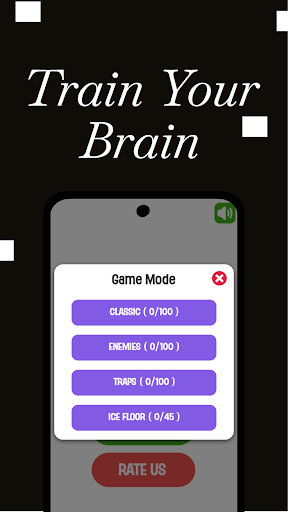
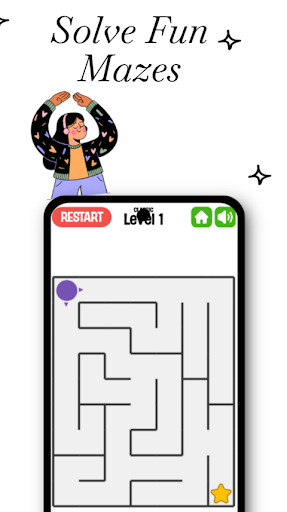
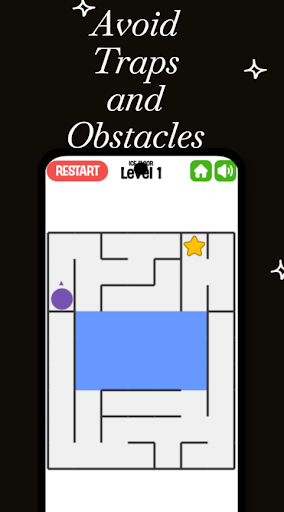
Maze Puzzle Pro: Path Finder is a fun and challenging maze puzzle game where you guide the player through twisty paths, avoid traps, and find the correct exit. It is designed to improve your brain skills, reasoning ability, focus, and logical thinking while giving you a smooth and relaxing gaming experience.
Every level brings a new challenge. Plan your moves, think smart, and make your way out of the maze. The game starts easy but becomes more exciting and difficult as you progress. Perfect for kids, students, and adults who love brain games and logic puzzles.
This game is lightweight, works offline, and has no ads or tracking. Just pure gameplay.
⭐ Key Features
Fun and challenging maze puzzles
Avoid traps and obstacles
Improves reasoning and brain skills
Simple controls and clean UI
Smooth gameplay
Lightweight and fast
Works offline
Suitable for all ages
Privacy First Gaming
No Ads
No Tracking
No Data Collection
No Login Required
Offline Play Supported
Enjoy a safe and distraction-free experience.
Who Can Play?
• Puzzle lovers
• Brain and logic game fans
• Kids and students
• Adults who enjoy smart thinking games
• Anyone who wants to improve brain power
更多

1. 下載逍遙安裝器並完成設置

2. 啟動逍遙後打開位於桌面上的谷歌商店

3. 在谷歌商店中搜尋Maze Puzzle Pro : Path Finder
Install
4. 下載並安裝Maze Puzzle Pro : Path Finder
5. 下載完成後點擊圖標來啟動

6. 透過逍遙享受在電腦上玩Maze Puzzle Pro : Path Finder
逍遙安卓是優秀的安卓模擬器,全球超過5000萬用戶的優先選擇。逍遙安卓以虛擬化技術為核心,為用户打造突破手機配備局限的遊戲平台!
大屏精細展示;無限待機,超越電池和流量限制
鍵鼠,手把操作全面支持,操作更精準
用逍遙多開同時運行多個遊戲、應用。
Play Maze Puzzle Pro : Path Finder on PC by following steps: