
Word Lookup
更新日期
目前版本
2024.1.0
提供者

愛玩Word Lookup的你,雙手不應該被束縛在智慧手機的小屏幕上。像職業選手一樣用鍵盤和滑鼠來全面控制你的遊戲吧。逍遙模擬器給你提供了你所有的期待。在電腦上下載、安裝Word Lookup並盡情遊玩。再也不用擔心剩餘電量、流量消耗和煩人的來電。全新的逍遙模擬器9是你在電腦上遊玩Word Lookup的最佳選擇!我们用心準備,完美的按鍵映射系統讓Word Lookup宛如電腦遊戲;我們,用嫻熟的技術編程,逍遙多開器讓所有遊戲開好開滿;獨一無二的虛擬化引擎釋放你電腦的全部潛力,一切都入絲般順滑。我們不僅在意你怎樣遊玩,更在意如何讓你享受遊玩的樂趣!
更多
透過逍遙模擬器,在電腦上下載Word Lookup,享受大熒幕的暢快體驗。 Word Lookup is the ultimate Anagram, Word Finder and Dictionary for word games like Words With Friends, SCRABBLE®, Letterpress, WordFeud, WELDER and crossword puzzles.
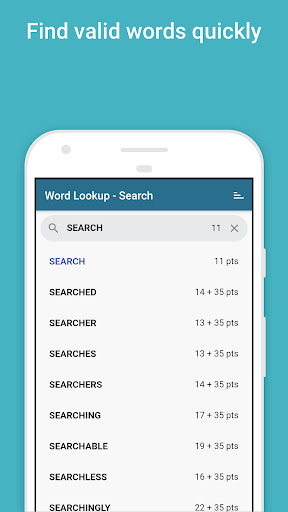
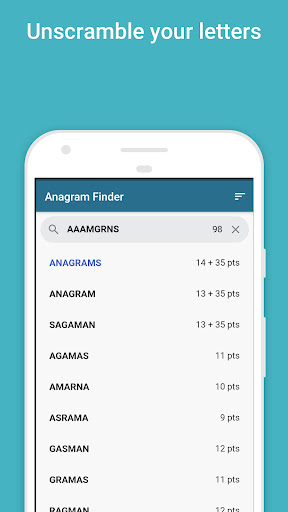
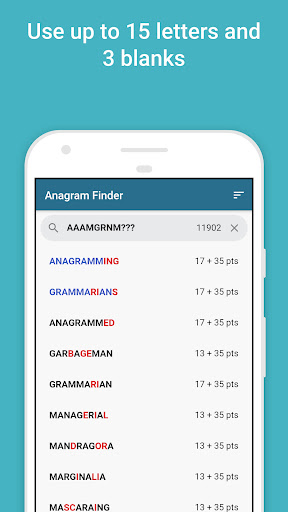
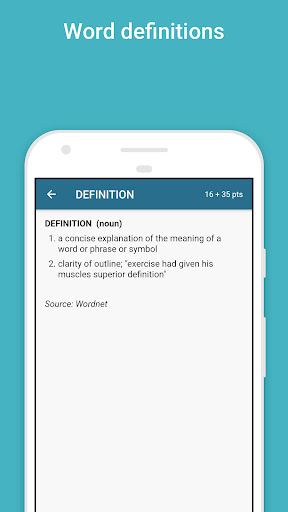
Word Lookup is the ultimate Anagram, Word Finder and Dictionary for word games like Words With Friends, SCRABBLE®, Letterpress, WordFeud, WELDER and crossword puzzles.
Use it to resolve a ‘challenge’, improve your game, and learn new words and their meanings.
Features:
◆ 170,000+ word English dictionary (as used in Words With Friends Classic / WWF2)
◆ Anagram Finder — enter up to 15 letters with 3 blanks to find all valid words (and sub-words)
◆ Word definitions
◆ FAST. Search and display the point score as you type
◆ Useful Word Lists to improve your knowledge: 2 letter words, 3 letter words, Q not followed by U, All vowels, All consonants except Y, High scoring words, WWF Tile distribution (the quantity of each letter tile available in WWF)
* * * * *
Advanced Search example (Search Tab):
Use ? or [space] as a wildcard for one letter.
Example: l??kup returns linkup, lockup, lookup
Advanced Anagrams example (Anagrams Tab):
(1) Use a ? or space as a blank letter
Example: XZ? returns ZAX, ZA, AX …
* * * * *
Some user feedback:
“It’s great! Definitely improved my game!” — S.R.
“Word Lookup is easy to navigate. I now also use it as my everyday dictionary. Well done.” — A.C.
“Great vocabulary builder! Helps when you have a mind block — without cheating!” — R.V.
“Love this App. Awesome App! When I’m all out of words and need just that one, I check the words app and whala! That one word pops up! Love love this app!” - Happyasalark, 2019.
“Great app. Fun to use. Teaches you new words.” - Terry, 2019.
更多

1. 下載逍遙安裝器並完成設置

2. 啟動逍遙後打開位於桌面上的谷歌商店

3. 在谷歌商店中搜尋Word Lookup
Install
4. 下載並安裝Word Lookup
5. 下載完成後點擊圖標來啟動

6. 透過逍遙享受在電腦上玩Word Lookup
逍遙安卓是優秀的安卓模擬器,全球超過5000萬用戶的優先選擇。逍遙安卓以虛擬化技術為核心,為用户打造突破手機配備局限的遊戲平台!
大屏精細展示;無限待機,超越電池和流量限制
鍵鼠,手把操作全面支持,操作更精準
用逍遙多開同時運行多個遊戲、應用。
Play Word Lookup on PC by following steps: